FIXONIC
SellSavedMy Fixonic
Official iFixit API visual reference

RYOBI P422 Safety Trigger Spring Replacement

If your springs become damaged or weak from...

iFixit Library RYOBI P422 Moderate No estimate Guide 40026
Open the authorised source
Licensed iFixit integration

This attributed iFixit guide is displayed through Fixonic's recorded commercial API permission. iFixit remains the independent source and author of the procedure.

Guide overview

Before you begin

If your springs become damaged or weak from extended use, it's wise to replace them to ensure proper function. These springs may be under compression/ tension, so be wary when removing/ replacing these parts.

Step 1

Repair step

  • To remove the battery press down on the two buttons located on each side of the battery and pull away from the body of the grinder.
  • To remove the handle hold grinder with one hand and use the other hand to unscrew the handle with a counter-clockwise motion
Step 2

Repair step

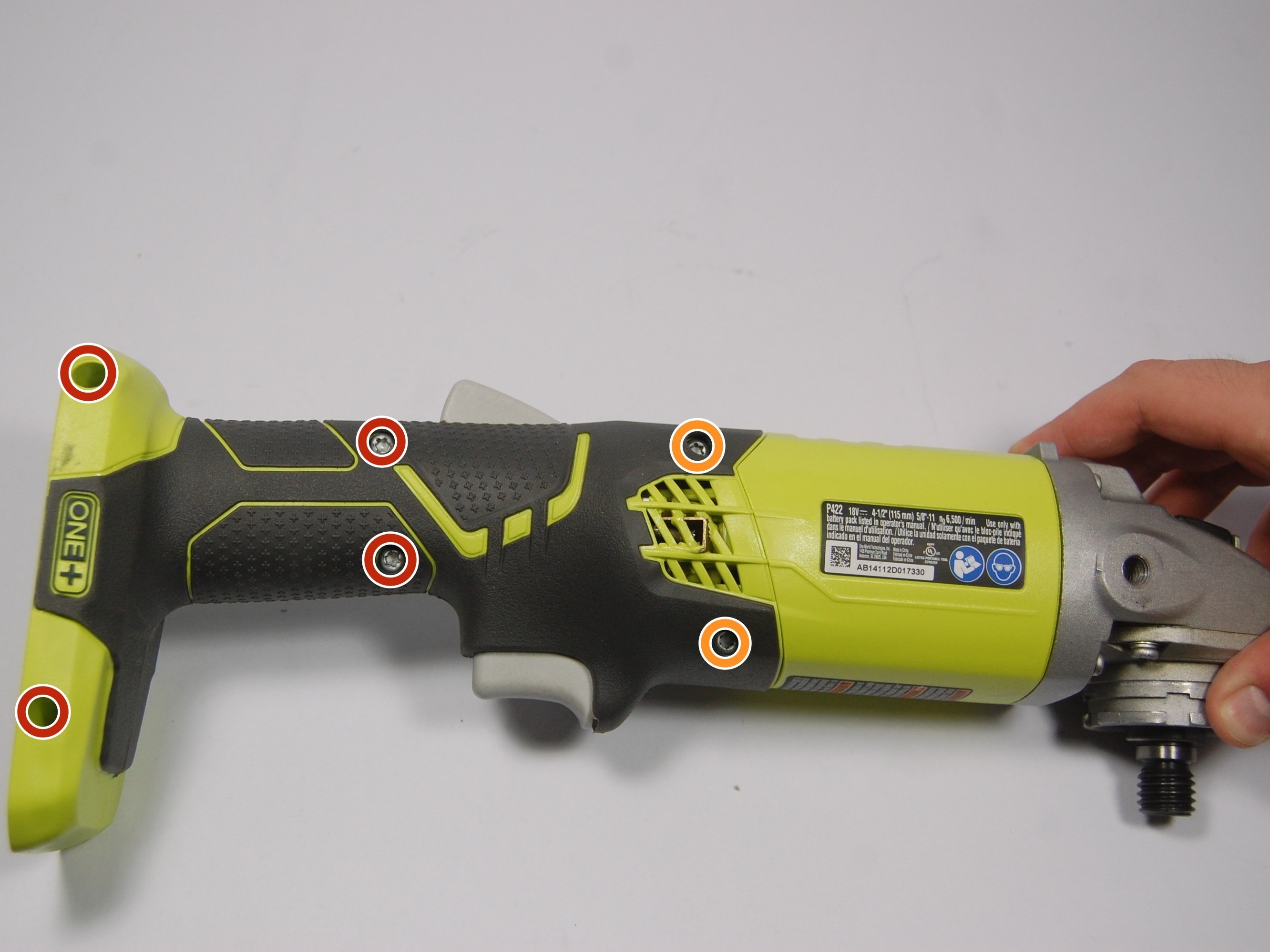
  • Lay grinder flat on its side so the screws are facing up
Step 3

Repair step

  • Remove the four 1.8 cm screws from the lower and midsection of the body with a T20-20 Torque screwdriver.
  • Remove the 3.7 cm screws from the upper section of the body, with the same screwdriver
Step 4

Repair step

  • Now that the two halves are unscrewed, remove the top half
Step 5

Repair step

  • Remove the safety trigger along with the spring.
  • To remove the spring, pull it gently off the bottom of the trigger.
  • When putting a new spring in make sure it slides into the grove on the bottom of the trigger.