
FIXONIC
SellSavedMy Fixonic
Official iFixit API visual reference

Kodak Easyshare Z981 Back Cover Replacement

If the back cover of your Kodak Easyshare Z981...

iFixit Library Kodak Easyshare Z981 Moderate 15 minutes Guide 40488
Open the authorised source
Licensed iFixit integration

This attributed iFixit guide is displayed through Fixonic's recorded commercial API permission. iFixit remains the independent source and author of the procedure.

Guide overview

Before you begin

If the back cover of your Kodak Easyshare Z981 is scratched or damaged, you may want to replace it by following the steps in this quick guide. Replacing this cover ensures that the camera is comfortable to hold, and all the buttons are working properly. The back cover protects the fragile parts inside of the camera from harm. The cover contains almost all of the buttons and controls you might use, so it is important to keep it in good condition. Replacing this part can improve the looks of the camera and may help if a button has fallen off of the damaged cover. Before beginning, make sure the camera is turned off completely.
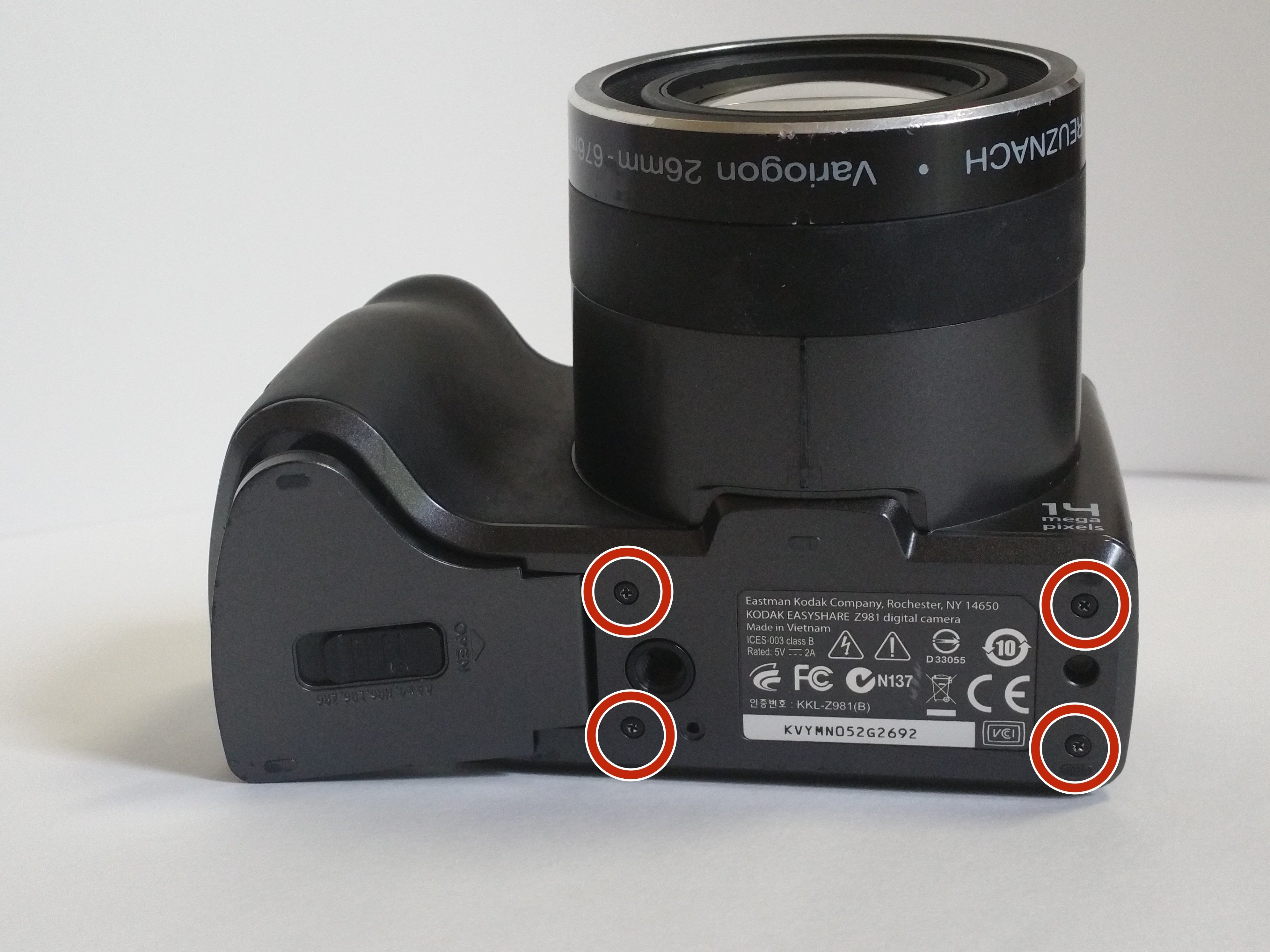
Step 1

Repair step

  • Remove screws using a 00 Phillips-Head screwdriver:
  • Eight (8) 3mm screws on the lower portion of the camera
  • Four (4) on the bottom of the camera
  • Four (4) inside the battery cover
Step 2

Repair step

  • Start from a corner and gently remove the bottom cover of the camera.
  • The cover will easily lift off without much pressure necessary.
Step 3

Repair step

  • Use a Phillips #00 Screwdriver to remove the 4 mm screws from each side of the back cover of the camera.
  • Two (2) screws are located in the left side of the device
  • Two (2) screws are locatecd in the right side of the device
Step 4

Repair step

  • Use a Plastic Opening Tool to remove the back of the camera and pull gently on the cover to remove the cover
  • Start from one corner and apply light pressure with the tool.