FIXONIC
SellSavedMy Fixonic
Official iFixit API visual reference

Motorola Moto X 2nd Generation Power and Volume flex cable Replacement

Before you begin, download the Software Fix app...

iFixit Library Motorola Moto X 2nd Generation Moderate No estimate Guide 40710
Open the authorised source
Licensed iFixit integration

This attributed iFixit guide is displayed through Fixonic's recorded commercial API permission. iFixit remains the independent source and author of the procedure.

Guide overview

Before you begin

Before you begin, download the Software Fix app to backup your device and diagnose whether your problem is software or hardware related.

Step 1

Repair step

  • Remove SIM card tray.
Step 2

Repair step

  • Remove back cover.
Step 3

Repair step

  • Remove those two rubber cover.
Step 4

Repair step

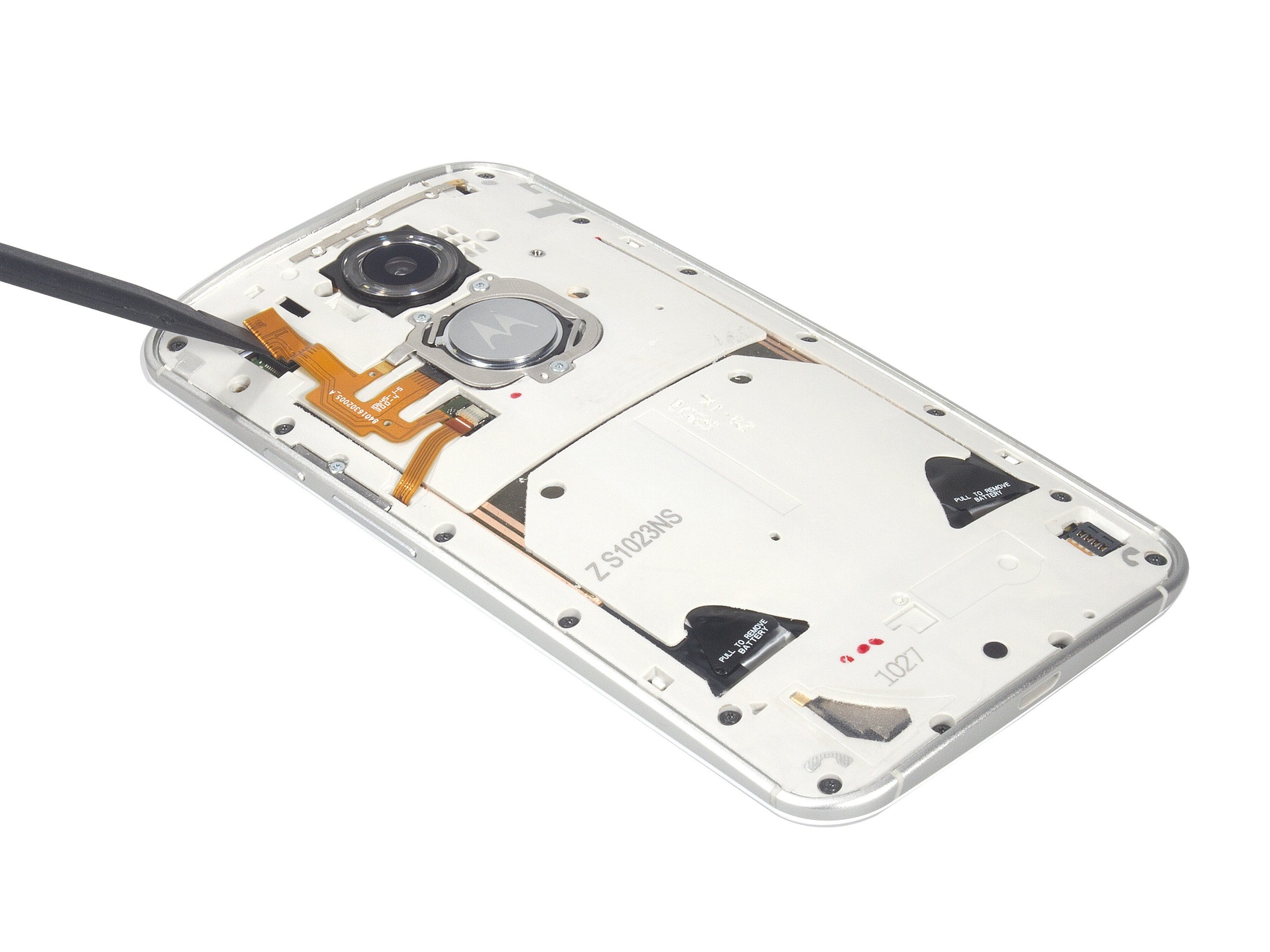
  • Release power connecting flex connector and battery connector.
Step 5

Repair step

  • Twist off all 18 black torx screws and remove the middle housing from front assembly.
Step 6

Repair step

  • Release power flex connector from connecting flex.
Step 7

Repair step

  • Remove securing bracket and side buttons.
Step 8

Repair step

  • Pry up and remove the power flex.