
FIXONIC
SellSavedMy Fixonic
Official iFixit API visual reference

Panasonic Lumix DMC-ZS8 Front Panel Replacement

This guide will teach you how to successfully...

iFixit Library Panasonic Lumix DMC-ZS8 Moderate No estimate Guide 40953
Open the authorised source
Licensed iFixit integration

This attributed iFixit guide is displayed through Fixonic's recorded commercial API permission. iFixit remains the independent source and author of the procedure.

Guide overview

Before you begin

This guide will teach you how to successfully identify and replace your camera's front panel.
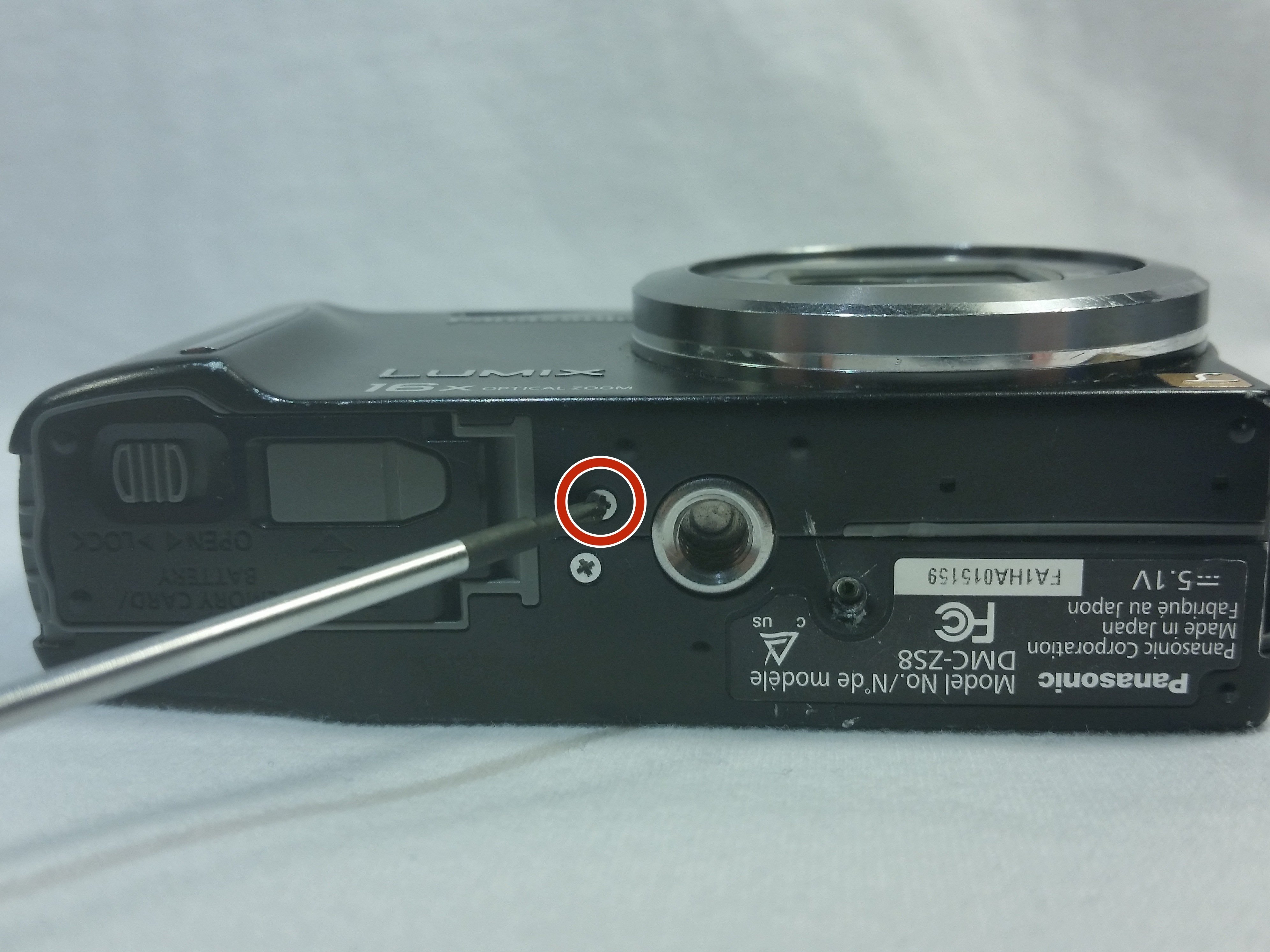
Step 1

Repair step

  • Turn the camera over so that the bottom is facing you. Using a Phillips head screwdriver, unscrew the small screw located on the bottom of the camera.
Step 2

Repair step

  • Carefully lift the front panel away from the camera until it is completely separated.
Step 3

Repair step

  • The separated front panel and camera should look like this.