FIXONIC
SellSavedMy Fixonic
Official iFixit API visual reference

Canon PowerShot SX280 HS AF Assist Lamp Replacement

Refer to this guide if you are having trouble...

iFixit Library Canon PowerShot SX280 HS Moderate 10 - 15 minutes Guide 41069
Open the authorised source
Licensed iFixit integration

This attributed iFixit guide is displayed through Fixonic's recorded commercial API permission. iFixit remains the independent source and author of the procedure.

Guide overview

Before you begin

Refer to this guide if you are having trouble focusing your Canon PowerShot SX280 HS. The AF assist lamp helps to focus the camera when in dimly lit areas, and this guide instructs you on how to replace it. The Essential Electronics Toolkit is required for this replacement.

Step 1

Repair step

  • Remove the outer covering from the camera.
  • Remove the tabs from the motherboard.
Step 2

Repair step

  • Remove the screws on top of the camera.
Step 3

Repair step

  • Remove the tabs which will slide out with a chip. The chip is attached to the GPS.
Step 4

Repair step

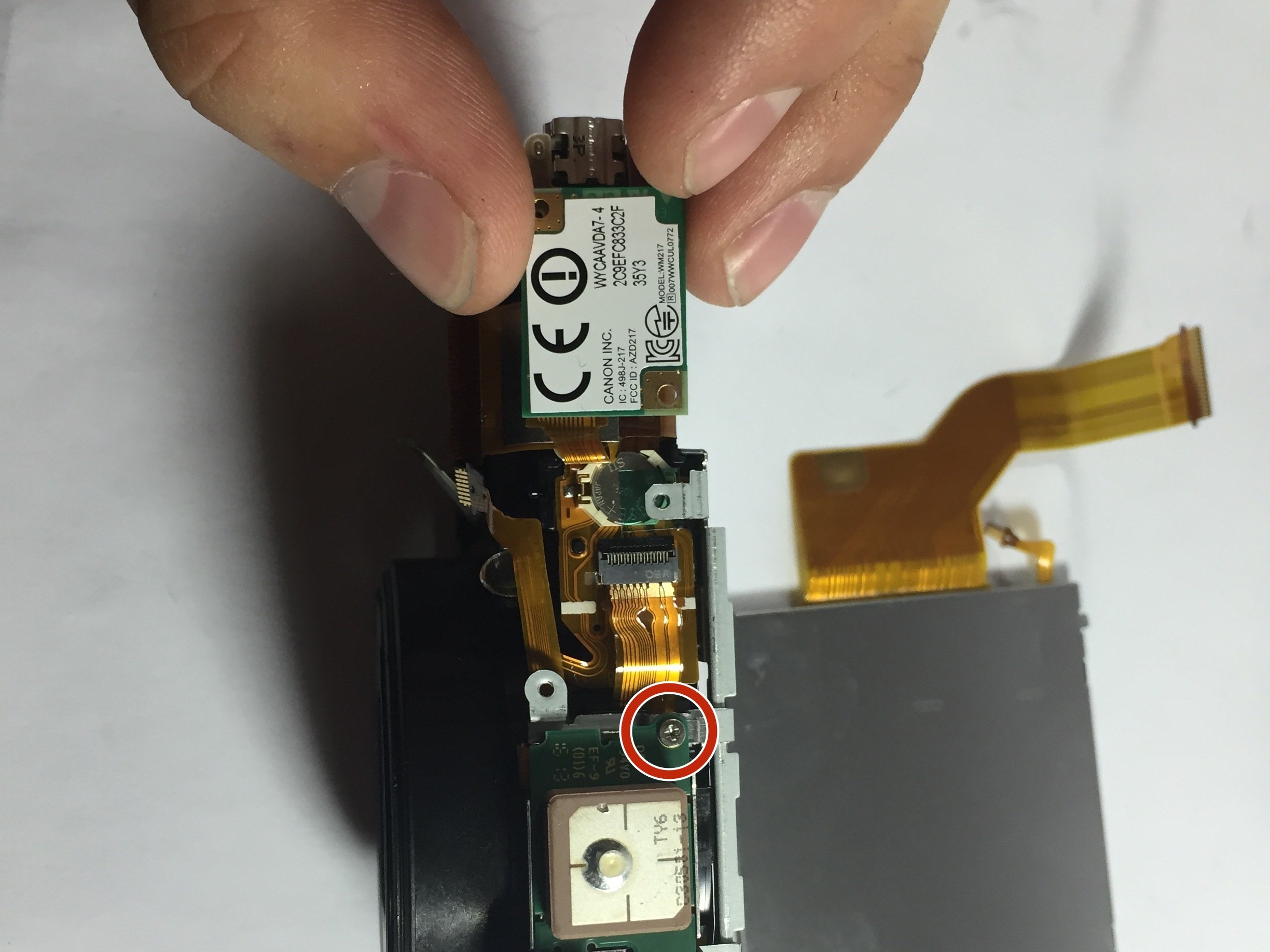
  • Remove the wifi chip.
  • Remove the screw.
Step 5

Repair step

  • Remove all the screws around the lamp. This releases the lamp.