FIXONIC
SellSavedMy Fixonic
Official iFixit API visual reference

Panasonic RQ-2102 Battery Replacement

In this guide, you will learn how to replace...

iFixit Library Panasonic RQ-2102 Very easy 2 - 3 minutes Guide 41754
Open the authorised source
Licensed iFixit integration

This attributed iFixit guide is displayed through Fixonic's recorded commercial API permission. iFixit remains the independent source and author of the procedure.

Guide overview

Before you begin

In this guide, you will learn how to replace the batteries in this device. Keep in mind that this device can also be powered by a wall outlet if you have the AC adapter cord.

Step 1

Repair step

  • Open the battery compartment by pressing down on the small tab along the upper edge of battery cover.
Step 2

Repair step

  • Remove the old batteries one at a time.
  • If batteries do not come out or are rusted, remove carefully with a prying tool. If rusty or dirty, clean compartment and contacts with a dry towel.
Step 3

Repair step

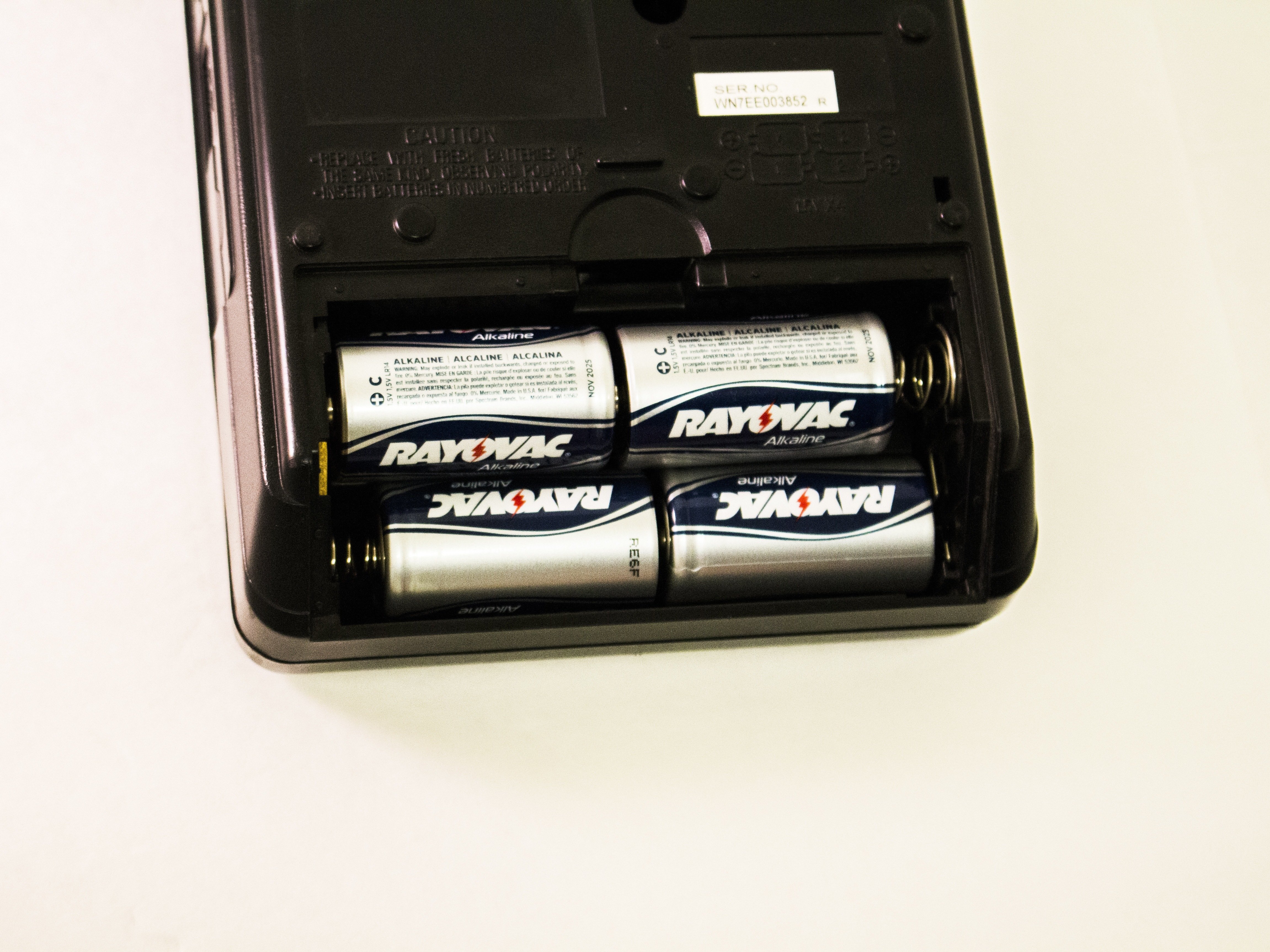
  • Insert the new working batteries in the order listed in the diagram on the back of the device.
  • Both batteries in a single row should be facing the same direction and make contact + to -.
Step 4

Repair step

  • Put the battery cover back onto the device.