
FIXONIC
SellSavedMy Fixonic
Official iFixit API visual reference

Repairing Canon Powershot SD790 IS Stuck Slider Button

Remove two screws, gently pry away cover and...

iFixit Library Canon Powershot SD790 IS Easy No estimate Guide 4888
Open the authorised source
Licensed iFixit integration

This attributed iFixit guide is displayed through Fixonic's recorded commercial API permission. iFixit remains the independent source and author of the procedure.

Guide overview

Before you begin

Remove two screws, gently pry away cover and readjust your slider button. Easy!
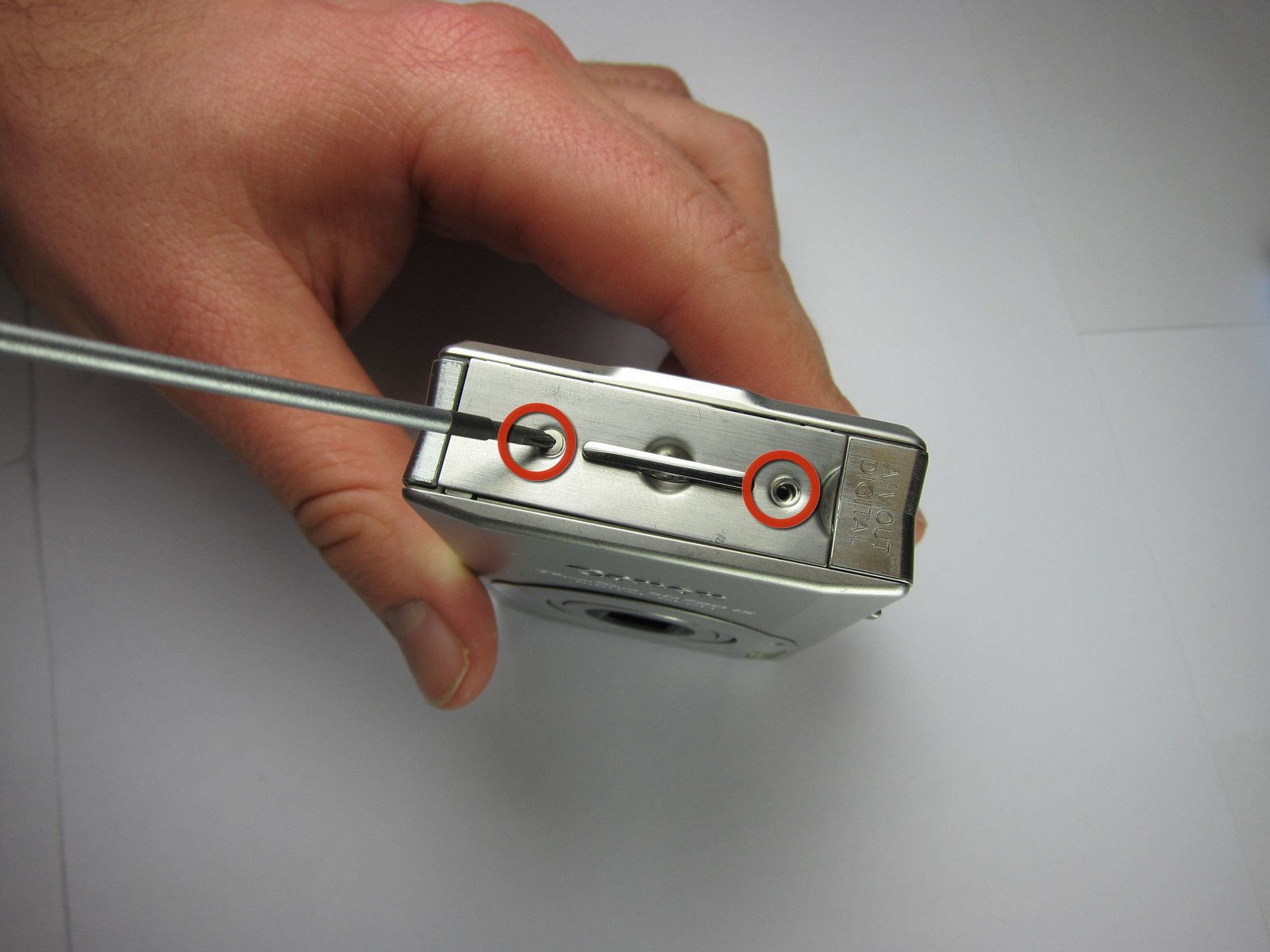
Step 1

Repair step

  • Remove screws on strap panel of camera.
Step 2

Repair step

  • After removing the two screws on your strap plate, gently pry away the back cover of your camera.
  • Now readjust the slider button so that it is in the correct position. (You will know this works, if the button will freely move once the cover is on)