
FIXONIC
SellSavedMy Fixonic
Official iFixit API visual reference

Eclipse 180BL Touch Pad Replacement

If you have an unresponsive touch pad, sticking...

iFixit Library Eclipse 180BL Easy 10 minutes Guide 50735
Open the authorised source
Licensed iFixit integration

This attributed iFixit guide is displayed through Fixonic's recorded commercial API permission. iFixit remains the independent source and author of the procedure.

Guide overview

Before you begin

If you have an unresponsive touch pad, sticking buttons, or just want a fresh touch pad in your device, this guide is for you!
Step 1

Repair step

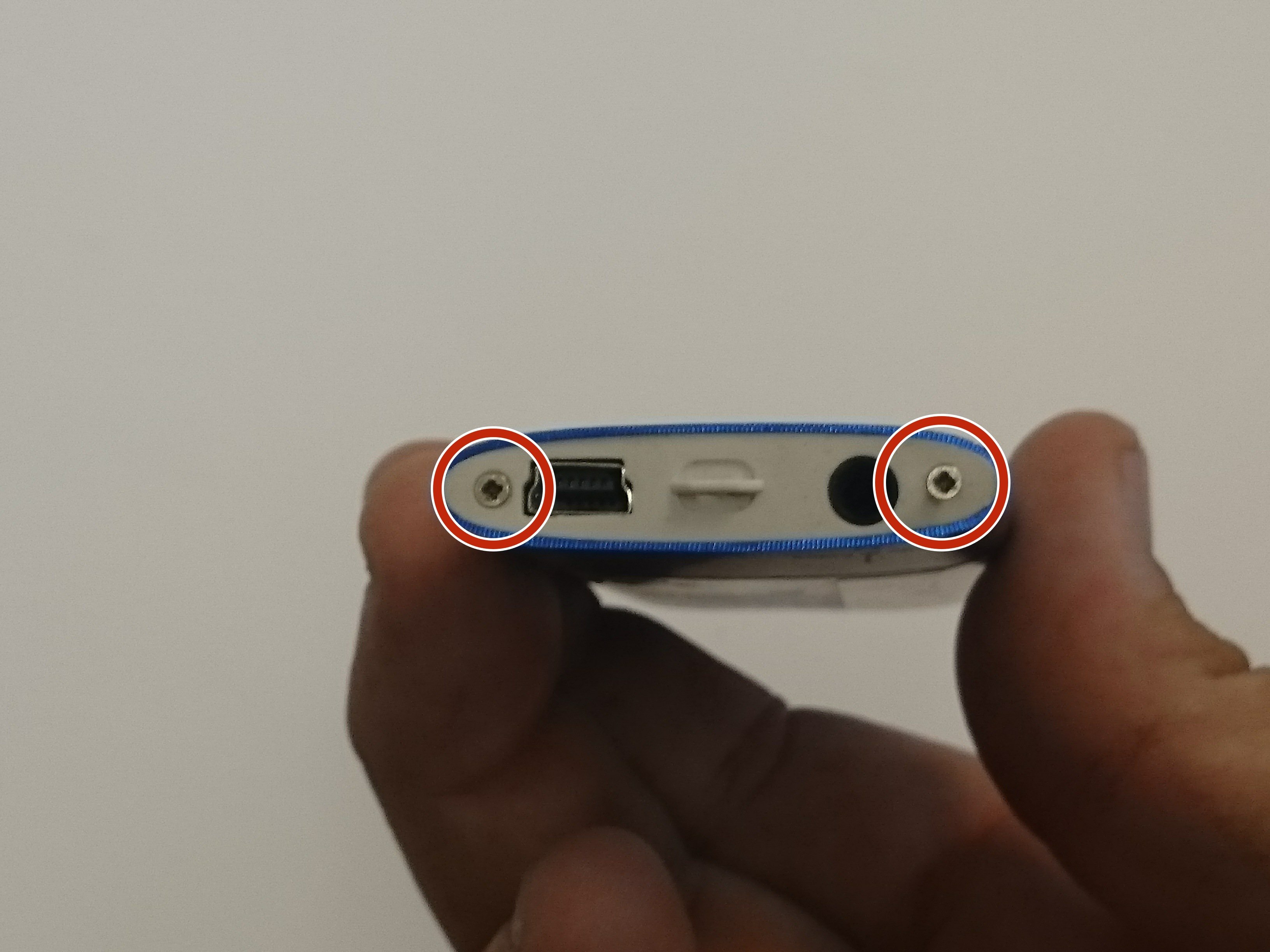
  • Remove the two screws at the bottom of the device.
  • The two screws can be removed using the PH00 head located in the iFixit Repair toolkit.
  • The two screws are 1/8 inch in length.
  • Remove the cover to reveal the internal component.
Step 2

Repair step

  • Using the Spudger, forcefully push upward on the USB port of the device to remove the main component.
  • This will release the tension on the multiple parts. One of which will be the touch pad.
  • The touch pad can now be easily replaced.
  • The touch pad has a smaller center piece that must be replaced for proper usage of the device.