FIXONIC
SellSavedMy Fixonic
Official iFixit API visual reference

Drift HD 720 Microphone Replacement

If your videos are not recording sound,...

iFixit Library Drift HD 720 Moderate No estimate Guide 51285
Open the authorised source
Licensed iFixit integration

This attributed iFixit guide is displayed through Fixonic's recorded commercial API permission. iFixit remains the independent source and author of the procedure.

Guide overview

Before you begin

If your videos are not recording sound, replacing the microphone will likely fix this.

Step 1

Repair step

  • Unscrew the back plate counterclockwise until it comes off.
Step 2

Repair step

  • Push the black battery tab next to the battery to get the battery out.
  • Remove the battery.
Step 3

Repair step

  • Remove six 8mm long Philips head screws with the J0 Philips head from the outer case.
Step 4

Repair step

  • Remove the back case from the camera body.
Step 5

Repair step

  • Remove the battery housing from the camera body.
Step 6

Repair step

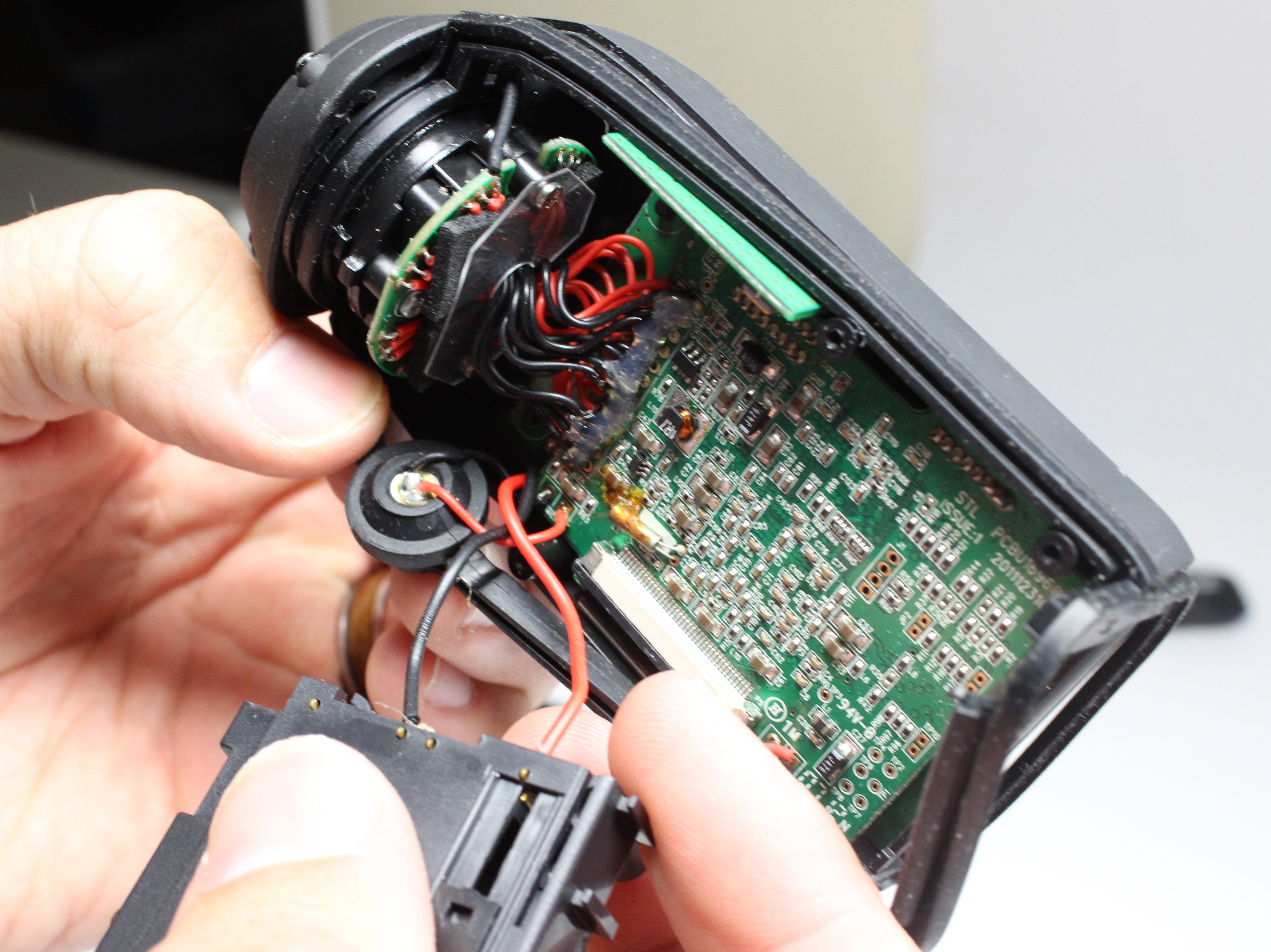
  • Remove the microphone first from the rubber housing it is located in, after which you will disconnect the wires connecting the microphone to the motherboard from where they are attached on the motherboard. You will then solder the new speakers wires in the same locations on the motherboard as the wires you just removed.