
FIXONIC
SellSavedMy Fixonic
Official iFixit API visual reference

Kurio Xtreme Motherboard Replacement

Follow this guide to replace the motherboard in...

iFixit Library Kurio Xtreme Difficult 15 - 20 minutes Guide 51290
Open the authorised source
Licensed iFixit integration

This attributed iFixit guide is displayed through Fixonic's recorded commercial API permission. iFixit remains the independent source and author of the procedure.

Guide overview

Before you begin

Follow this guide to replace the motherboard in your Kurio Xtreme. Before you begin, make sure that you have a soldering iron and know how to use it.

Step 1

Repair step

  • Remove the rubber case by beginning to peel from one of the top corners and continue peeling until the cover is completely removed.
Step 2

Repair step

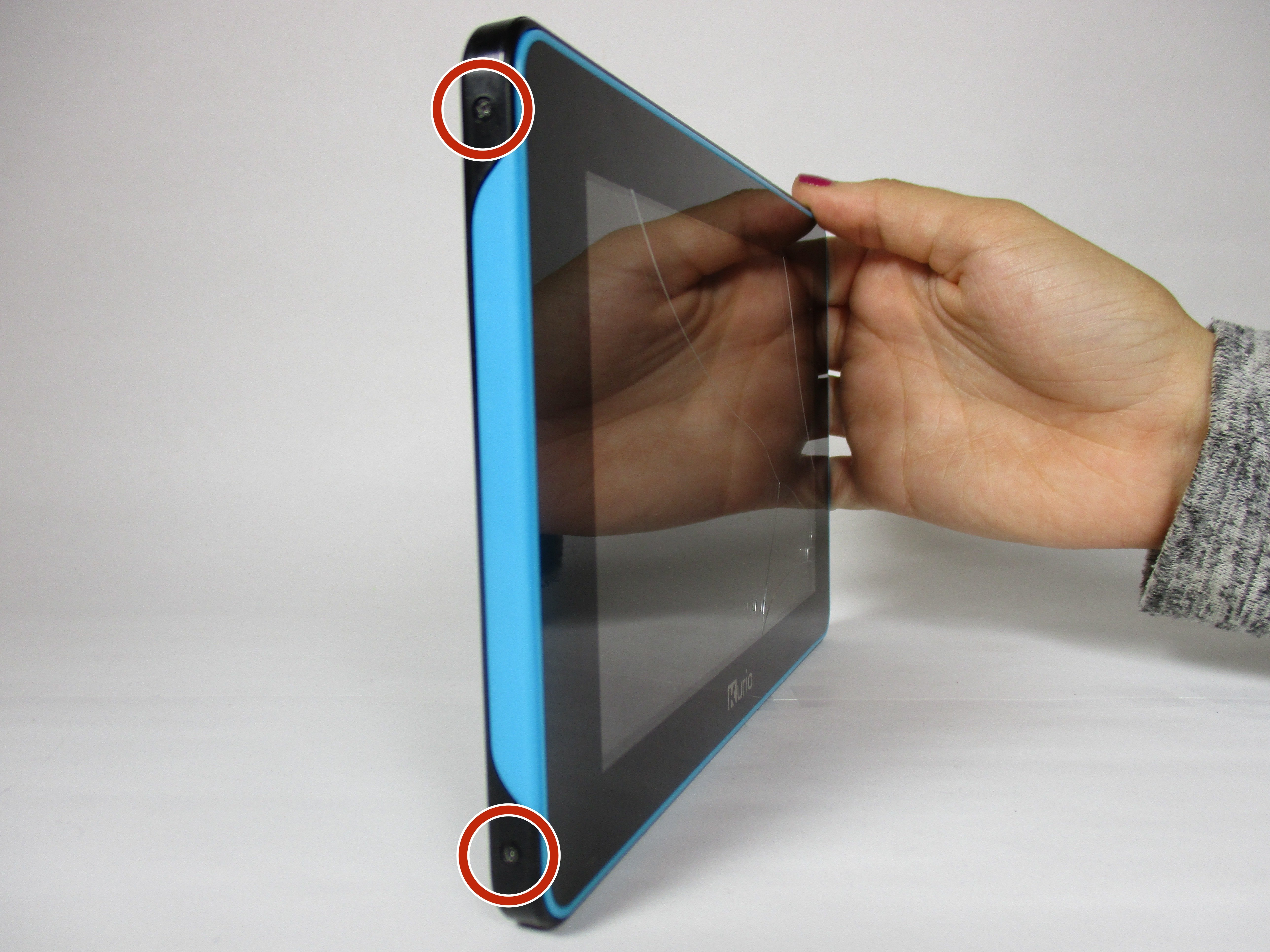
  • Unscrew the four 4 mm black screws using a Phillips #000 screw driver.
  • There are two screws on each side of the device (four total).
Step 3

Repair step

  • Insert the plastic opening tool in between the edges of the blue front casing and black back casing.
  • Slide the plastic opening tool around the perimeter of the device. This may require that you repeatedly run the opening tool up and down the edges of the device.
  • Be sure not to break any of the plastic clamps along the edges of the device when removing the back cover.
  • Carefully lift the back panel off of the rest of the device.
Step 4

Repair step

  • Unscrew the three 4 mm screws with a Phillips #000 screwdriver.
Step 5

Repair step

  • Remove the orange data display ribbon wire above the battery by prying open the ZIF connector with the plastic opening tool.
Step 6

Repair step

  • Remove the orange data display ribbon wire to the left of the battery by prying open the ZIF connector with the plastic opening tool.
Step 7

Repair step

  • Remove the 7 wires connected to the motherboard by soldering the ends that connect them to the motherboard.
  • 2 pairs of red and black speaker wires (4 wires total)
  • 1 pair of red and black battery wires (2 wires total)
  • 1 gray ground wire
  • The soldering iron gets very hot and may injure you if exposed to your skin.
Step 8

Repair step

  • Remove the motherboard by lifting it out of the casing.