FIXONIC
SellSavedMy Fixonic
Official iFixit API visual reference

Element GC-1020 Headphone Jack Replacement

Use this guide to access the headphone jack and...

iFixit Library Element GC-1020 Moderate 20 minutes Guide 51988
Open the authorised source
Licensed iFixit integration

This attributed iFixit guide is displayed through Fixonic's recorded commercial API permission. iFixit remains the independent source and author of the procedure.

Guide overview

Before you begin

Use this guide to access the headphone jack and check soldered connections. If you are planning to follow this replacement guide, you should have identified the headphone jack as a source of a problem (or maybe you just want to see the guts of your Element GC-1020).

Step 1

Repair step

  • Unscrew the four screws (size: 3.175mm) on the left and right side of the Element Electronics GC-1020 device using the PH#0 screwdriver.
Step 2

Repair step

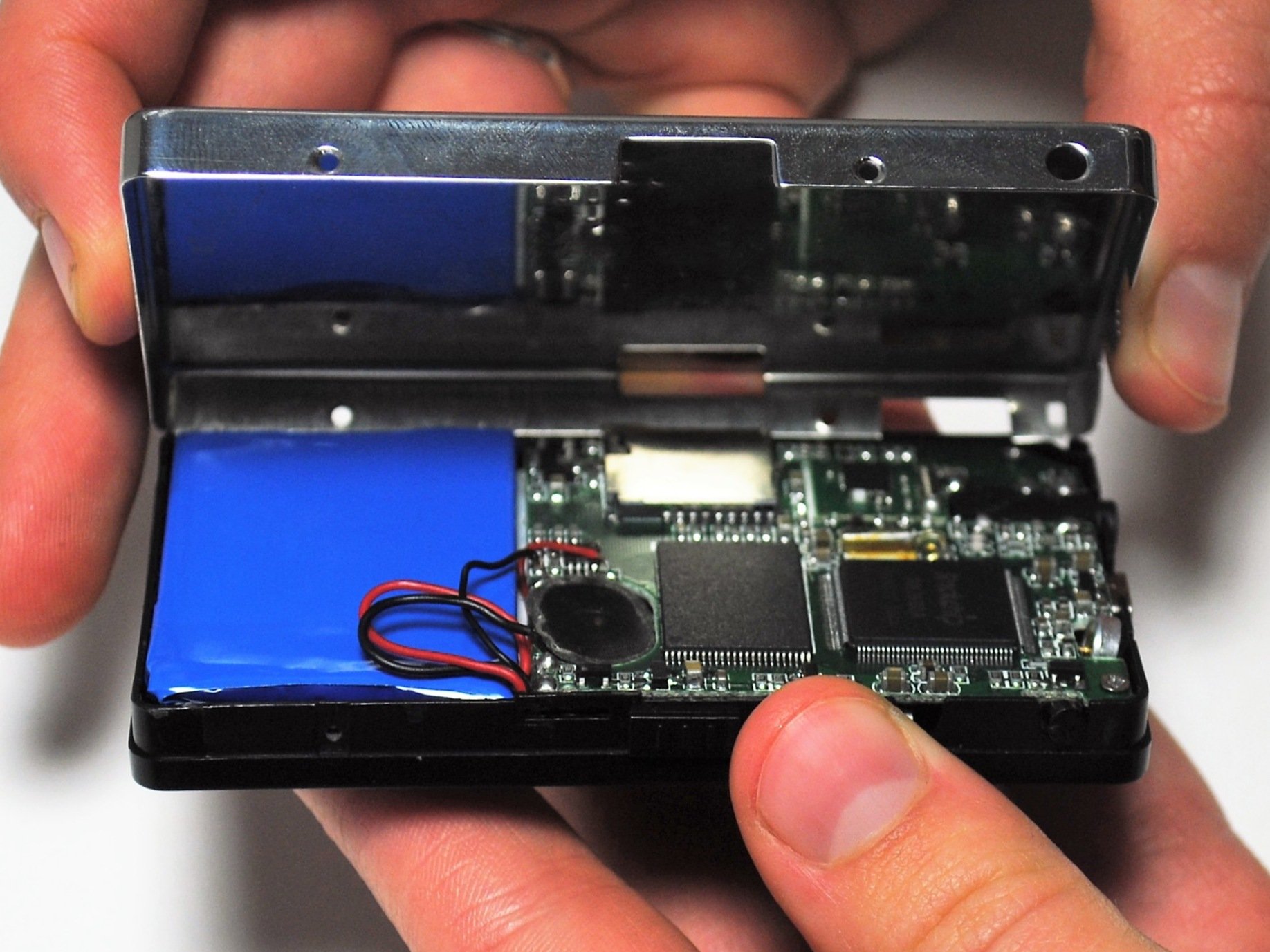
  • Carefully pull the back of the device (the silver portion) apart from the rest of the device.
  • If you pull back too forcefully the power button would move out of place.
Step 3

Repair step

  • Desolder the four points where it is soldered to the motherboard.
  • When completed pull the headphone jack off using tweezers and replace.