FIXONIC
SellSavedMy Fixonic
Official iFixit API visual reference

Dell Inspiron 600M RAM Replacement

Before removing the RAM you will need to remove...

iFixit Library Dell Inspiron 600M Easy 5 - 10 minutes Guide 5290
Open the authorised source
Licensed iFixit integration

This attributed iFixit guide is displayed through Fixonic's recorded commercial API permission. iFixit remains the independent source and author of the procedure.

Guide overview

Before you begin

Before removing the RAM you will need to remove your battery.

Step 1

Repair step

  • Flip laptop upside down and locate the battery as shown in the images.
  • Push in the tab on the battery and lift up. The battery should detach very easily.
Step 2

Repair step

  • Remove the single screw securing the RAM compartment and pull up to reveal the RAM.
Step 3

Repair step

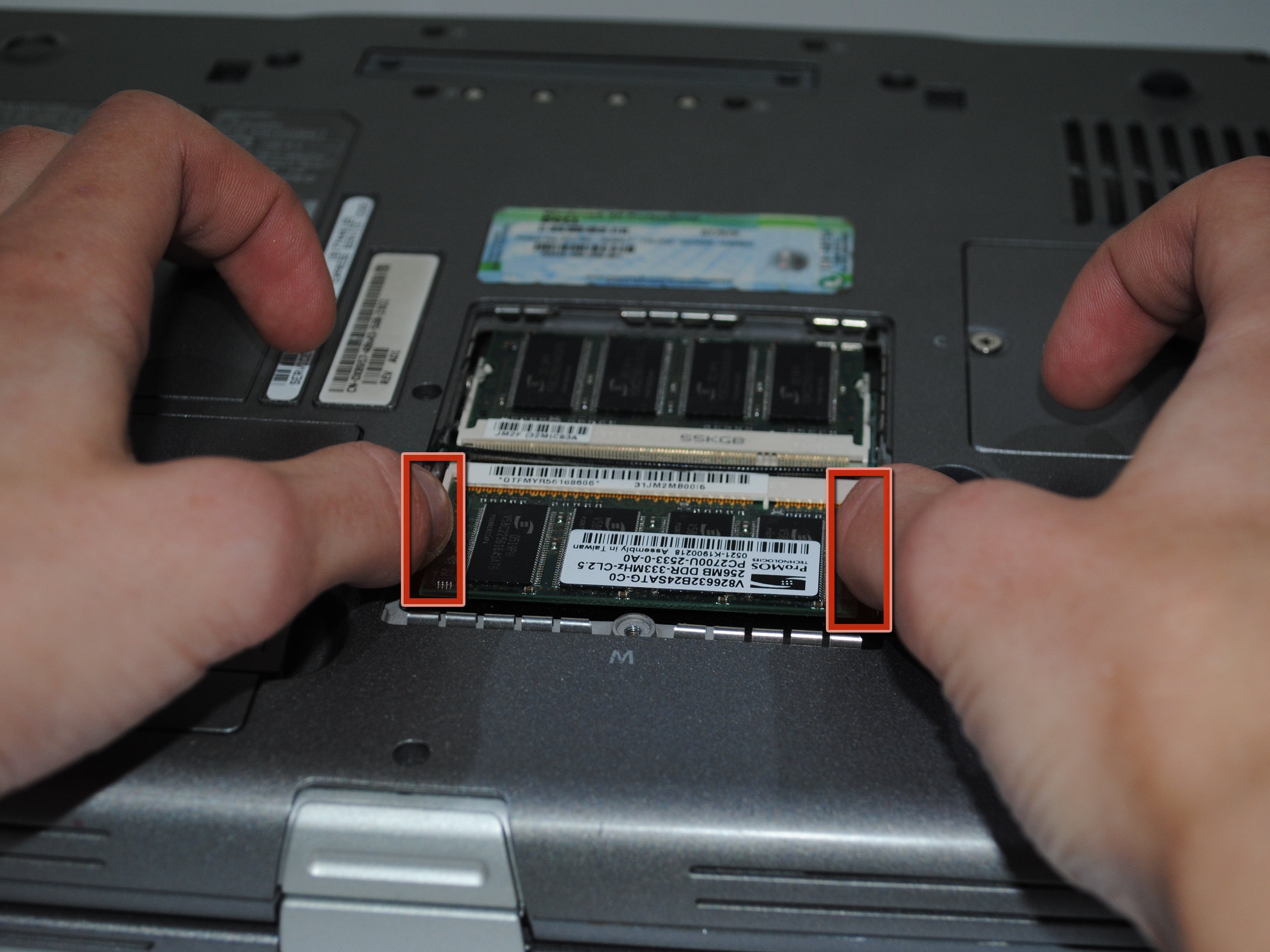
  • Push on the small white metal tabs on both sides of a module to unlock it.
  • The RAM should be stick out at approximately a 45 degree angle. Grasp the RAM by the sides and pull straight out to remove it.
  • If the RAM sticks slightly, wiggle it back and forth gently to loosen it.