FIXONIC
SellSavedMy Fixonic
Official iFixit API visual reference

Lenovo Essential B570 Hard Drive Replacement

This guide will show how to be able to identify...

iFixit Library Lenovo Essential B570 Easy 3 minutes Guide 53126
Open the authorised source
Licensed iFixit integration

This attributed iFixit guide is displayed through Fixonic's recorded commercial API permission. iFixit remains the independent source and author of the procedure.

Guide overview

Before you begin

This guide will show how to be able to identify and remove your Hard Drive using common tools.

Step 1

Repair step

  • Turn over laptop.
  • Switch open the left battery lock.
  • If you are replacing inner components of the laptop, it is recommended to remove the battery first to avoid damage to the laptop.
Step 2

Repair step

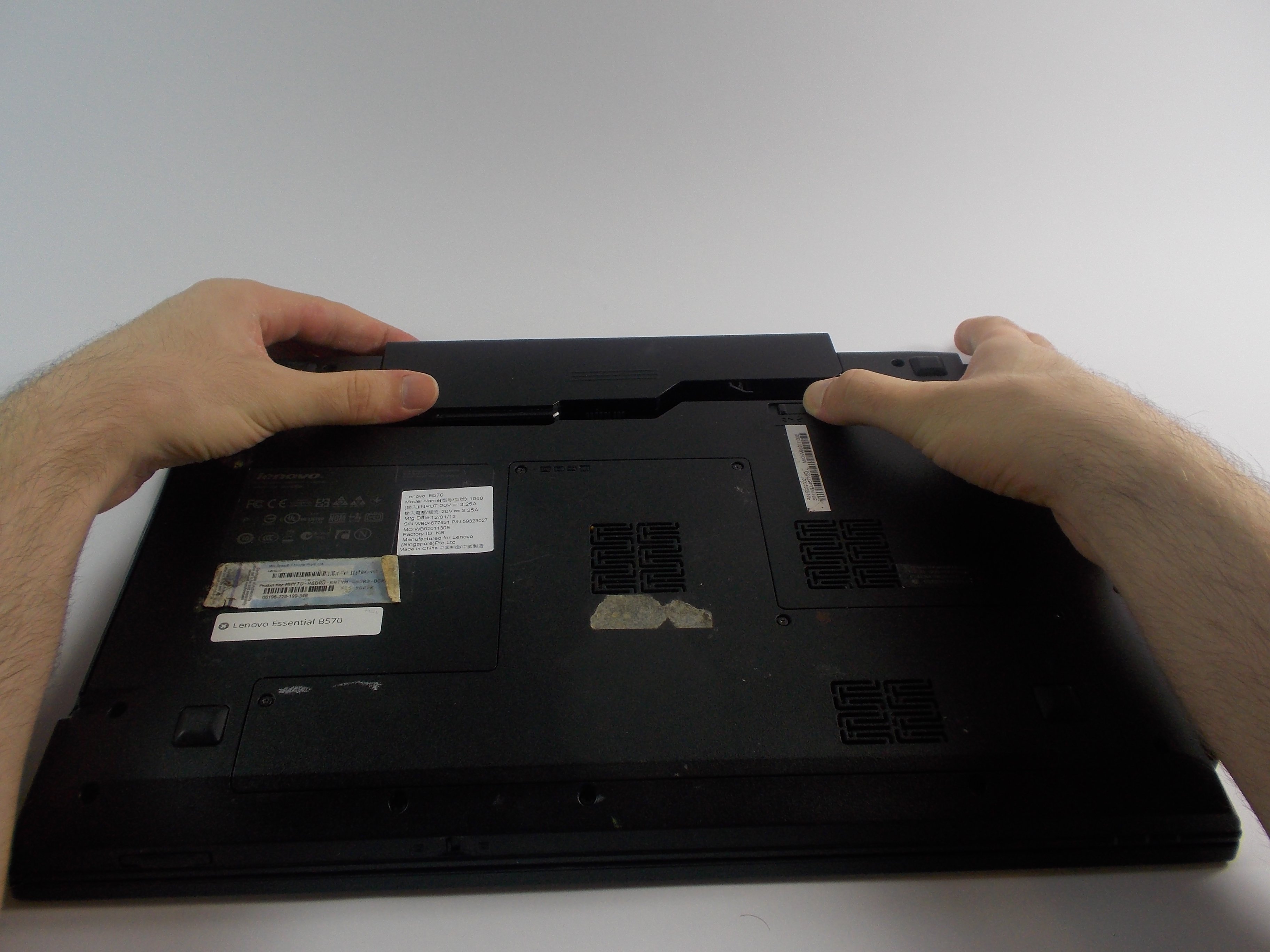
  • Hold the right battery lock open with one hand while removing the battery itself with the other.
Step 3

Repair step

  • Loosen the five Philips screws that secure the panel.
  • The screws do not actually fully remove from the panel. Loosening them as much as you can will be enough to disconnect them from the laptop.
Step 4

Repair step

  • Prop open the cover with a plastic opening tool.
  • If the cover does not come off easily, do not force it. Make sure all screws are loosened.
Step 5

Repair step

  • Pull the Hard Drive out of its socket.
  • Lift the tab upwards to remove the hard drive.
  • If you cannot pull the hard drive out of its socket, there is a possibility that there is a 4mm Phillips #1 screw securing it. Locate it and remove it before continuing. It is in very close proximity to the black tab.