FIXONIC
SellSavedMy Fixonic
Official iFixit API visual reference

Acer Iconia A1-830 Speaker Assembly Replacement

Replacing the internal speakers in your tablet...

iFixit Library Acer Iconia A1-830 Moderate No estimate Guide 53197
Open the authorised source
Licensed iFixit integration

This attributed iFixit guide is displayed through Fixonic's recorded commercial API permission. iFixit remains the independent source and author of the procedure.

Guide overview

Before you begin

Replacing the internal speakers in your tablet is fairly easy to do. Make sure you keep the screws you remove, you will need them to install the replacement speaker assembly.

Step 1

Repair step

  • Prepare your working space. The ideal work space has a flat, level surface that is clean and well lit.
  • Shut down your Acer Iconia A1-830.
  • Remove any cables or exterior covers from your tablet.
  • Place it on your work space, with the screen facing up.
Step 2

Repair step

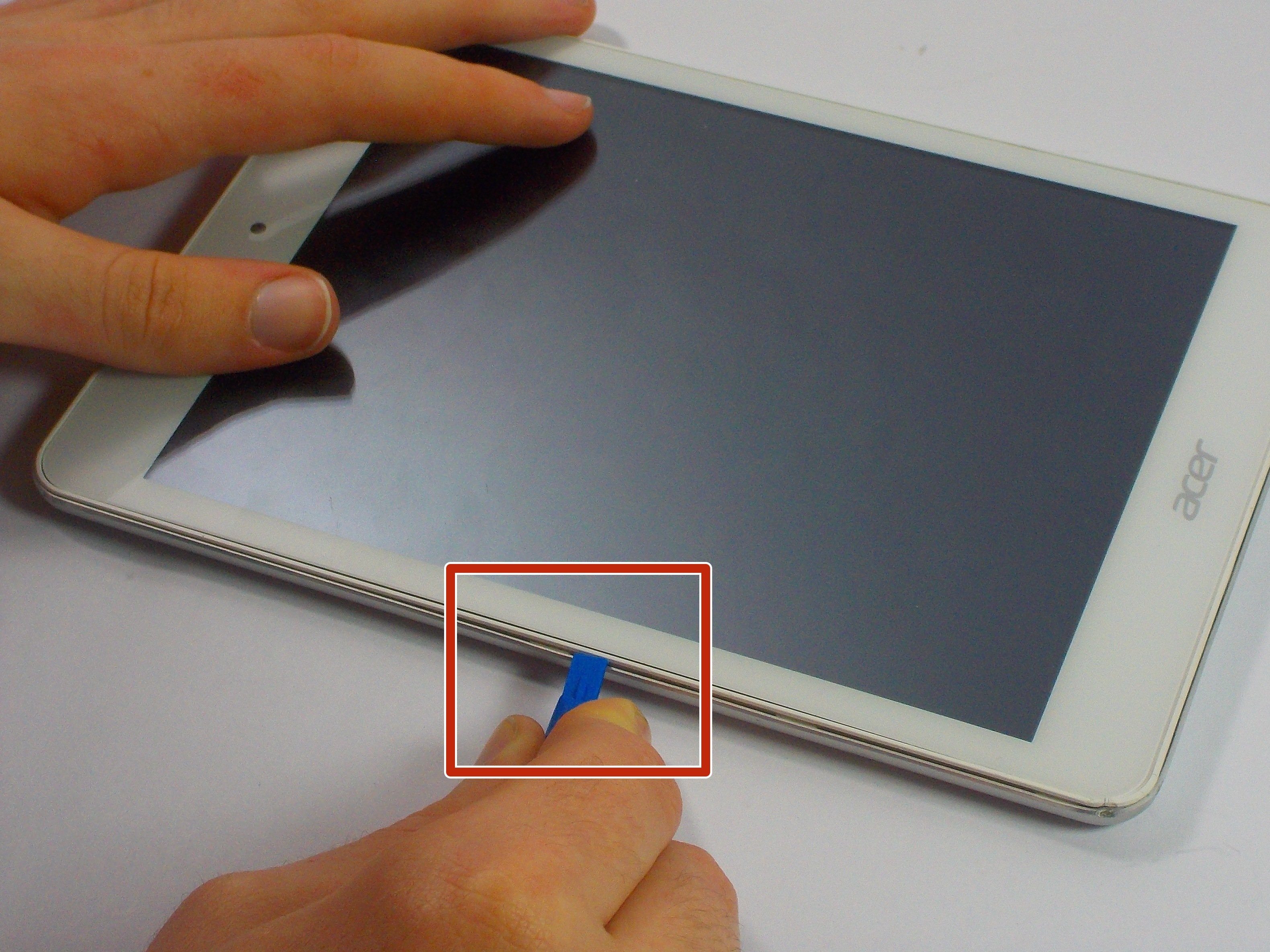
  • Wedge the plastic opening tool into the tiny gap between the white plastic front bezel and the aluminum rear panel.
  • Do not try to pry apart the top edge on the front side near the front-facing camera.
Step 3

Repair step

  • Remove the small clear plastic cover on top of the battery cable with the nylon or metal spudger.
Step 4

Repair step

  • Remove the battery cable by lifting it up with the pointy end of the black nylon spudger.
Step 5

Repair step

  • Un-stick the battery from the metal plate using the black nylon spudger.
  • Be careful not to puncture the battery while removing it.
Step 6

Repair step

  • Remove the small clear plastic cover from the speaker connector with the metal tweezers.
  • Lift out the speaker connector using the metal tweezers.
Step 7

Repair step

  • Remove the two 2.8 mm Philips #00 screws using the #000 sized Philips screwdriver.
  • Remove the 3.7 mm Philips #000 screw using the #000 size Philips screwdriver.
Step 8

Repair step

  • Lift out the speaker assembly form the plastic frame.