FIXONIC
SellSavedMy Fixonic
Official iFixit API visual reference

Vacuum Cleaner Brush Roll Replacement

Follow these instructions to disassemble an...

iFixit Library Vacuum Cleaner Moderate 20 minutes Guide 55785
Open the authorised source
Licensed iFixit integration

This attributed iFixit guide is displayed through Fixonic's recorded commercial API permission. iFixit remains the independent source and author of the procedure.

Guide overview

Before you begin

Follow these instructions to disassemble an upright vacuum cleaner and remove debris like hair or string that may be preventing the floor brush from spinning. *Exact part locations and the number of screws may vary according to the device model.

Step 1

Repair step

  • Be sure to unplug the device from the wall outlet before disassembling.
  • Remove the bottom head of the vacuum cleaner by pressing the push button.
Step 2

Repair step

  • Carefully unscrew the 6 screws with a Phillips screwdriver. Set aside.
Step 3

Repair step

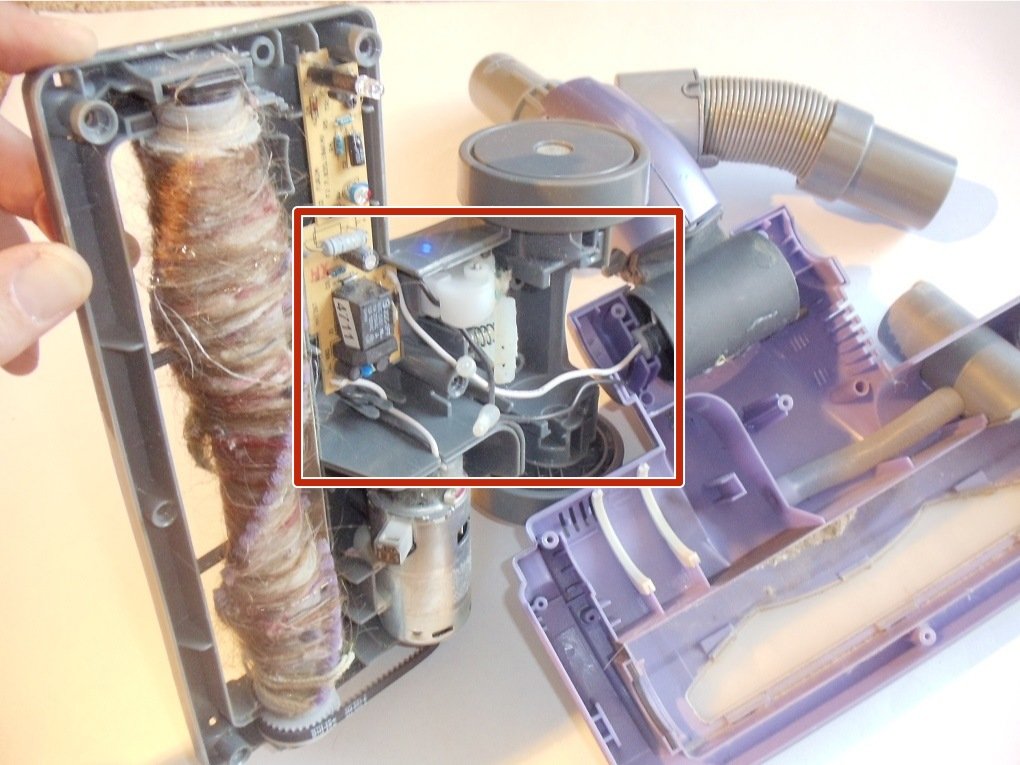
  • Separate the top portion of the head from the bottom.
  • Make sure not to pull off or damage the connected wires.
Step 4

Repair step

  • Slip off the belt.
Step 5

Repair step

  • Pull the brush roll from its slots.
Step 6

Repair step

  • Use scissors to cut strings and other debris from the brush roll. Avoid cutting the bristles.
Step 7

Repair step

  • Return the clean brush roll and re-situate the belt to secure it in place.