FIXONIC
SellSavedMy Fixonic
Official iFixit API visual reference

Motorola Lapdock 100 Speakers Replacement

To start, you will need to remove the bottom...

iFixit Library Motorola Lapdock 100 Easy 10 minutes Guide 56410
Open the authorised source
Licensed iFixit integration

This attributed iFixit guide is displayed through Fixonic's recorded commercial API permission. iFixit remains the independent source and author of the procedure.

Guide overview

Before you begin

To start, you will need to remove the bottom case of the lapdock. To do this you will need to remove the keyboard and remove the screws under the keyboard as well as the four screws underneath the lapdock. After doing this you will be able to reach the screws that are holding the lapdock speakers. Once unscrewed and unplugged from the motherboard, you will be able to remove the speakers.

Step 1

Repair step

  • To take off the Keyboard there are three tabs at the top of the Keyboard in the locations shown in the picture that you must press and unclip. They are located behind each of the keys that are removed.
  • You do not need to remove any keys to unclip the keyboard. We did this for picture purposes only.
Step 2

Repair step

  • You can use a small metal spudger to depress each tab to avoid scratching the keyboard.
Step 3

Repair step

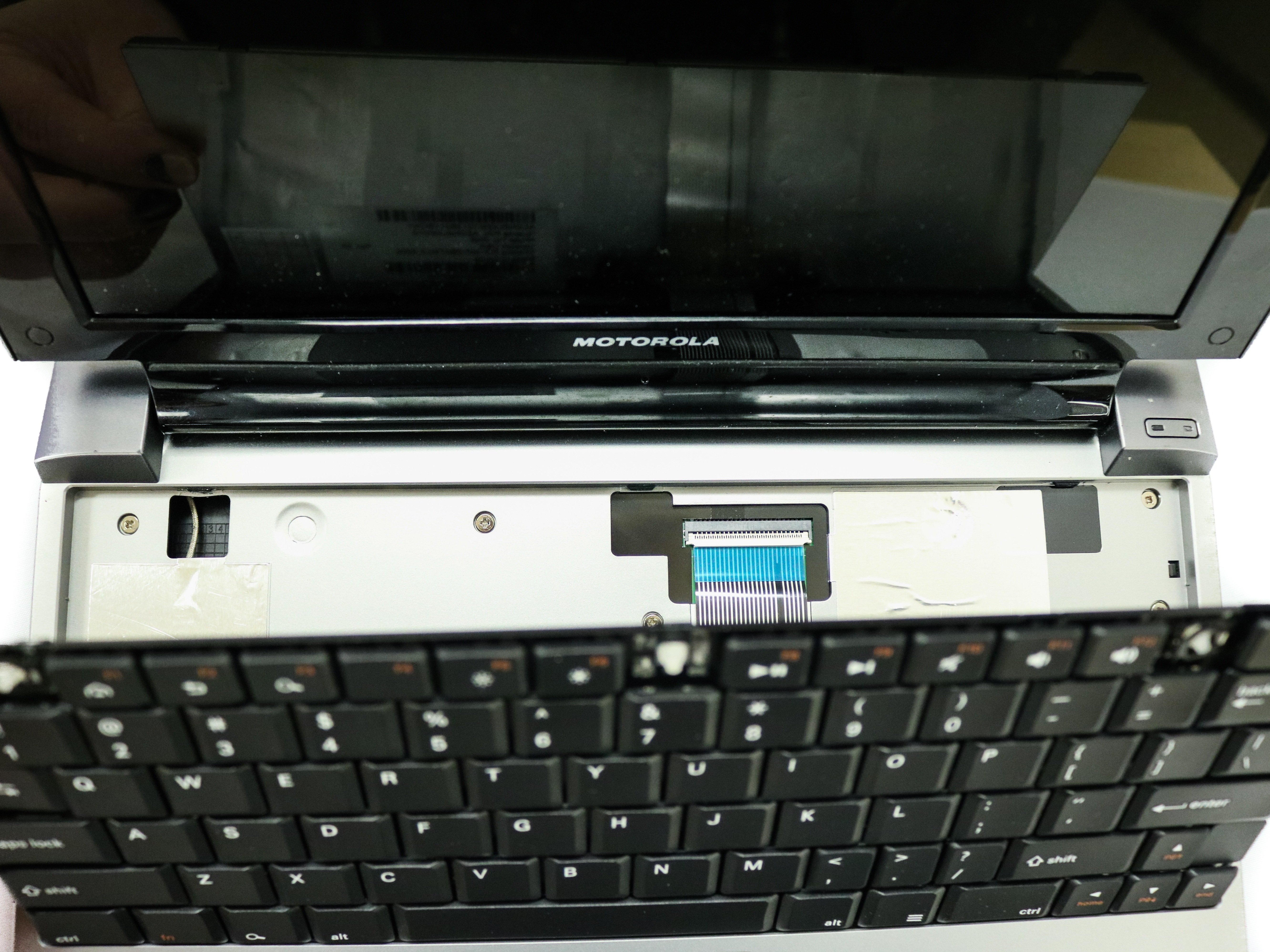
  • Lift up keyboard so that you are able to see the ribbon cable connected to the contact.
Step 4

Repair step

  • Flip up the ZIF connector holding the ribbon cable on the contact as shown in the two pictures and then gently disconnect the ribbon cable.
Step 5

Repair step

  • After we remove the Keyboard, you can clearly see the screws under it. Remove the ten 3mm long phillips head screws.
Step 6

Repair step

  • Flip over the Lapdock and remove the four 3.5mm long phillips head screws from the bottom.
Step 7

Repair step

  • Use a plastic prying tool to take off the bottom case. Make sure that all of the clips are unclipped before trying to remove the case.
Step 8

Repair step

  • Remove the two 2mm long phillips head screws from each speaker.
Step 9

Repair step

  • Insert wisdom here.
Step 10

Repair step

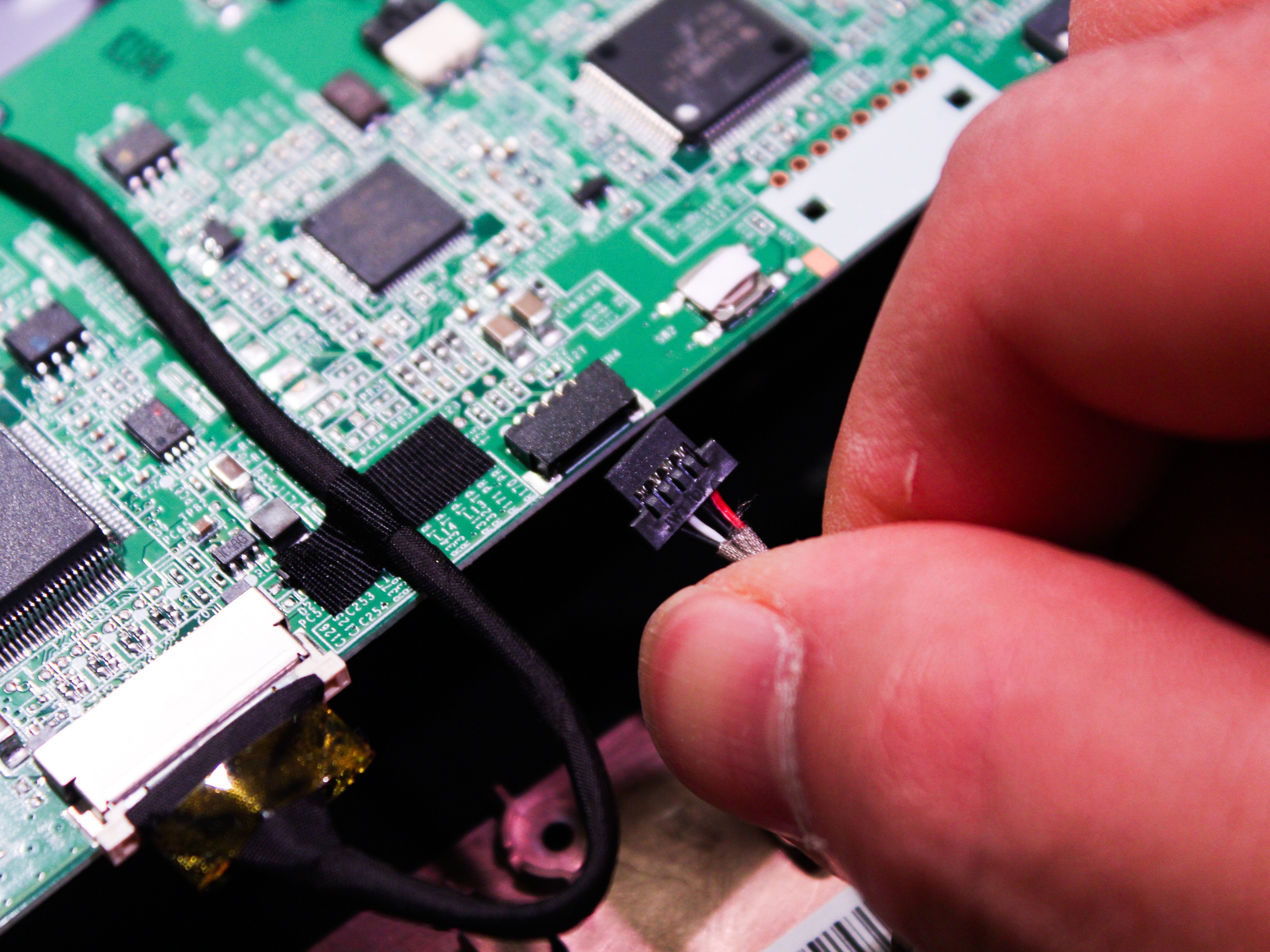
  • Unplug speakers from master chip.
Step 11

Repair step

  • Unhook each speaker wire from the tabs that are holding them in place.
Step 12

Repair step

  • Insert wisdom here.
Step 13

Repair step

  • Gently unplug the speaker connection from the motherboard.