FIXONIC
SellSavedMy Fixonic
Official iFixit API visual reference

LG Spectrum Audio Port Replacement

If the audio still skips or doesn't work even...

iFixit Library LG Spectrum Moderate 5 minutes Guide 56599
Open the authorised source
Licensed iFixit integration

This attributed iFixit guide is displayed through Fixonic's recorded commercial API permission. iFixit remains the independent source and author of the procedure.

Guide overview

Before you begin

If the audio still skips or doesn't work even after trying to use different headphones then you may need to replace the Audio Jack in the phone. This guide will take you through the necessary steps to accomplish this.

Step 1

Repair step

  • Using your thumbnail, lift up on the notch in the middle of the bottom side of the phone.
Step 2

Repair step

  • Using either your thumbnail or a plastic opening tool, lift up on the battery using the notch in the bottom left hand corner of the battery and remove it from the phone.
Step 3

Repair step

  • Remove eleven 4mm Phillips #000 screws with a PH000 screwdriver.
  • Use the magnet board to keep the screws in one place.
Step 4

Repair step

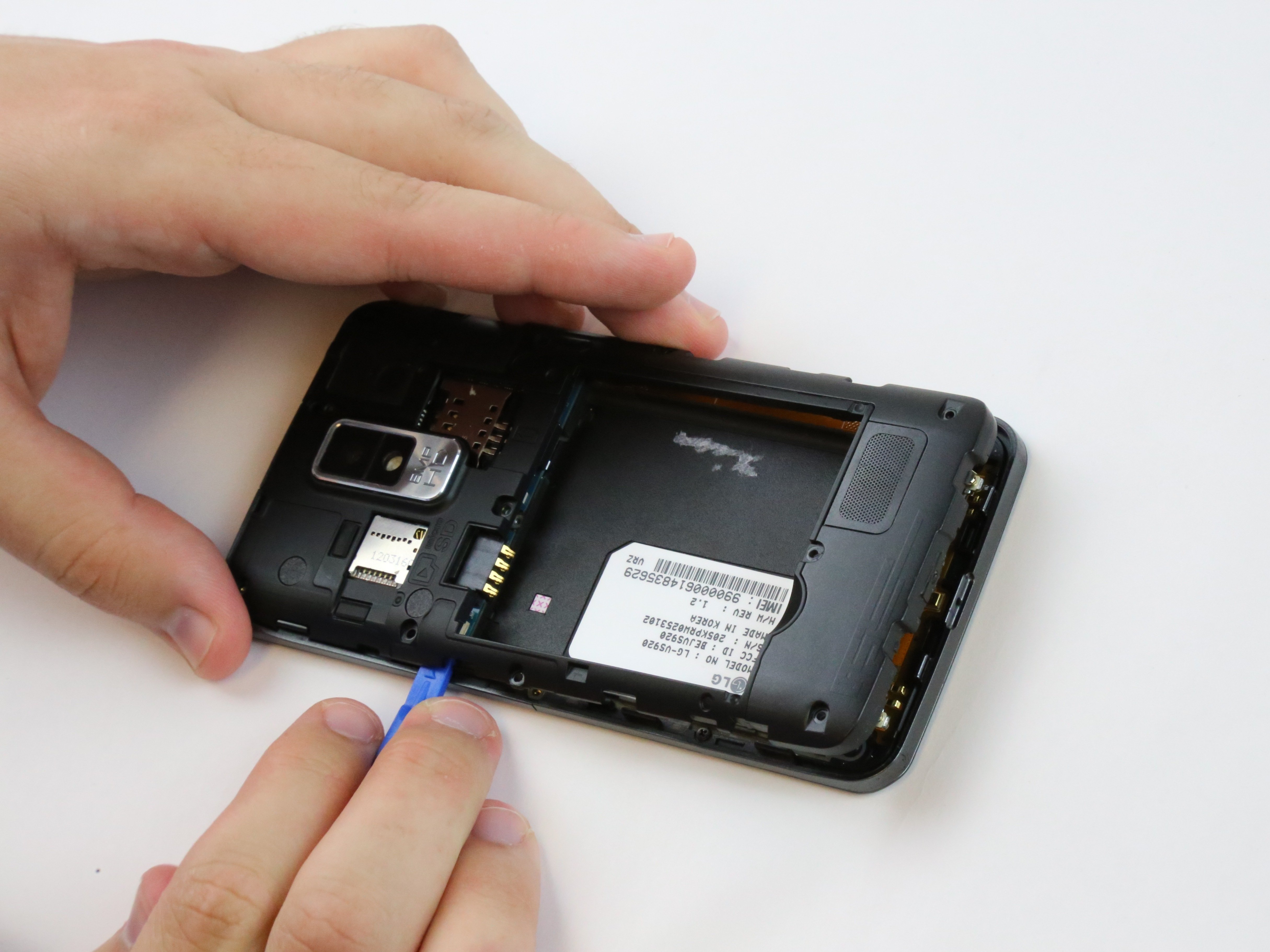
  • Use the plastic opening tool to firmly unhinge the plastic backing around the perimeter of the phone.
Step 5

Repair step

  • Using the plastic opening tool, gently pry up the plastic film connecting the audio port to the motherboard.
Step 6

Repair step

  • Remove the audio port from the motherboard either with your hand or the plastic opening tool.