FIXONIC
SellSavedMy Fixonic
Official iFixit API visual reference

Sony SRS-BTX500 Battery Replacement

This guide will teach you how to remove the...

iFixit Library Sony SRS-BTX500 Moderate 5 minutes Guide 61334
Open the authorised source
Licensed iFixit integration

This attributed iFixit guide is displayed through Fixonic's recorded commercial API permission. iFixit remains the independent source and author of the procedure.

Guide overview

Before you begin

This guide will teach you how to remove the screws and panel that cover the battery. It will also teach you how to remove the battery from the device.

Step 1

Repair step

  • Locate the four rubber grips on the bottom of the speaker. Use the plastic opening tool to remove the grips, exposing the underlying screws.
Step 2

Repair step

  • Using a Phillips #1 screwdriver, remove the four 5mm screws that were underneath the four rubber grips.
Step 3

Repair step

  • Use the plastic opening tool to run along the outside edges of the speaker. Pry along the seams until you can remove the side panel of the speaker, exposing the battery.
Step 4

Repair step

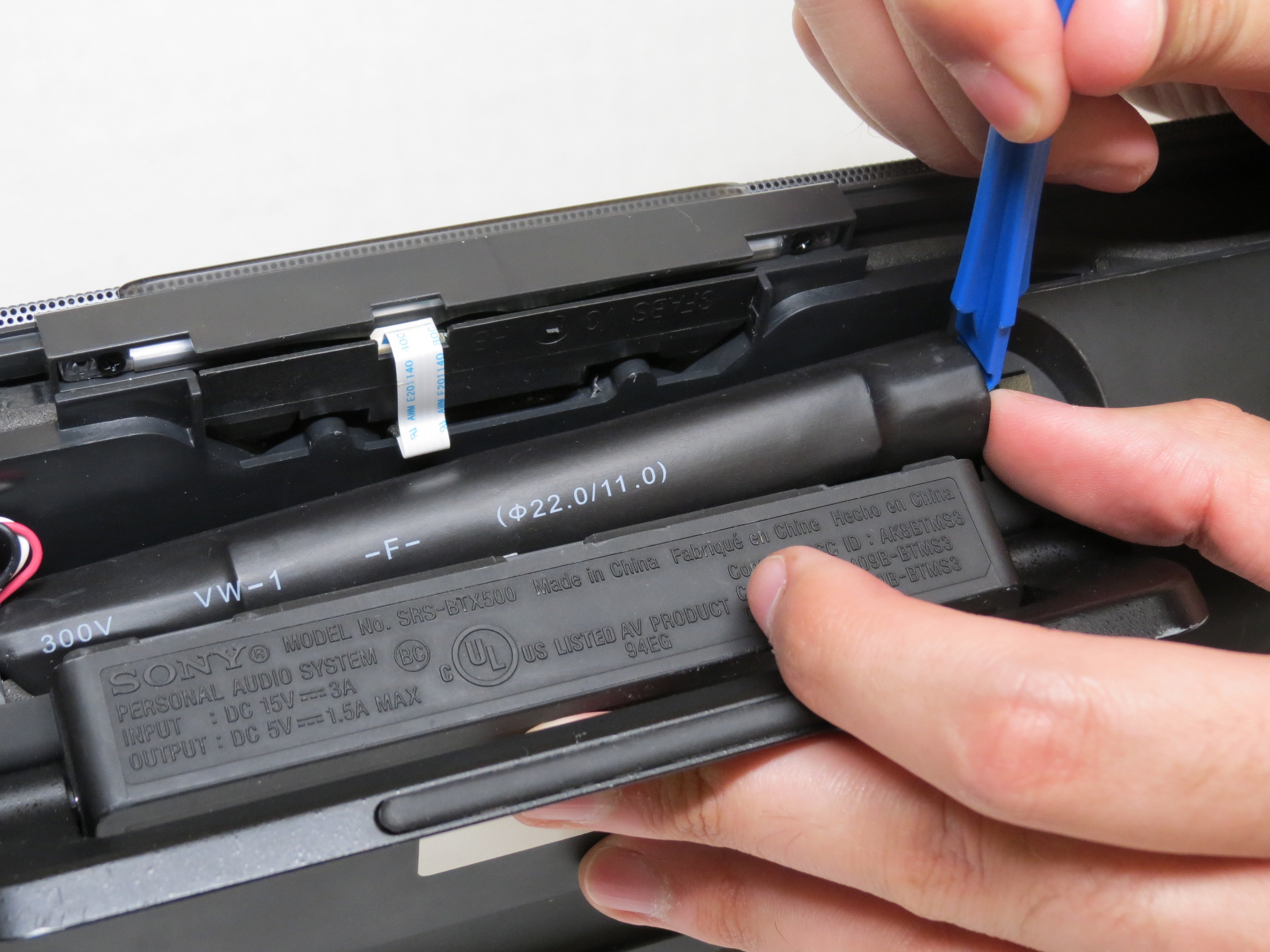
  • Use the plastic opening tool to remove the battery from casing.
  • Unclasp the battery from the speaker. Remove and replace.