FIXONIC
SellSavedMy Fixonic
Official iFixit API visual reference

LG Realm Front Facing Camera Replacement

Before continuing, make sure the device is...

iFixit Library LG Realm Easy 4 minutes Guide 61563
Open the authorised source
Licensed iFixit integration

This attributed iFixit guide is displayed through Fixonic's recorded commercial API permission. iFixit remains the independent source and author of the procedure.

Guide overview

Before you begin

Before continuing, make sure the device is powered down. Also make sure that the battery and back casing are removed.

Step 1

Repair step

  • To remove the back, insert thumbnail into MicroUSB port, and pull up to loosen back.
  • Use nail to loosen case on all four sides. Once loose, remove back case.
Step 2

Repair step

  • Insert thumbnail into tab below battery.
  • Pull away from phone and remove.
Step 3

Repair step

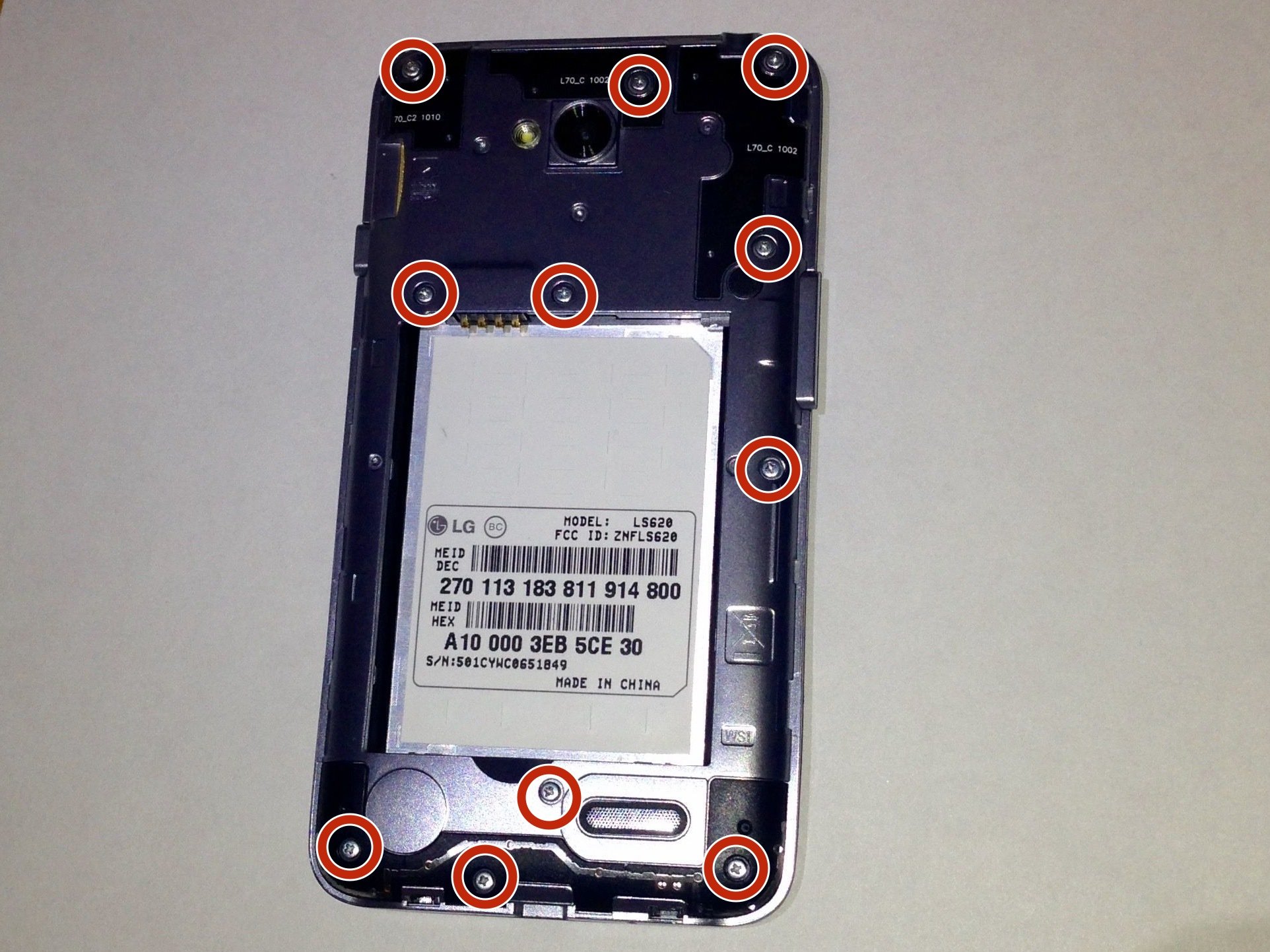
  • Once the back cover and battery are removed, use the Phillips #J000 screwdriver to remove all 11 screws located around the plastic midframe.
Step 4

Repair step

  • Using the plastic opening tool, carefully pry and separate the plastic midframe from the rest of the phone.
Step 5

Repair step

  • Locate the front facing camera in the top left hand corner of the motherboard. Using the plastic opening tool, separate the ribbon cable from the phone.
Step 6

Repair step

  • After removing this ribbon cable, you will be able to easily remove the front facing camera with your fingers.