FIXONIC
SellSavedMy Fixonic
Official iFixit API visual reference

Gateway LT2104u RAM Replacement Guide

This guide demonstrates how to safely remove...

iFixit Library Gateway LT2104u Moderate 5 minutes Guide 62151
Open the authorised source
Licensed iFixit integration

This attributed iFixit guide is displayed through Fixonic's recorded commercial API permission. iFixit remains the independent source and author of the procedure.

Guide overview

Before you begin

This guide demonstrates how to safely remove and replace the RAM stick of a Gateway LT2104u.

Step 1

Repair step

  • Locate the the "L" shaped cover on the back, lower right hand side the device. Using a Philips screwdriver, remove the screw holding it in.
Step 2

Repair step

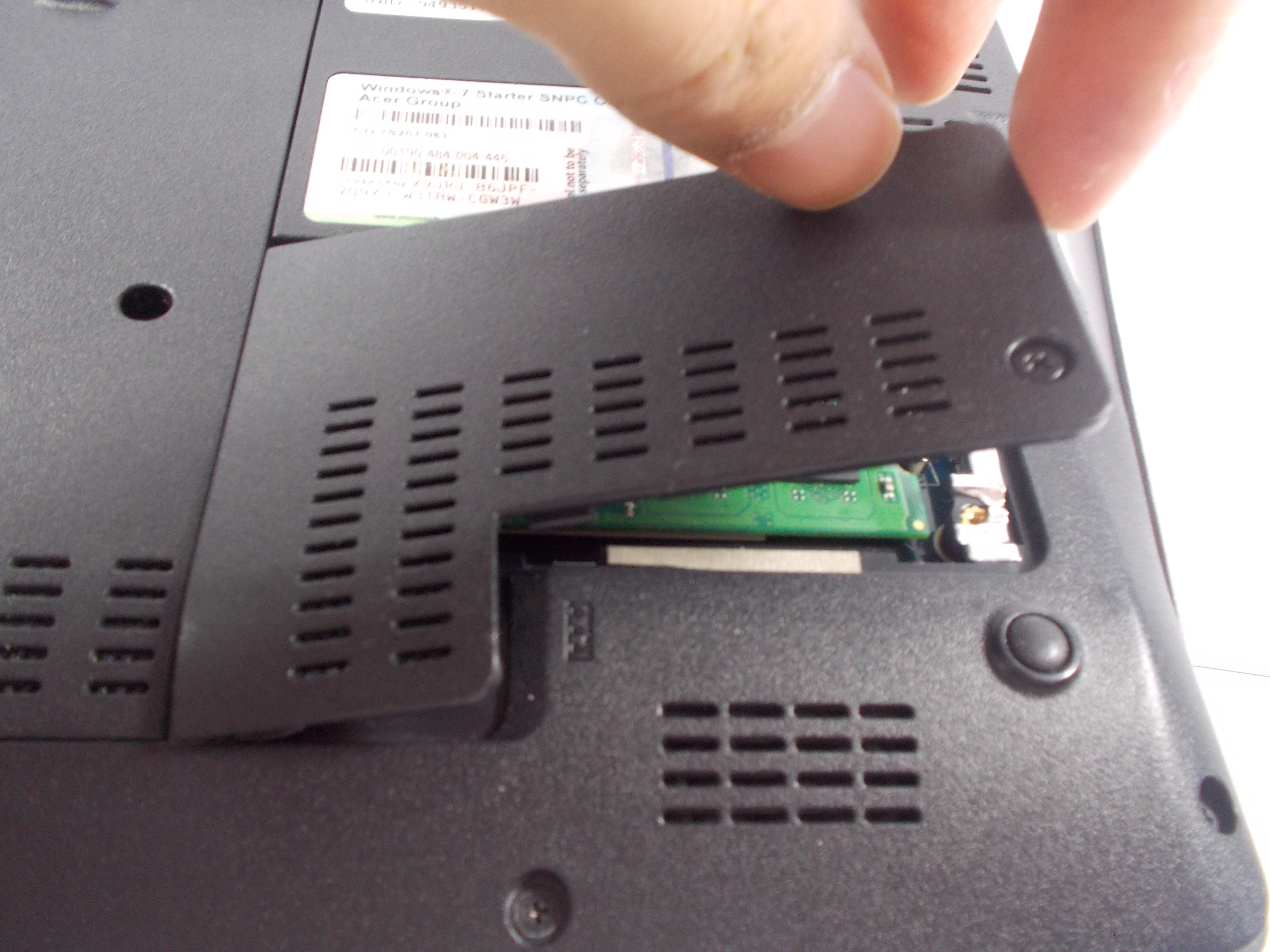
  • Gently lift the cover until it detaches from the device.
Step 3

Repair step

  • Gently push the levers on each side of the stick of RAM away from each other until the RAM springs into a 45° angle.
Step 4

Repair step

  • Carefully remove the stick of RAM by pulling at the same 45° angle the RAM is currently at until it detaches from the device.
Step 5

Repair step

  • When inserting the new stick of ram, be sure to insert it at the same 45° angle that the old stick of ram was taken out at. Press the stick of RAM down until it clicks into place.