FIXONIC
SellSavedMy Fixonic
Official iFixit API visual reference

HP w2216h Control Buttons Replacement

Are you unable to adjust the sound on you HP...

iFixit Library HP w2216h Moderate 20 minutes Guide 62305
Open the authorised source
Licensed iFixit integration

This attributed iFixit guide is displayed through Fixonic's recorded commercial API permission. iFixit remains the independent source and author of the procedure.

Guide overview

Before you begin

Are you unable to adjust the sound on you HP w2216h monitor? You may need to replace your control buttons. These buttons are responsible for sound adjustment, calibration, input selection, and more.

Step 1

Repair step

  • Make sure you are grounded, the power supply is not connected, and you are wearing safety goggles.
  • Remove the four 12 mm Phillips #000 screws on the back panel.
Step 2

Repair step

  • Remove the two 12 mm Phillips #000 screws above stand mounting bracket.
  • Using a Phillips #1 with the 150 mm flexible extension remove 1 Phillips #1 screw under the stand mounting bracket.
  • Stand will easily pull off.
Step 3

Repair step

  • Do not put the metal spudger between the metal and the glass. It needs to go under the bezel and above the metal.
  • Turn monitor so that the screen is facing you.
  • Pry the black bezel from above the metal by placing your metal spudger between the bezel and the metal and twisting the tool slightly.
  • The best places to pry are in the lower left and lower right corners of the black bezel.
Step 4

Repair step

  • Lift the screen assembly from the plastic housing from the corners.
Step 5

Repair step

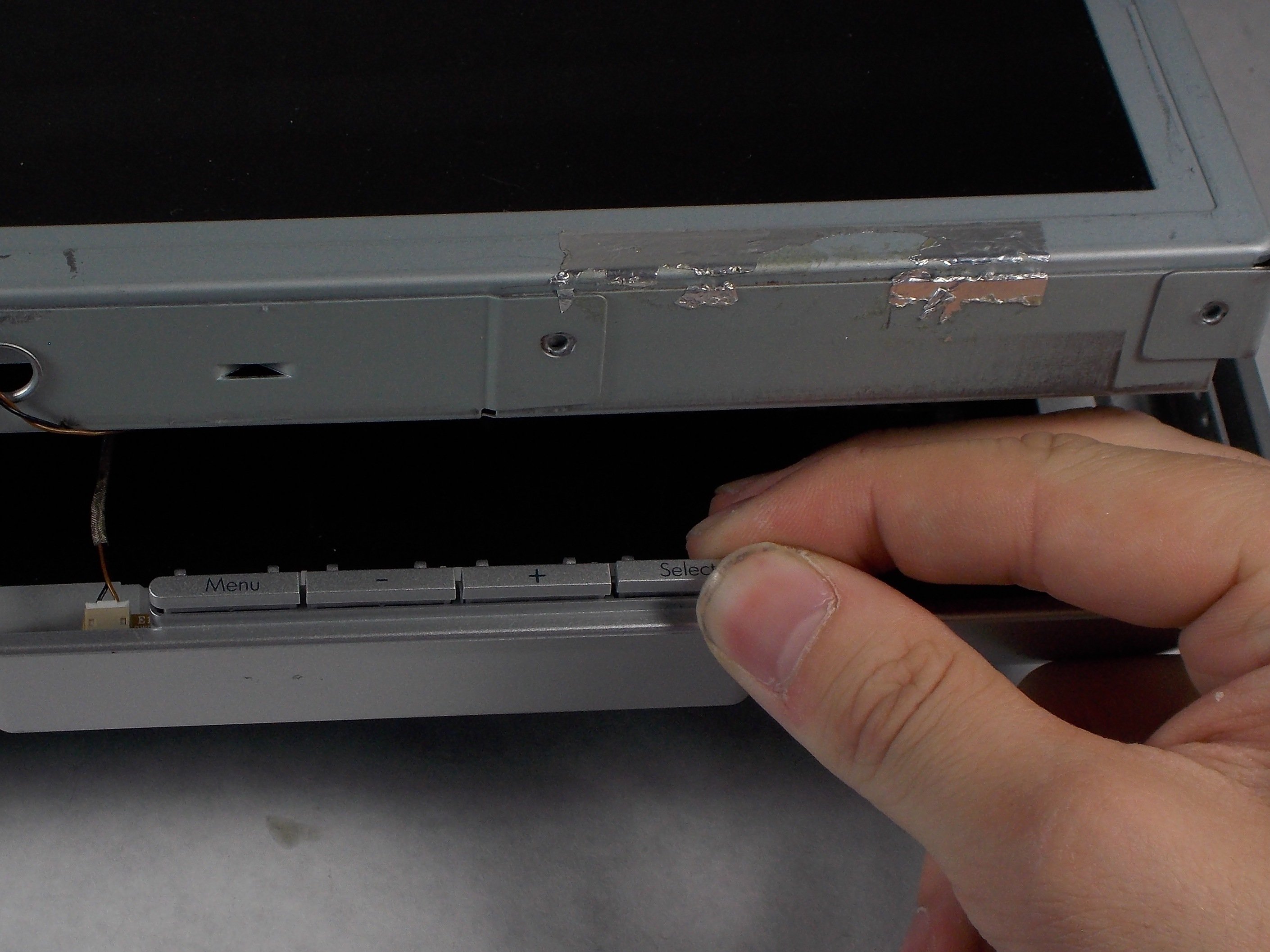
  • Remove the plastic buttons from the contacts
Step 6

Repair step

  • Remove the wire connecting the contacts to the screen assembly.