FIXONIC
SellSavedMy Fixonic
Official iFixit API visual reference

Cuisinart DFP-14BCN Back Casing Replacement

Attributed iFixit repair guide for Cuisinart DFP-14BCN.

iFixit Library Cuisinart DFP-14BCN Easy 5 minutes Guide 71783
Open the authorised source
Licensed iFixit integration

This attributed iFixit guide is displayed through Fixonic's recorded commercial API permission. iFixit remains the independent source and author of the procedure.

Step 1

Repair step

  • Unplug your food processor before starting any disassembly.
  • Remove the small pusher by rotating it clockwise and lifting up.
Step 2

Repair step

  • Remove the large pusher by grabbing its sides and pulling up.
  • There may be a clicking sound from the safety feature being disengaged in this step.
Step 3

Repair step

  • Remove the lid from the bowl by turning it clockwise and lifting.
Step 4

Repair step

  • Take out the blades by grabbing the plastic center piece and lifting up.
  • Avoid contact with blades as they are extremely sharp.
Step 5

Repair step

  • Position the handle of the bowl so that it is on your left.
  • Grab the handle and push clockwise. Lift up the bowl to remove it.
Step 6

Repair step

  • Turn the food processor's base upside down by lifting it up and turning it over.
  • Position the base so that the on and pulse buttons are facing you.
  • Place the base on top of the food processor's bowl to keep the base from wobbling while you work on it.
Step 7

Repair step

  • Remove the two 13.0mm screws that hold down the casing with a Phillips #2 screwdriver.
Step 8

Repair step

  • Lift up the front left and the back right rubber feet by pulling back the rubber with your fingers.
  • Remove the 13.0mm screw under each rubber foot with a Phillips #2 screwdriver.
Step 9

Repair step

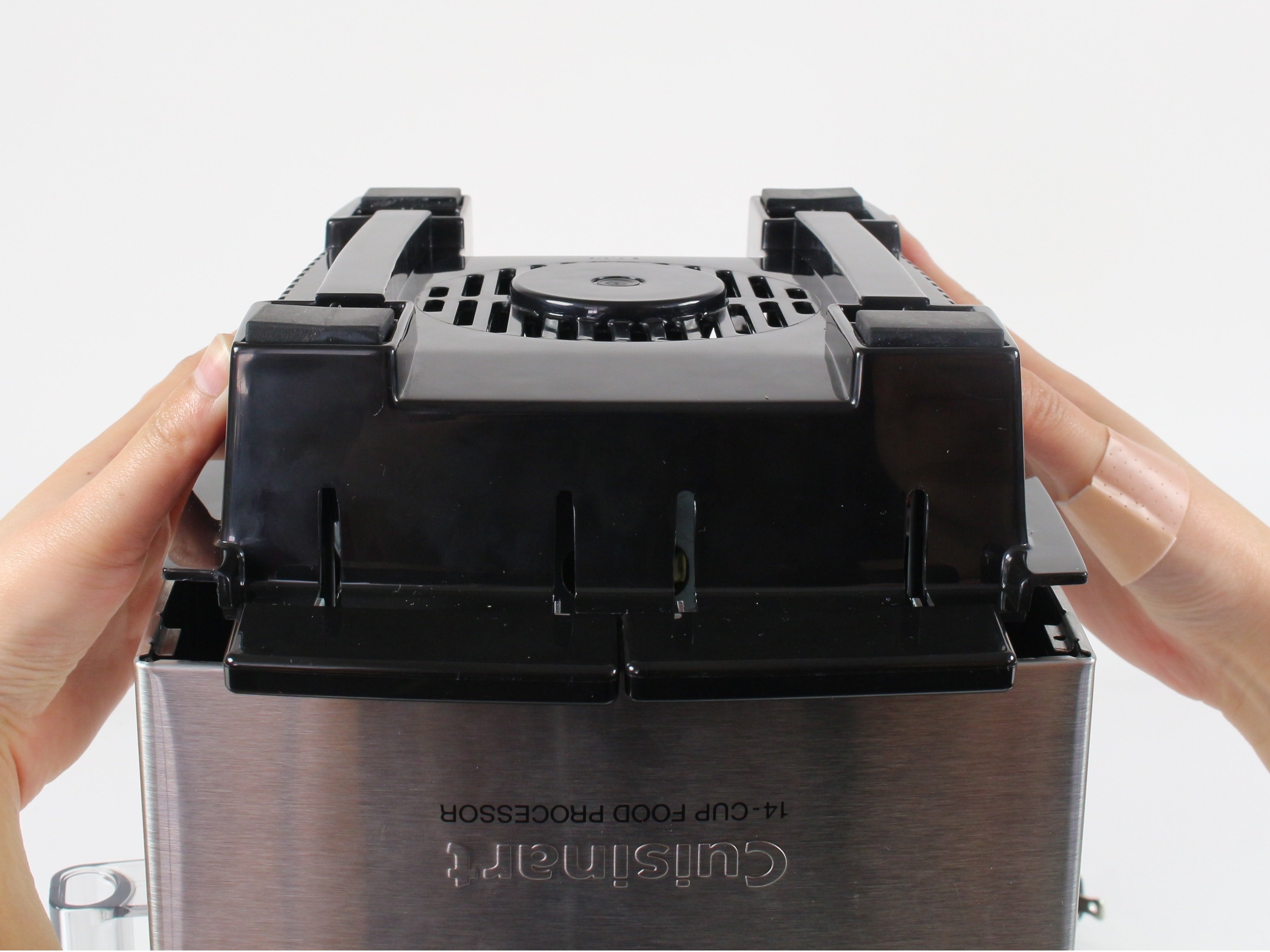
  • Lift off the back casing by raising it upward.