FIXONIC
SellSavedMy Fixonic
Official iFixit API visual reference

Dell Inspiron 14z-5423 Keyboard Replacement

You will need to purchase a keyboard in order...

iFixit Library Dell Inspiron 14z-5423 Moderate 5 - 15 minutes Guide 71809
Open the authorised source
Licensed iFixit integration

This attributed iFixit guide is displayed through Fixonic's recorded commercial API permission. iFixit remains the independent source and author of the procedure.

Guide overview

Before you begin

You will need to purchase a keyboard in order to proceed with the replacement.

Step 1

Repair step

  • Close the display and turn over the computer.
  • Make sure your device is powered down and unplugged before beginning the replacement.
Step 2

Repair step

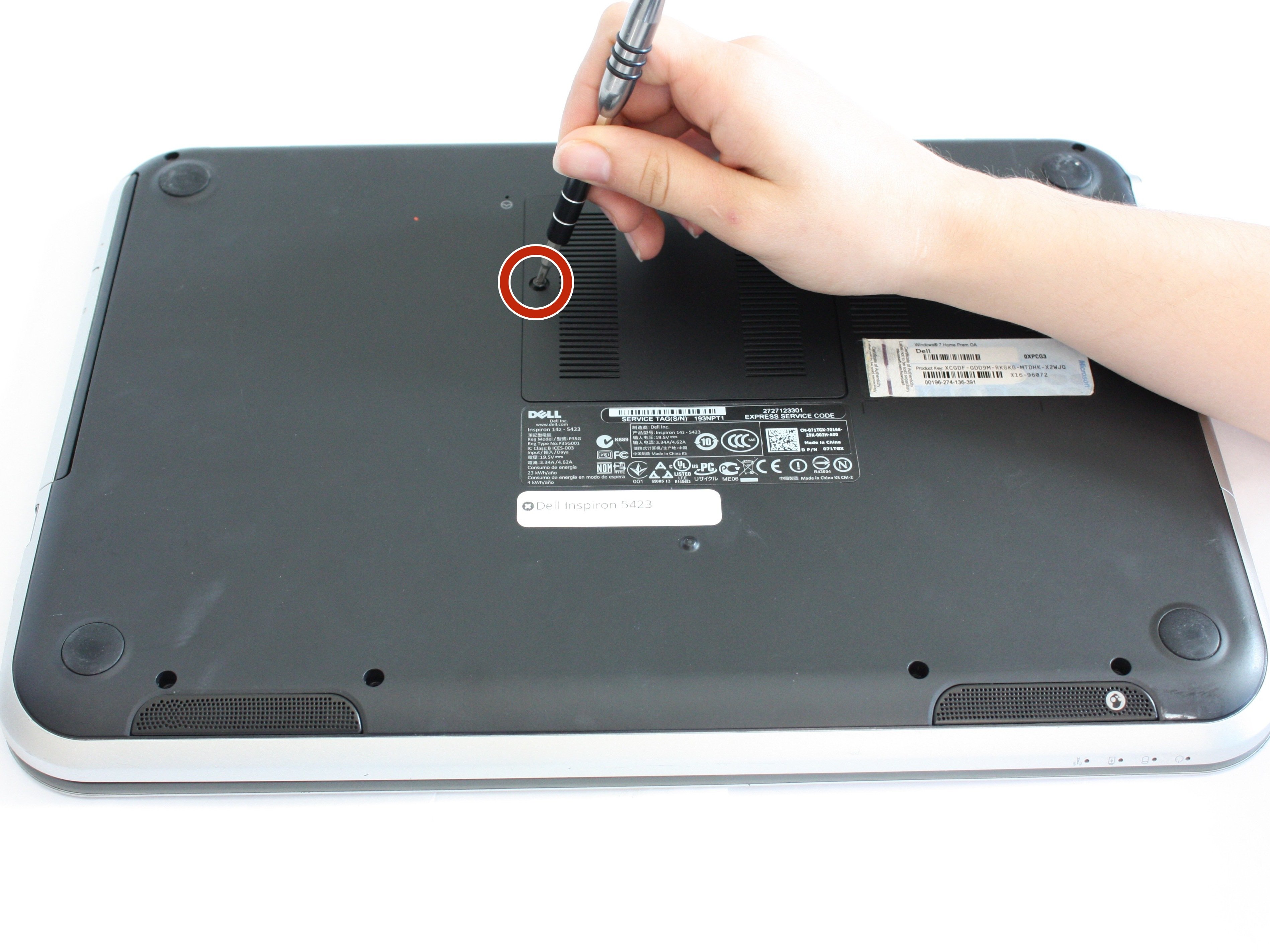
  • Use a J0 bit tipped screwdriver to unscrew the one 6 mm Phillips screw on the RAM cover.
Step 3

Repair step

  • Lightly lift the RAM cover up and at an angle, away from the computer.
Step 4

Repair step

  • Use your fingers to carefully pull the securing clips on the RAM away from each other.
  • The RAM should pop up when the clips are released.
Step 5

Repair step

  • Remove the popped up RAM by pulling it away from the connection.
  • If it does not pop up pry it out in a steady and straight direction.
Step 6

Repair step

  • Lift the plastic yellow flap on the system board.
  • Use the J0 Bit screwdriver to remove the one 6 mm Phillips screw in center of the system board that is connected to the keyboard.
Step 7

Repair step

  • Flip over the computer and open the display.
Step 8

Repair step

  • Insert a spudger next to the plastic indents located at the top of the keyboard and gently pry to release the securing clips.
  • Lift the keyboard off of the computer.
  • Be careful not to tear the ribbon that attaches the back of the keyboard to the computer when lifting it.
Step 9

Repair step

  • Flip the keyboard over onto the palm-rest assembly.
Step 10

Repair step

  • Flip the little black securing bar near the base of the ribbon with a spudger to release the ribbon from the computer.