FIXONIC
SellSavedMy Fixonic
Official iFixit API visual reference

Lenovo Thinkpad x230 Bezel Replacement

Users will learn how to remove the bezel from a...

iFixit Library Lenovo Thinkpad x230 Easy 5 seconds Guide 72153
Open the authorised source
Licensed iFixit integration

This attributed iFixit guide is displayed through Fixonic's recorded commercial API permission. iFixit remains the independent source and author of the procedure.

Guide overview

Before you begin

Users will learn how to remove the bezel from a Lenovo Thinkpad x230.

Step 1

Preparations

  • Before you begin, be sure to turn off your laptop and unplug it from the outlet.
Step 2

Locate the battery

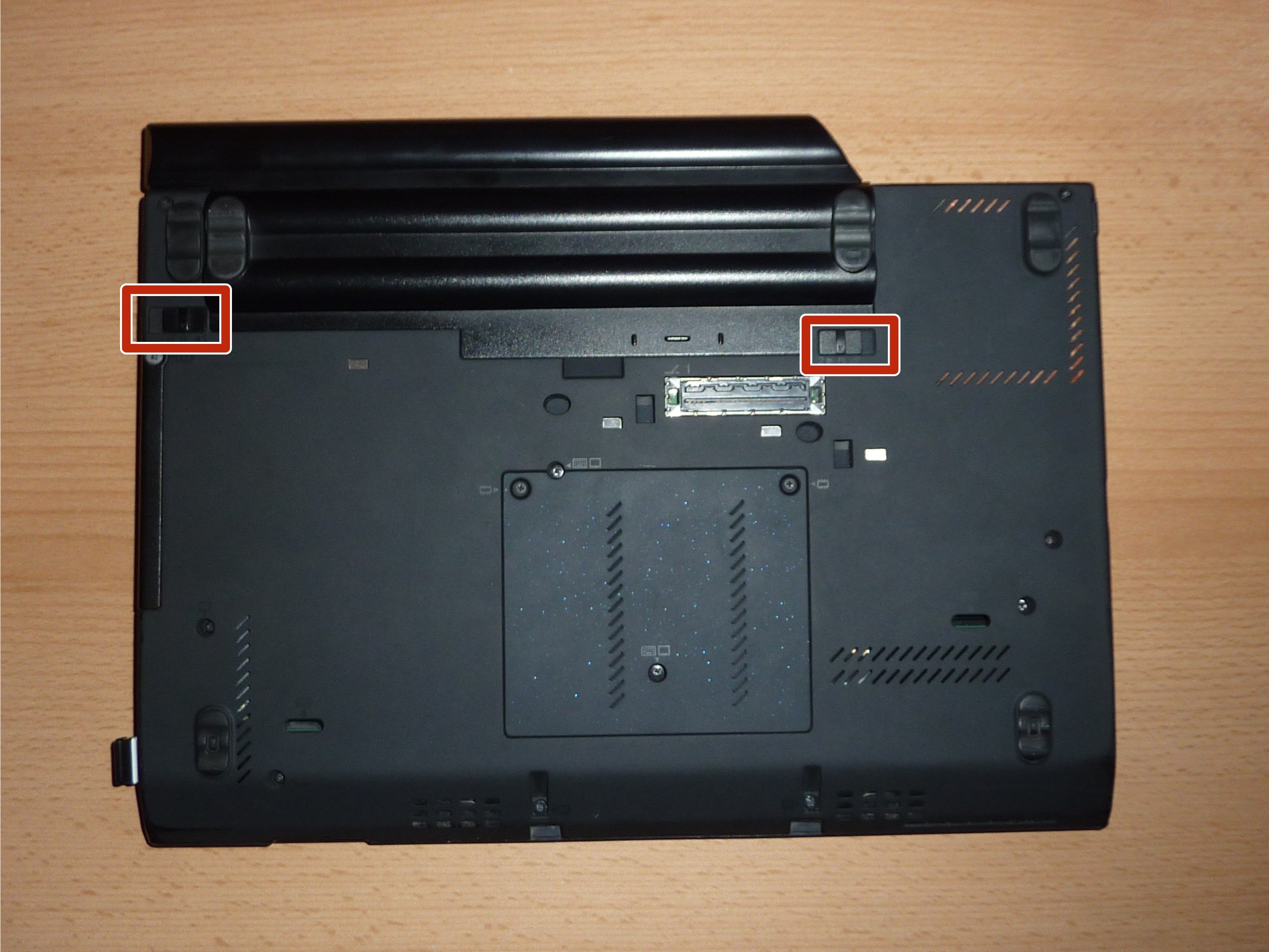
  • Flip the computer upside down.
  • The red rectangle shows the location of the battery.
Step 3

Unlock the left switch

  • Locate the two switches that lock the battery. Push the left-hand switch outward into the "unlocked" position.
Step 4

Remove the battery

  • Now push and hold the right clip to the right while using your other hand to gently slide the battery away from the computer.
Step 5

Repair step

  • Remove the plastic screw covers with an iFixit opening pick.
Step 6

Repair step

  • Remove the screws (0.4, 0.5 cm) from the bottom corners of the bezel using a Phillips #0 screwdriver.
Step 7

Repair step

  • Carefully remove the plastic bezel cover using an iFixit opening pick.