FIXONIC
SellSavedMy Fixonic
Official iFixit API visual reference

iPhone 5s Screen Replacement

For the official iFixit guide to replacing your...

iFixit Library iPhone 5s Moderate No estimate Guide 72988
Open the authorised source
Licensed iFixit integration

This attributed iFixit guide is displayed through Fixonic's recorded commercial API permission. iFixit remains the independent source and author of the procedure.

Guide overview

Before you begin

For the official iFixit guide to replacing your iPhone 5s display, click here. The version you are currently viewing is retained solely for historical purposes.

Step 1

Unscrewing the screen

  • First step is to locate the two screws at the bottom part of the phone . These screws are small be extremely careful
Step 2

Repair step

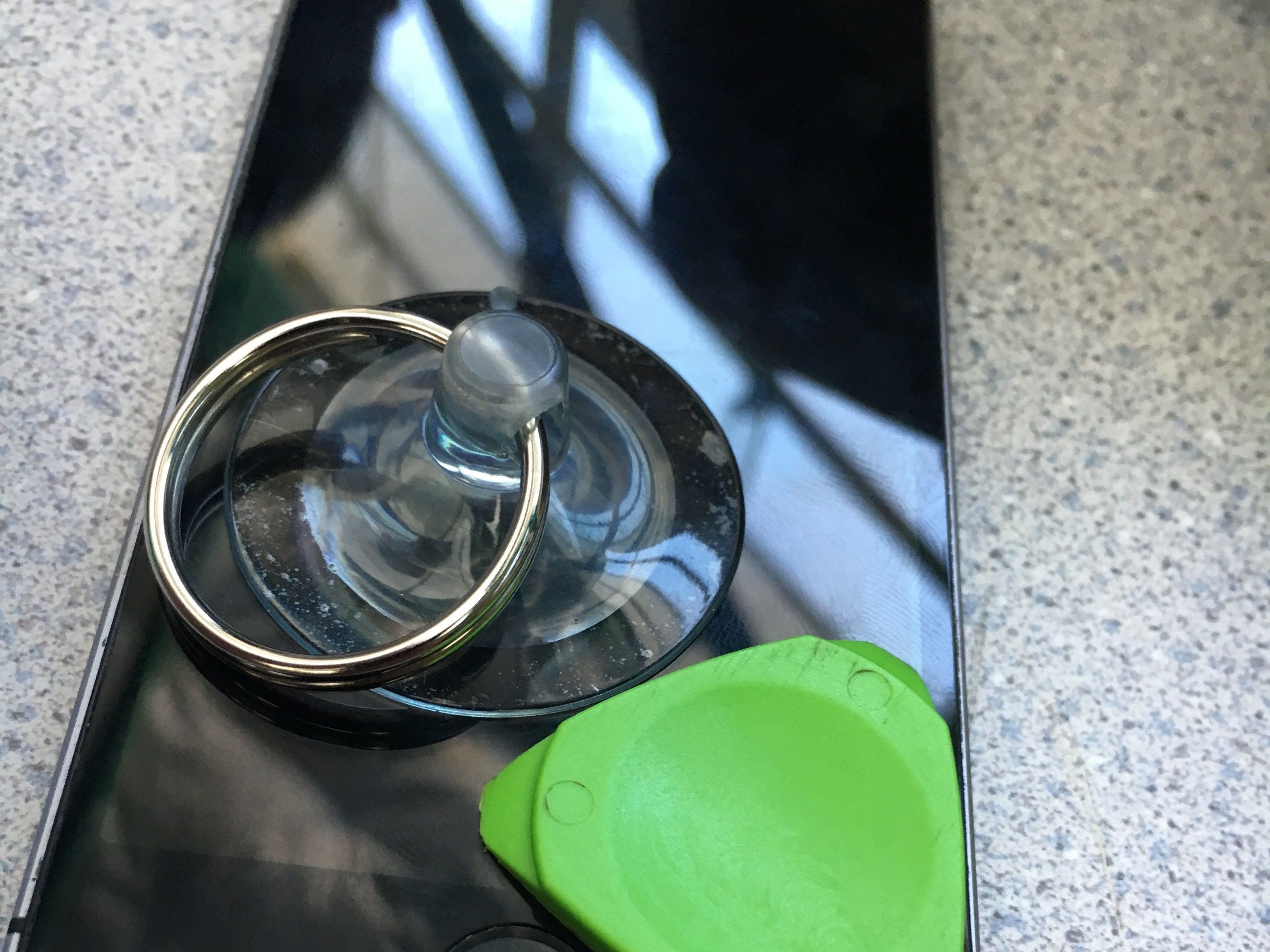
  • You are going to need these two tools to take off the screen
Step 3

Lifting the screen off

  • Gently Pull the screen up while slowly using the green tool to pry the screen up
Step 4

Taking the screen off of the phone

  • To completely take the screen off the phone, unscrew the four screws keeping the phone
Step 5

Taking off the home Button

  • unscrew these to screws (these screws are VERY SMALL be careful)