
FIXONIC
SellSavedMy Fixonic
Official iFixit API visual reference

Acer Aspire 5334-2581 Battery Replacement

Battery replacement is the easiest to replace,...

iFixit Library Acer Aspire 5334-2581 Easy 2 minutes Guide 73312
Open the authorised source
Licensed iFixit integration

This attributed iFixit guide is displayed through Fixonic's recorded commercial API permission. iFixit remains the independent source and author of the procedure.

Guide overview

Before you begin

Battery replacement is the easiest to replace, it should only take you about 5 minutes. Before starting your replacement, be sure to have unplugged the power cord.

Step 1

Repair step

  • Please make sure your device is unplugged . Turn it over slowly, and place it on a flat surface.
Step 2

Repair step

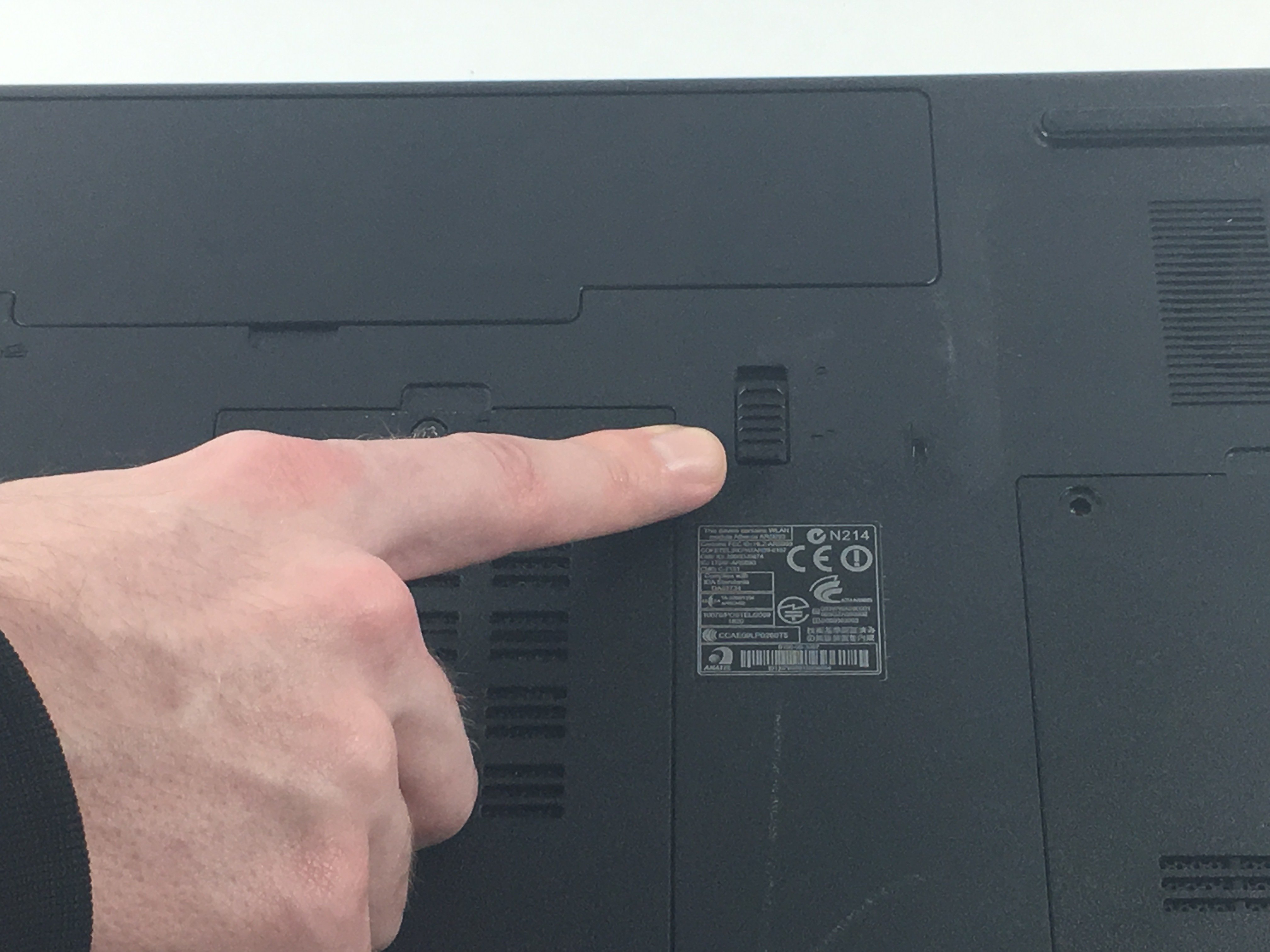
  • This latch holds your battery in place, it should always be locked. Make sure to unlock this piece.
  • Do not break this latch, otherwise your battery will not hold in place.
Step 3

Repair step

  • Locate the eject latch and push it so the battery can come out.
  • The battery will lift up once you have pushed the latch.
  • You DO NOT need to adjust the latch when replacing the new battery, because it just snaps in place.
Step 4

Repair step

  • Lift the battery up, and it should just come right off. You should see the label with the part number.