FIXONIC
SellSavedMy Fixonic
Official iFixit API visual reference

Dell Inspiron E1505 Battery Replacement

Replacing the battery of a laptop is a rater...

iFixit Library Dell Inspiron E1505 Easy 5 minutes Guide 73457
Open the authorised source
Licensed iFixit integration

This attributed iFixit guide is displayed through Fixonic's recorded commercial API permission. iFixit remains the independent source and author of the procedure.

Guide overview

Before you begin

Replacing the battery of a laptop is a rater straight forward process that takes a small amount of time. This is guide will show you how to replace your laptop’s old battery with a new one.

Step 1

Repair step

  • Before any work can be done ensure that the laptop is powered off.
  • Use either the power button on the computer or issue a shutdown from the operating system.
  • Once the device is off place the laptop on a flat surface and flip it so that the bottom is facing upwards.
Step 2

Repair step

  • Locate the battery release switch on the bottom of the laptop.
  • Once located slide the switch into the unlock position.
Step 3

Repair step

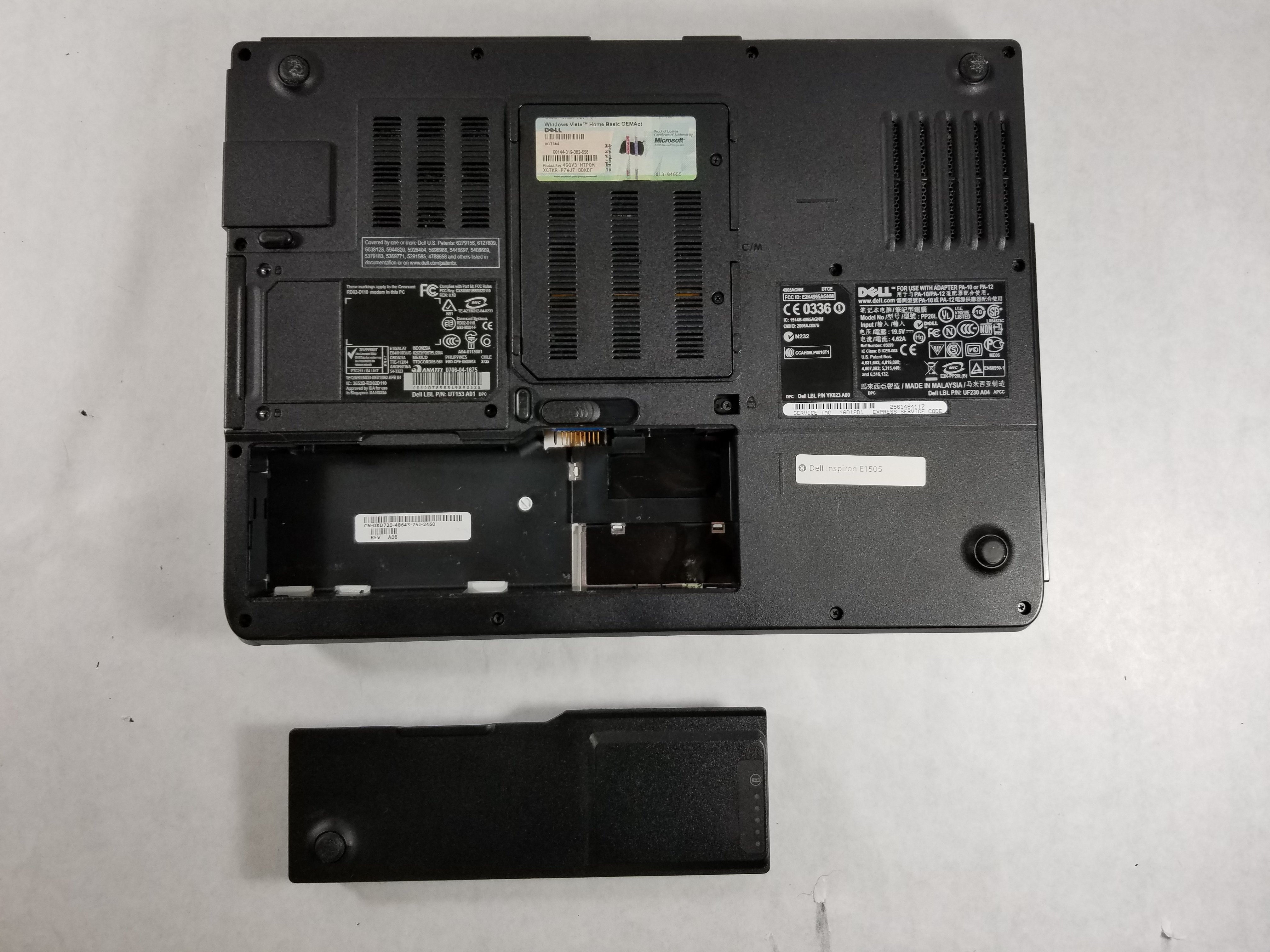
  • Locate the “lip” on the laptop to lift the battery outside of the compartment.
  • Once the battery is out, you will be able to find the replacement part number in order to purchase a new battery.
Step 4

Repair step

  • Once the new battery has been acquired take the battery and place it in the empty battery slot.
  • Slide the switch into the lock position to secure the new battery.