FIXONIC
SellSavedMy Fixonic
Official iFixit API visual reference

Asus Eee PC 1201N RAM Replacement

This guide will walk through the steps to...

iFixit Library Asus Eee PC 1201N Easy 5 minutes Guide 73492
Open the authorised source
Licensed iFixit integration

This attributed iFixit guide is displayed through Fixonic's recorded commercial API permission. iFixit remains the independent source and author of the procedure.

Guide overview

Before you begin

This guide will walk through the steps to replace the RAM in your device. It does not involve any major disassembly and only requires a screwdriver and plastic opening tool.

Step 1

Repair step

  • Flip the netbook over.
  • Be sure to unplug the netbook and power off the device while working.
Step 2

Repair step

  • Push open both tabs on either side of the battery.
  • The tab on the left will click open and stay in place until you close it.
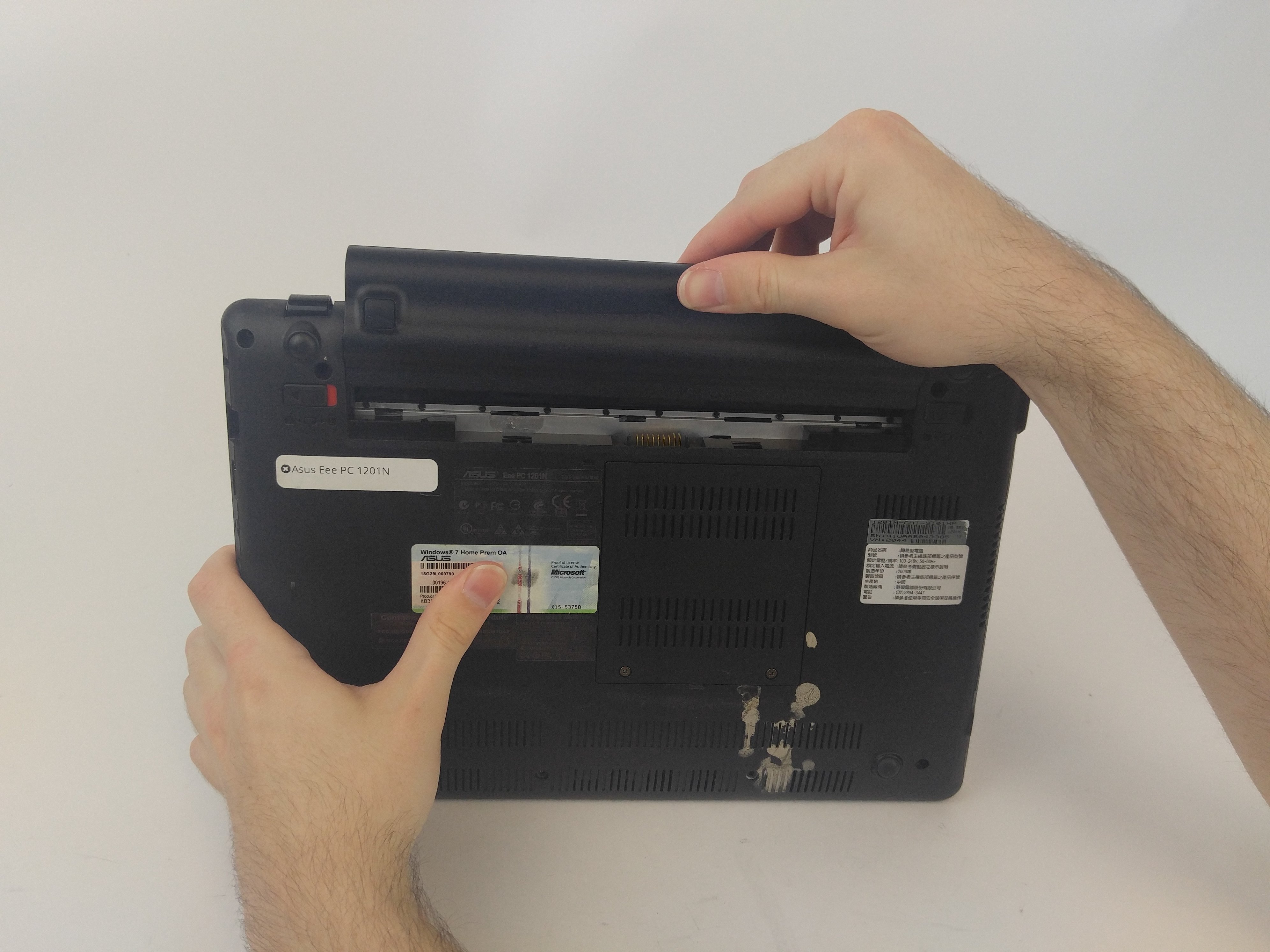
Step 3

Repair step

  • Pull the tab on the right open, while you remove battery with your other hand.
  • Pull the battery straight out ensuring that you don't damage any connectors.
Step 4

Repair step

  • Remove the two 4.6mm screws using the J0 Phillips head screwdriver.
  • Then use the plastic opening tool to open the RAM door.
Step 5

Repair step

  • Push the tabs on the side of the RAM to release.
  • Only push the tabs over slightly to ensure you do not break them.
Step 6

Repair step

  • Remove the RAM by pulling it towards you.