
FIXONIC
SellSavedMy Fixonic
Official iFixit API visual reference

Olympus Camedia D560 Battery Compartment Cover Replacement

If your battery cover is damaged, your battery...

iFixit Library Olympus Camedia D560 Moderate 5 minutes Guide 7382
Open the authorised source
Licensed iFixit integration

This attributed iFixit guide is displayed through Fixonic's recorded commercial API permission. iFixit remains the independent source and author of the procedure.

Guide overview

Before you begin

If your battery cover is damaged, your battery may suffer damage from heat, cold, liquids, or other objects entering the battery compartment. This guide will demonstrate how to remove the battery compartment cover so you are able to replace it.
Step 1

Repair step

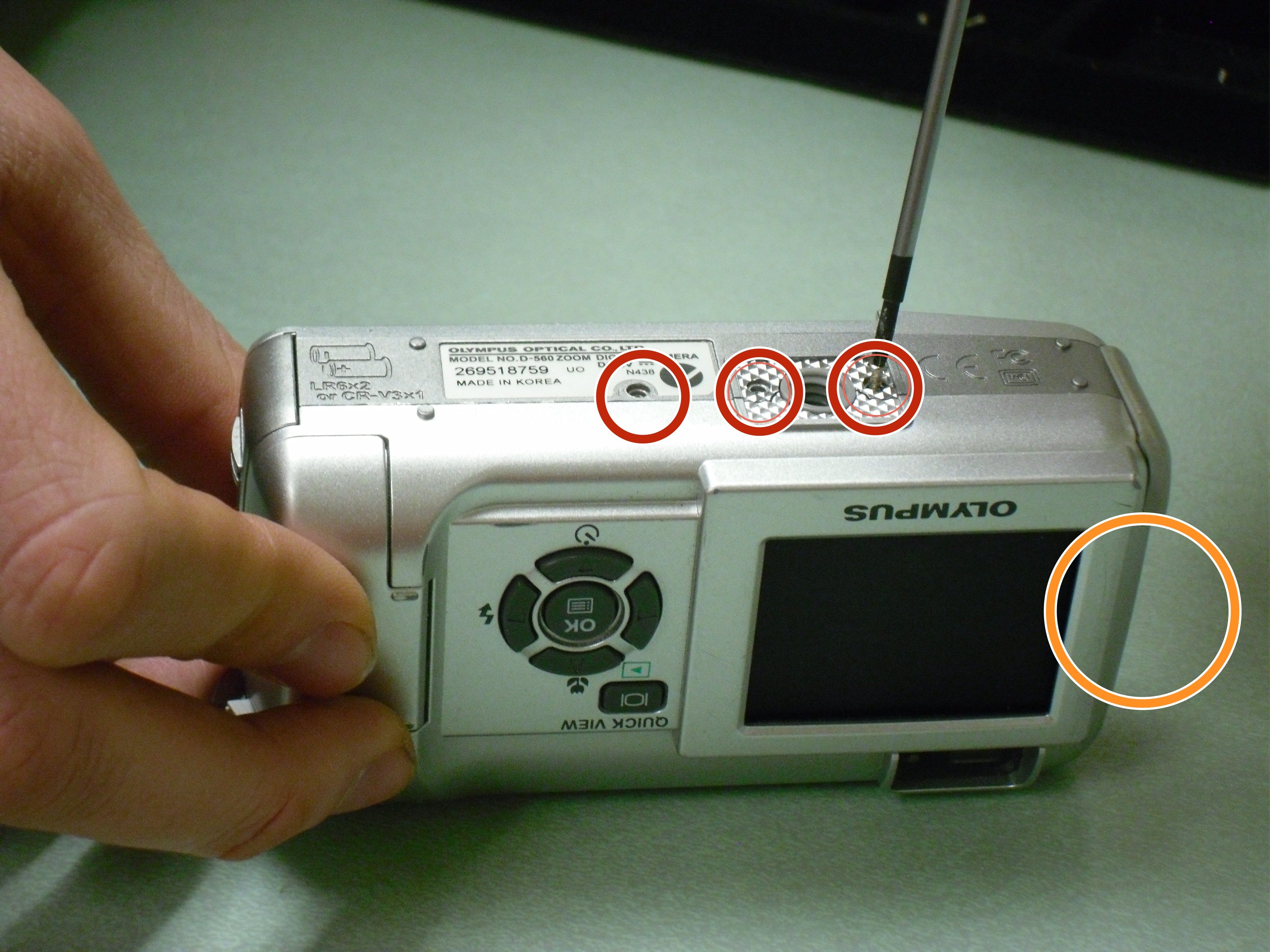
  • Remove all five screws found on the outer shell of the camera.
  • Three along the bottom
  • Two on the side closest to the LCD screen
  • You will find three more under the USB port flap and one more under the memory card flap. Remove these four as well.
  • Once all screws are removed, use a blue prying tool to carefully pry the back outer shell away from the rest of the camera.
Step 2

Repair step

  • Completely separate the back cover from the rest of the camera. Set the back cover aside.
  • Remove four screws from the front outer cover of the camera.
  • Use a Spudger to pry the front outer cover away from the camera. Do this gently to avoid damaging the yellow and black wires connecting the front outer cover to the camera.
Step 3

Repair step

  • To remove the yellow and black wires, gently unplug the end of the wire connected to the inner casing of the camera.
  • The front outer cover should now be completely separated from the rest of the camera.
Step 4

Repair step

  • Carefully set aside the front outer cover of the camera.
  • Locate and remove the two screws attaching the battery compartment cover to the rest of the camera.
  • Once both screws are removed, the back hinge of the battery compartment cover will flip up.
Step 5

Repair step

  • Your battery compartment cover should now be completely removed and ready for repair or replacement.