 FIXONIC
Official iFixit API visual reference
Open the authorised source
VTech InnoTab 2s Back Panel Replacement
Attributed iFixit repair guide for VTech InnoTab 2s.
iFixit Library VTech InnoTab 2S
Moderate
No estimate
Guide 74690
Licensed iFixit integration
This attributed iFixit guide is displayed through Fixonic's recorded commercial API permission. iFixit remains the independent source and author of the procedure.


Repair step

- Lift the Leg all the way up and twist the bottom to remove.
- Once the bottom part pops out the whole leg should just come off.
- Remove any game cartridge from the device.
Repair step
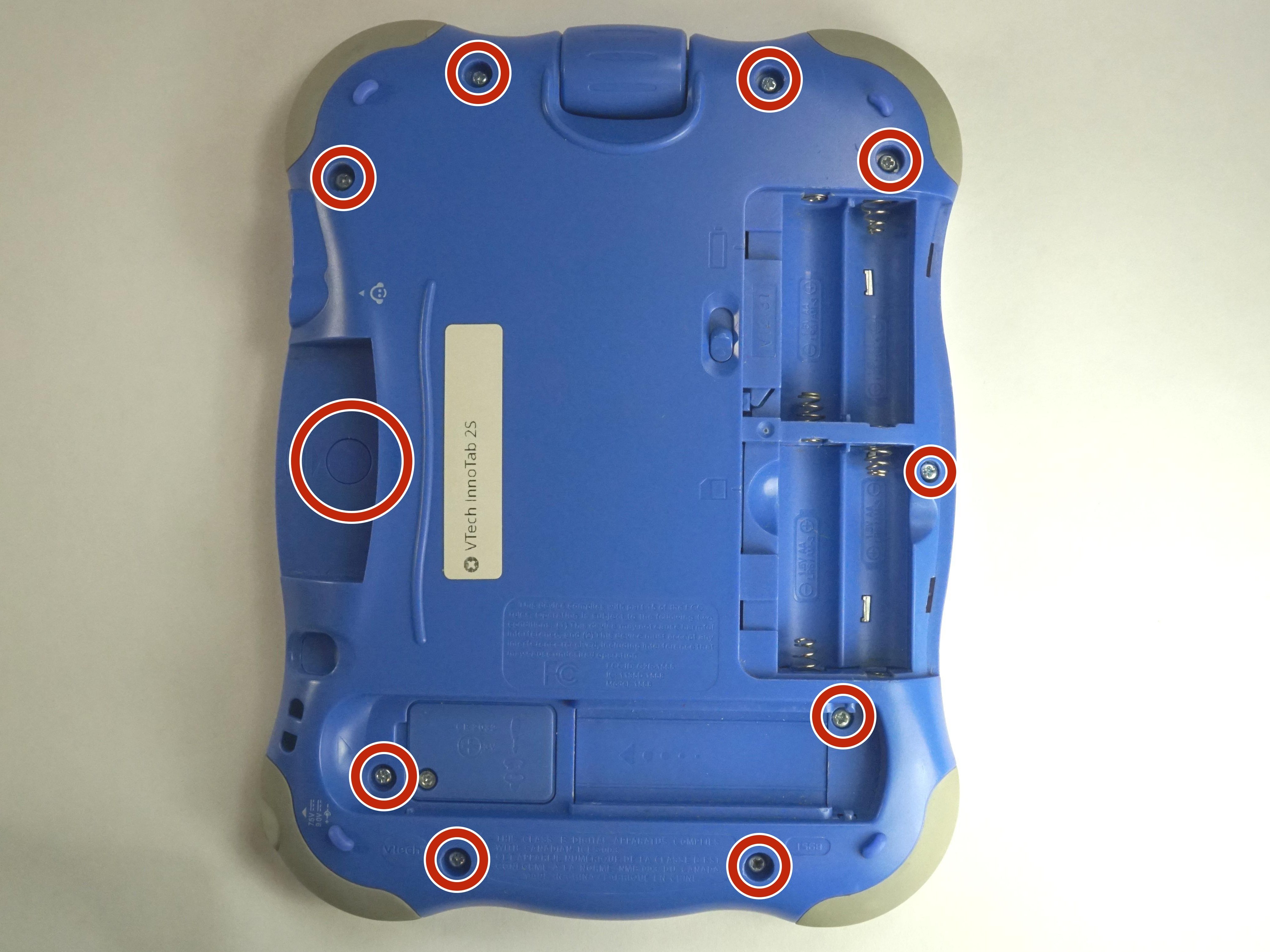
Repair step

- Remove all nine screws from the back of the device using a J0 bit.
- Remove the small battery.
