FIXONIC
SellSavedMy Fixonic
Official iFixit API visual reference

HP Envy 17-J013CL Battery Replacement

If your laptop battery does not stay charged...

iFixit Library HP Envy 17-J013CL Very easy 20 - 25 seconds Guide 78211
Open the authorised source
Licensed iFixit integration

This attributed iFixit guide is displayed through Fixonic's recorded commercial API permission. iFixit remains the independent source and author of the procedure.

Guide overview

Before you begin

If your laptop battery does not stay charged for very long, or you suspect it has sustained damage, it is time to replace it. This guide will instruct you how to replace the battery in the HP Envy 17-J013CL. The battery is what supplies power to the device, allowing it to be used for several hours without a power cord. Before beginning, be sure to turn your laptop off, and disconnect the AC cable and other power sources from the device before removing the battery. There are no tools required for this replacement.

Step 1

Repair step

  • Lay the laptop with the battery facing towards you.
  • Remember to disconnect the AC cable and other power sources from the device before replacing/repairing parts.
Step 2

Repair step

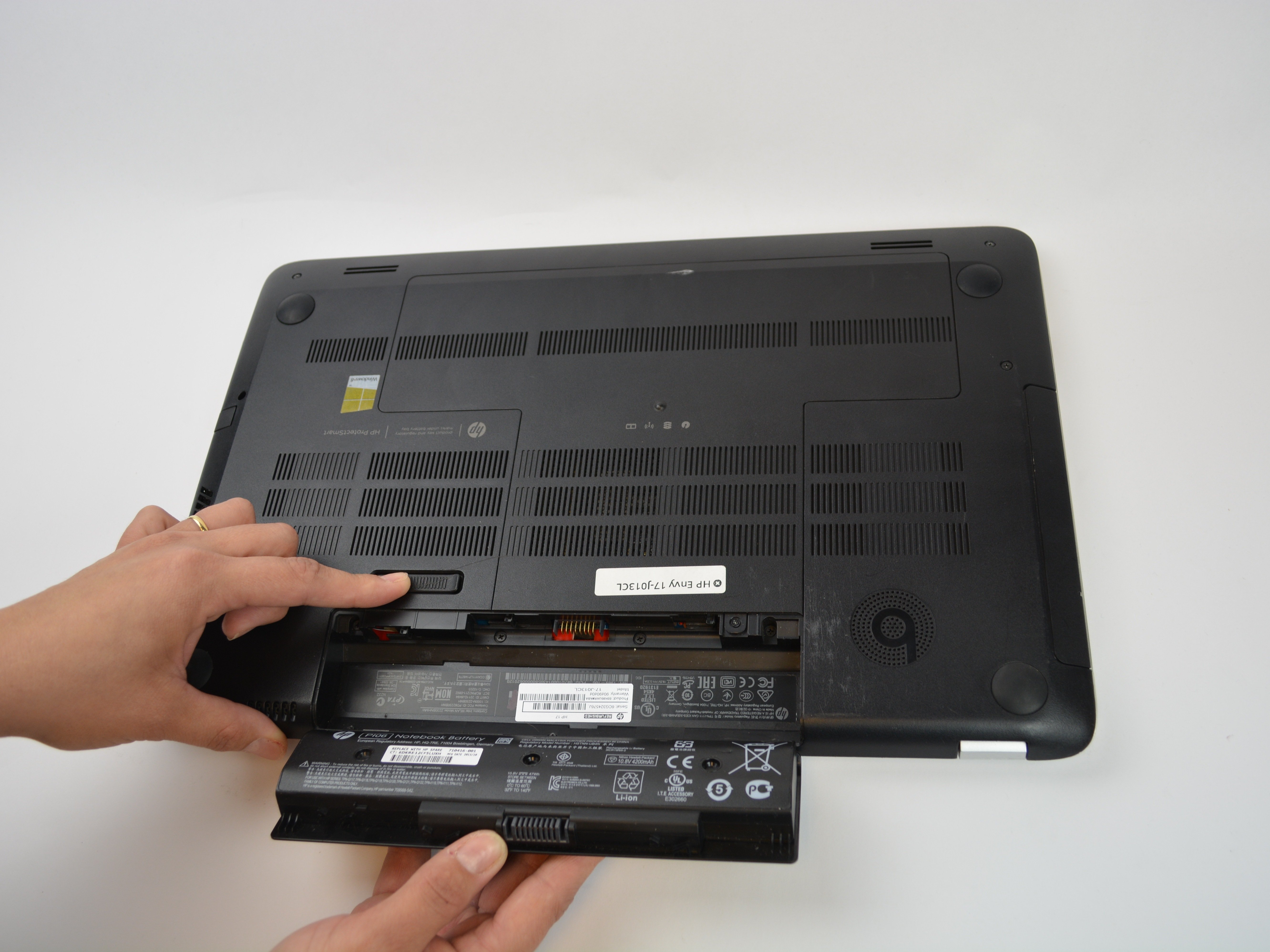
  • Grab hold of the small battery slider and apply pressure to the right.
  • The laptop itself will push the battery out for you once the switch slides all the way to the right.
Step 3

Repair step

  • Pull the battery out and let go of the battery slider.