FIXONIC
SellSavedMy Fixonic
Official iFixit API visual reference

Asus Q501LA-BBI6T03 Battery Replacement

If your laptop is having issues with batter...

iFixit Library Asus Q501LA-BBI6T03 Easy 10 minutes Guide 78467
Open the authorised source
Licensed iFixit integration

This attributed iFixit guide is displayed through Fixonic's recorded commercial API permission. iFixit remains the independent source and author of the procedure.

Guide overview

Before you begin

If your laptop is having issues with batter life, your batter may be malfunctioning. In this guide, we will show you how to replace the battery.

Step 1

Repair step

  • Ensure the laptop is powered down before continuing.
  • Use a Phillips #0 screwdriver to remove the ten 3mm Phillips head screws on the base of the laptop.
Step 2

Repair step

  • Use the spudger to pry open the rear cover at either hinge.
Step 3

Repair step

  • Grab the cover with your fingers and gently lift it away from the board.
  • Be careful not to break any tabs on the cover when lifting it off.
Step 4

Repair step

  • Remove the five silver 4mm Phillips #0 screws holding the battery to the laptop.
Step 5

Repair step

  • Using the spudger, carefully remove the power cable connecting the battery to the rest of the laptop.
Step 6

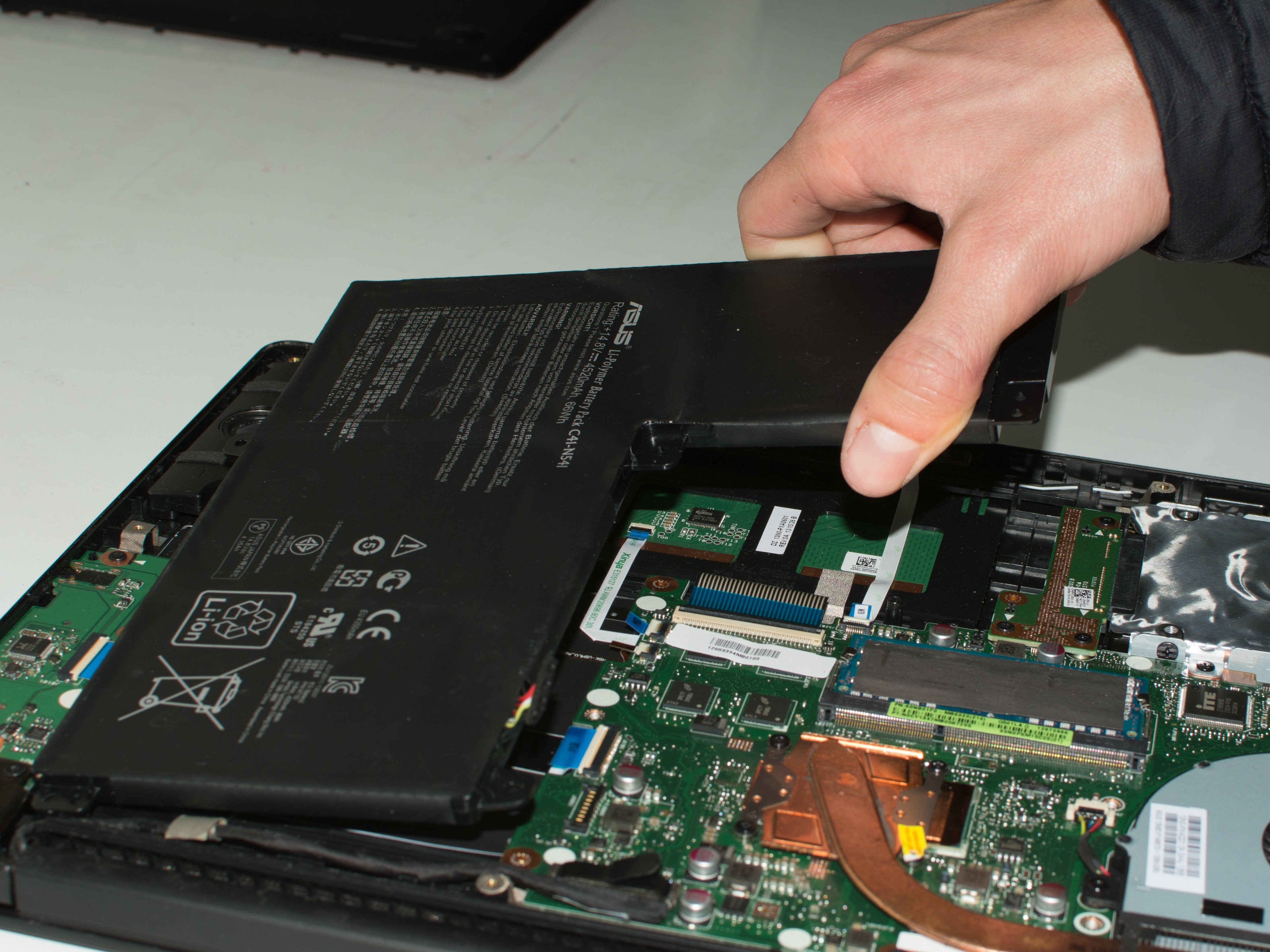
Repair step

  • Once the screws and cable are removed, carefully lift the battery from the laptop.