FIXONIC
SellSavedMy Fixonic
Official iFixit API visual reference

HP Envy 17-J013CL Memory Module Replacement

Follow this guide if your HP Envy 17-J013CL...

iFixit Library HP Envy 17-J013CL Easy 5 minutes Guide 80531
Open the authorised source
Licensed iFixit integration

This attributed iFixit guide is displayed through Fixonic's recorded commercial API permission. iFixit remains the independent source and author of the procedure.

Guide overview

Before you begin

Follow this guide if your HP Envy 17-J013CL Memory module needs to be replaced. Memory, or RAM module, keeps information stored on the computer as long as it is turned on and clears when turned off. Used for quickly access applications. The Memory module is a simple part to replace as it can be done within a few minutes without any hassle. Just remember to keep yourself ground or without static electricity because shocking the module OR the port itself can cause failure.

Step 1

Repair step

  • Lay the laptop with the battery facing towards you.
  • Remember to disconnect the AC cable and other power sources from the device before replacing/repairing parts.
Step 2

Repair step

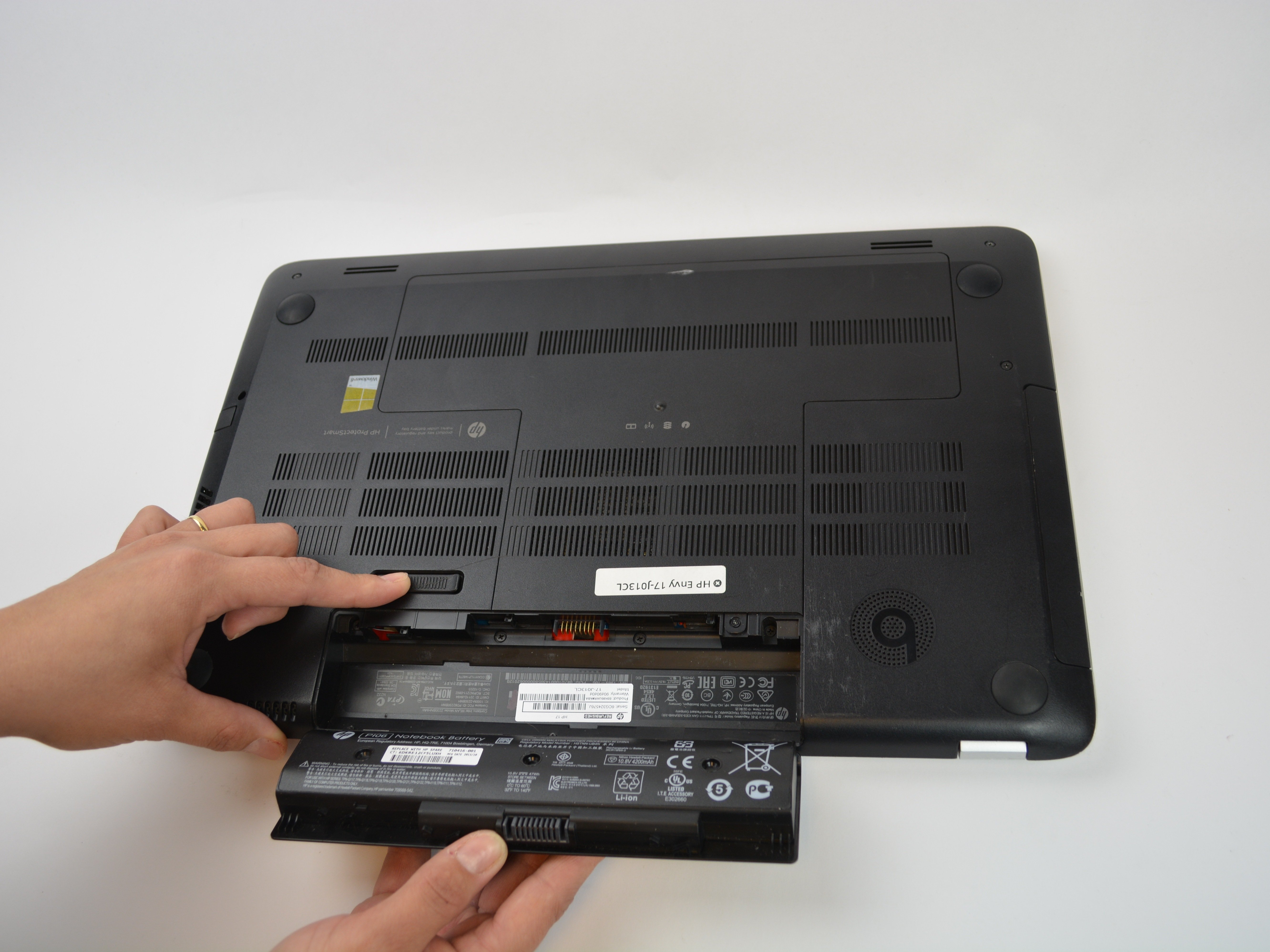
  • Grab hold of the small battery slider and apply pressure to the right.
  • The laptop itself will push the battery out for you once the switch slides all the way to the right.
Step 3

Repair step

  • Pull the battery out and let go of the battery slider.
Step 4

Repair step

  • Use a PH1-screwdriver to loosen the 7mm screw. The screw will not fully come out as it is held by a washer underneath but will come out enough to open it.
Step 5

Repair step

  • Gently pull the back panel off starting from the battery side towards the back.
  • Pull it back as it snaps out of the holding sockets.
  • It is preferred to use both hands when pulling the back panel off to prevent bending it out of shape.
Step 6

Repair step

  • Locate the memory stick inside.
Step 7

Repair step

  • On both sides of the module, place a thumb on each of the metallic holding pins.
  • Gently pull on the pins to release the spring holding in the module.
Step 8

Repair step

  • Gently slide the module out of the memory slot.
  • Pay in mind of the module's orientation as it will only go in one way with a little gap in the module to identify orientation.