FIXONIC
SellSavedMy Fixonic
Official iFixit API visual reference

Blackberry Bold 9650 Keypad Replacement

Attributed iFixit repair guide for Blackberry Bold 9650.

iFixit Library Blackberry Bold 9650 Moderate 15 - 30 minutes Guide 8469
Open the authorised source
Licensed iFixit integration

This attributed iFixit guide is displayed through Fixonic's recorded commercial API permission. iFixit remains the independent source and author of the procedure.

Step 1

Repair step

  • Turn the device upside down.
  • Using your finger, slide the silver cover release button towards the top of the device.
  • Lift and remove the back cover.
Step 2

Repair step

  • Using your fingernails, lift the sides of the battery.
  • Remove the battery.
Step 3

Repair step

  • Orient the device so that the screen is facing the ground.
  • Using your finger, gently lift the top of the SIM card.
Step 4

Repair step

  • Gently pull out the SIM card.
  • The card will break in half if you apply too much force when pulling out the card.
Step 5

Repair step

  • Using a T6 Torx screwdriver, remove the four screws from the bottom half of the device.
Step 6

Repair step

  • Orient the device so that the screen is facing you.
  • Using a spudger, remove the ear piece cover.
Step 7

Repair step

  • Using a T6 Torx screwdriver, remove the two screws from the top corners of the device.
Step 8

Repair step

  • Remove the back chassis by gently pulling the chassis back and forth.
  • The headphone jack can break if the chassis is pulled too forcefully.
Step 9

Repair step

  • Orient the device so that the screen is facing the ground, and the top of the phone is facing you.
  • Using a pair of tweezers, lift and remove the following:
  • The two round connectors on the top of the mother board.
  • The round connectors are hooked into the mother board.
  • The flat connector in the lower corner of the mother board.
Step 10

Repair step

  • Using your fingers, carefully lift and remove the mother board.
  • The connectors underneath the mother board are delicate and easily damaged.
Step 11

Repair step

  • Using a pair of tweezers, remove the three ribbon connectors.
Step 12

Repair step

  • Remove the mother board by lifting the board upward.
Step 13

Repair step

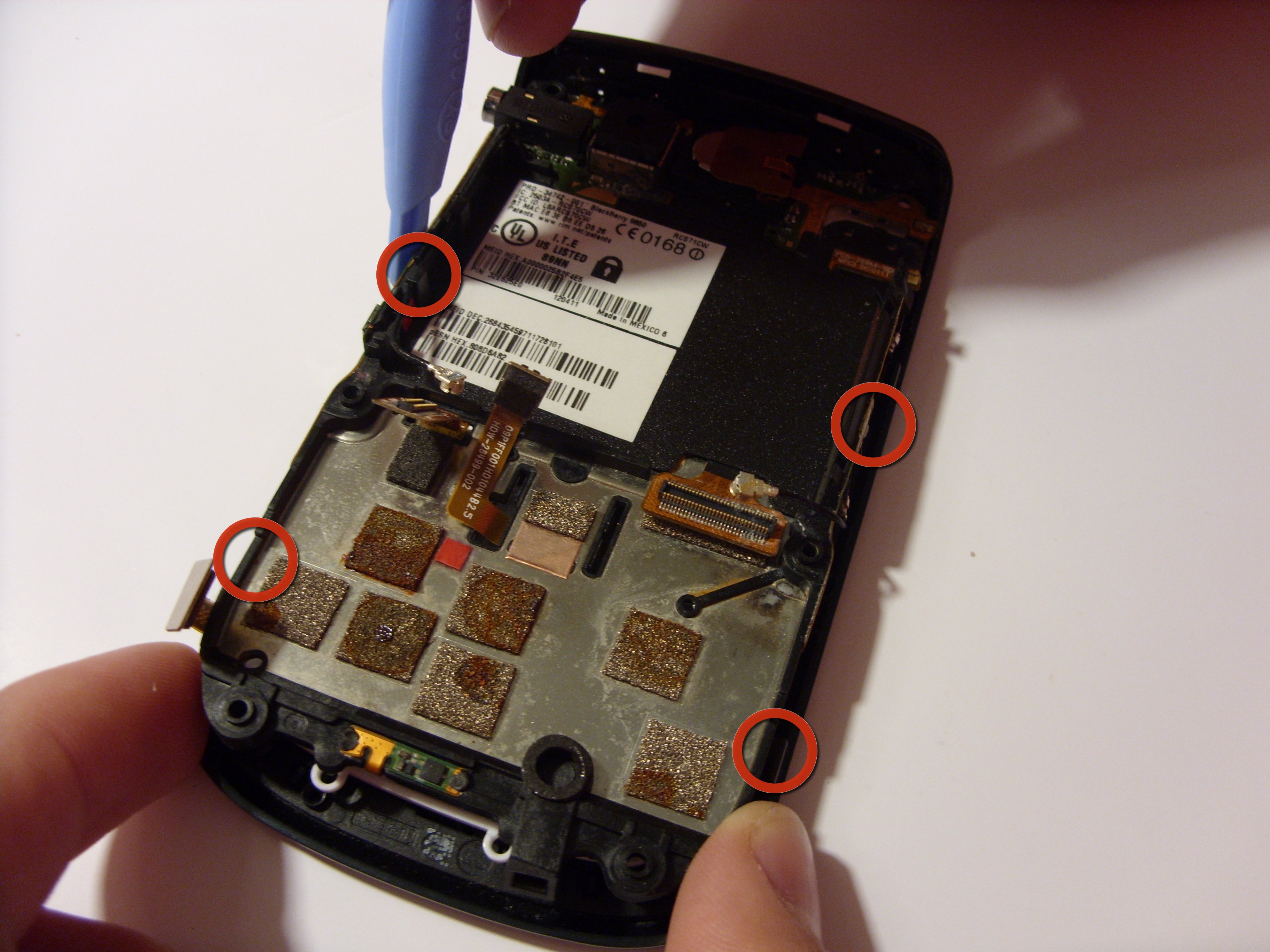
  • Using a pry tool, lift up on the four tabs located on the edges of the faceplate.
  • Remove the faceplate by lifting the plate upward.
Step 14

Repair step

  • Lift the keypad out of the the front cover.