FIXONIC
SellSavedMy Fixonic
Official iFixit API visual reference

Canon PowerShot SX600 HS Power and Shutter Buttons Replacement

Canon PowerShot SX600 HS camera, can have a...

iFixit Library Canon PowerShot SX600 HS Easy 1 - 5 minutes Guide 86270
Open the authorised source
Licensed iFixit integration

This attributed iFixit guide is displayed through Fixonic's recorded commercial API permission. iFixit remains the independent source and author of the procedure.

Guide overview

Before you begin

Canon PowerShot SX600 HS camera, can have a broken or damaged Power and Shutter Button. Problems with the Power and Shutter Button may prevent the camera from turning on or functioning properly. Use this guide when replacing the Power and Shutter Button.

Step 1

Repair step

  • To remove the battery, locate the battery cover on the bottom of the camera.
  • Using your thumb, press down on the cover and slide it outwards.
Step 2

Repair step

  • Depress the orange lever holding the battery in place to unlock it.
Step 3

Repair step

  • Use your fingers to remove the battery.
  • Be sure to remember the alignment of the nodes for reassembly.
Step 4

Repair step

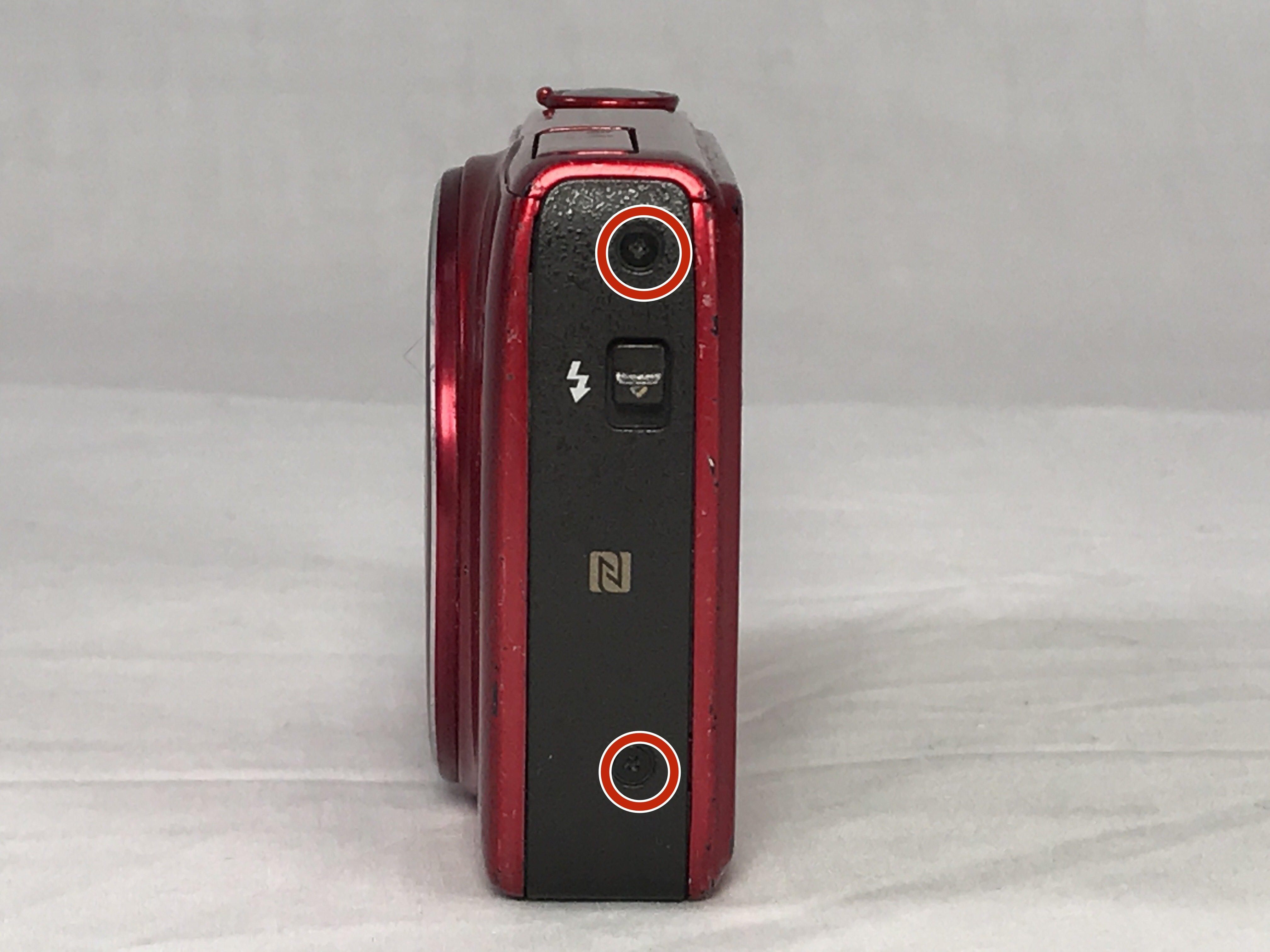
  • Use a #000 Phillips screwdriver to unscrew the four 4mm screws located on the sides of the camera (2 for each side).
Step 5

Repair step

  • Unscrew the four 2mm located on the bottom of the camera using a Phillips #000 screwdriver.
Step 6

Repair step

  • Use a plastic opening tool to loosen and remove both the front and back plates of the camera, as well as the two side pieces.
Step 7

Repair step

  • Unscrew the three 2mm screws attaching the piece to the camera frame with a #000 Phillips screwdriver.
Step 8

Repair step

  • Use an opening tool to gently remove the power and shutter button assembly from the frame.