
FIXONIC
SellSavedMy Fixonic
Official iFixit API visual reference

Roku 4 Remote Control Motherboard Replacement

If there continues to be a problem after...

iFixit Library Roku 4 Easy 5 - 8 minutes Guide 86741
Open the authorised source
Licensed iFixit integration

This attributed iFixit guide is displayed through Fixonic's recorded commercial API permission. iFixit remains the independent source and author of the procedure.

Guide overview

Before you begin

If there continues to be a problem after restarting and repairing the remote, you may need to replace or fix your remote's motherboard.

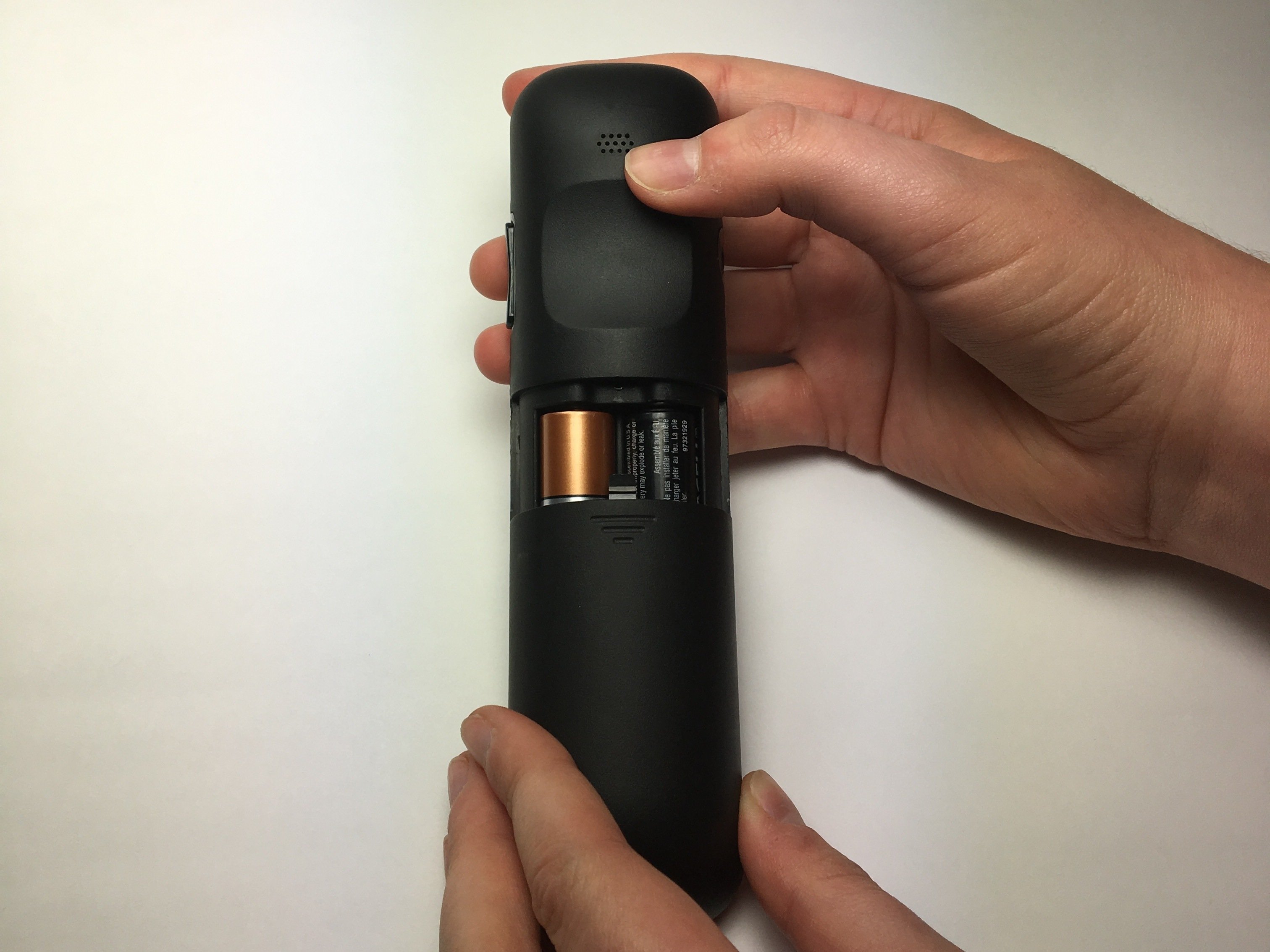
Step 1

Repair step

  • Place the remote control facing down on the table, so that the buttons are facing downwards.
Step 2

Repair step

  • Remove the battery compartment cover from the back of the remote by sliding it outwards. This should reveal the batteries.
Step 3

Repair step

  • Remove the batteries from the battery compartment.
Step 4

Repair step

  • Turn the Phillips PH0 screwdriver counterclockwise to carefully remove the 6.9 mm screw located between both battery compartments .
Step 5

Repair step

  • Wedge a plastic opening tool into the seam between the top cover and bottom casing of the device to create a gap.
  • Prying open the remote is quite difficult and requires a large amount of force. Use caution to avoid breaking the device or hurting yourself.
  • Once you have created a gap large enough for your fingers to fit between, separate the top cover from the bottom plastic casing by pulling them apart gently.
Step 6

Repair step

  • Using your right thumb, lift up on the left side of the motherboard to remove it from the bottom plastic casing.