
FIXONIC
SellSavedMy Fixonic
Official iFixit API visual reference

Acer Chromebook R11 Speakers Replacement

Attributed iFixit repair guide for Acer Chromebook R11 CB5-132T- C1LK.

iFixit Library Acer Chromebook R11 CB5-132T- C1LK Easy No estimate Guide 86966
Open the authorised source
Licensed iFixit integration

This attributed iFixit guide is displayed through Fixonic's recorded commercial API permission. iFixit remains the independent source and author of the procedure.

Step 1

Repair step

  • The back cover of the R11 is held into place using 11 screws.
  • To remove, use a screwdriver appropriate for a JIS 1 screw.
Step 2

Repair step

  • Battery is located in the bottom half of the computer.
  • Unscrew the two screws holding the battery in place. There is one on each side of the battery.
  • To remove, use a screwdriver appropriate for a JIS 1 screw.
Step 3

Repair step

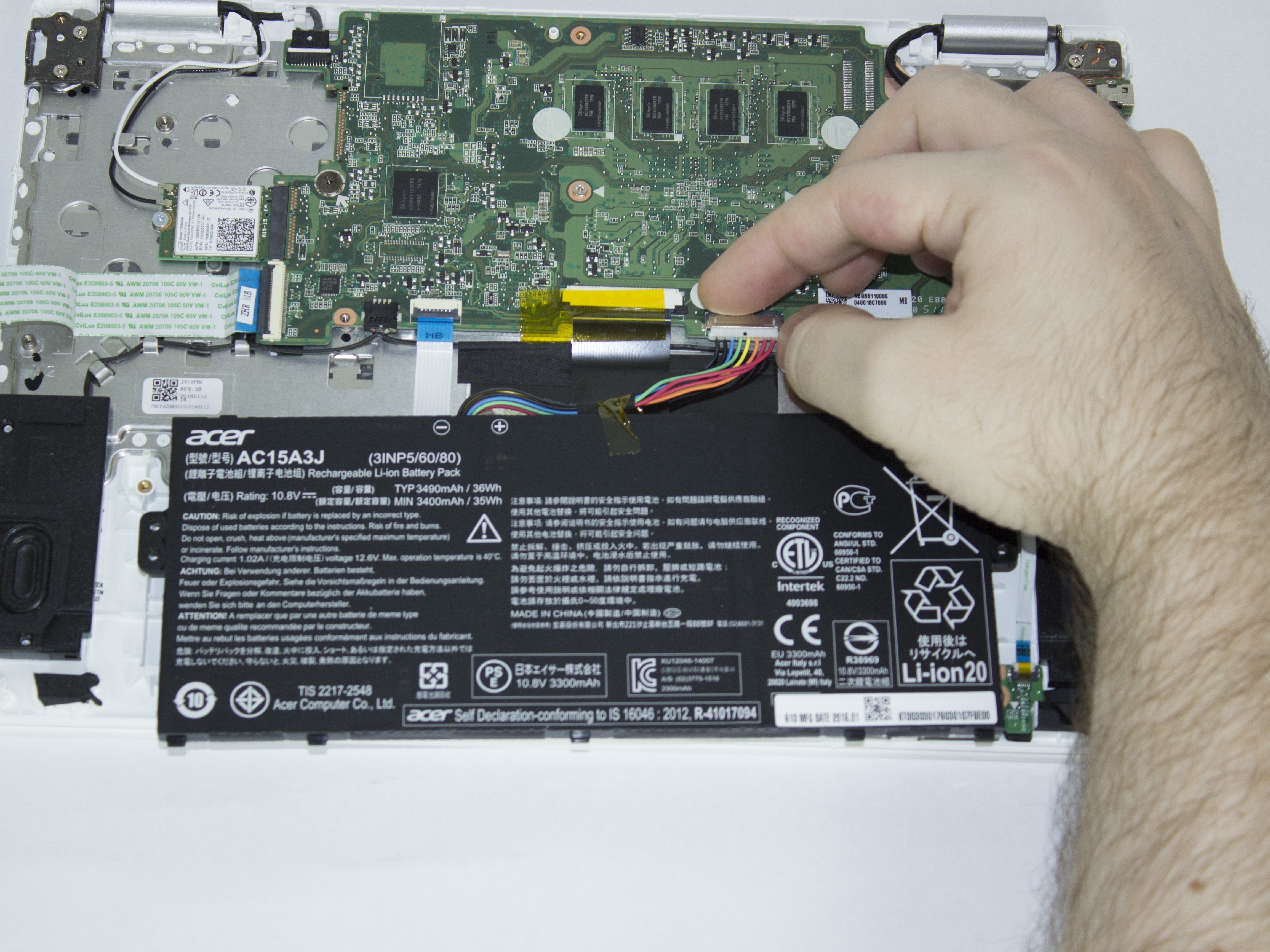
  • Slide out the ribbon that is connecting the battery to the motherboard.
  • There are 7 wires leading to it, and each is a different color of the rainbow.
  • Disconnect the keyboard ribbon located at bottom center of motherboard.
Step 4

Repair step

  • Remove the battery by pulling upwards.
Step 5

Repair step

  • Slide out black ribbons connecting speakers to motherboard
  • Connected on lower left-hand side of motherboard
  • When removing wires, remove gently with respect to metal clips along wires that are holding them in place.
  • Slide out white ribbon connecting keyboard to motherboard
Step 6

Repair step

  • Gently pull speakers upwards
  • Adhesive is below it