FIXONIC
SellSavedMy Fixonic
Official iFixit API visual reference

Lenovo IdeaPad U430 Touch Screen Replacement

Attributed iFixit repair guide for Lenovo IdeaPad U430 Touch.

iFixit Library Lenovo IdeaPad U430 Touch Moderate No estimate Guide 88038
Open the authorised source
Licensed iFixit integration

This attributed iFixit guide is displayed through Fixonic's recorded commercial API permission. iFixit remains the independent source and author of the procedure.

Step 1

Repair step

  • Power off your computer before you begin.
  • Find and remove the 10 Phillips style body screws on the bottom of the laptop case.
Step 2

Repair step

  • Remove 2 screws, 1 located on the left hinge cover and one located on the right hinge cover.
Step 3

Repair step

  • Starting from the front, use a plastic opening tool to separate the bottom of the case from the body of the laptop.
Step 4

Repair step

  • Remove the four 4.5mm screws from the screen hinges.
Step 5

Repair step

  • Use the plastic spudger to lift and disconnect the antennae connectors from the motherboard.
Step 6

Repair step

  • Use fingers to remove the bundled cable connector for the front facing camera.
Step 7

Repair step

  • Use the plastic opening tool or spudger to lift and remove the flat top connector from the motherboard.
Step 8

Repair step

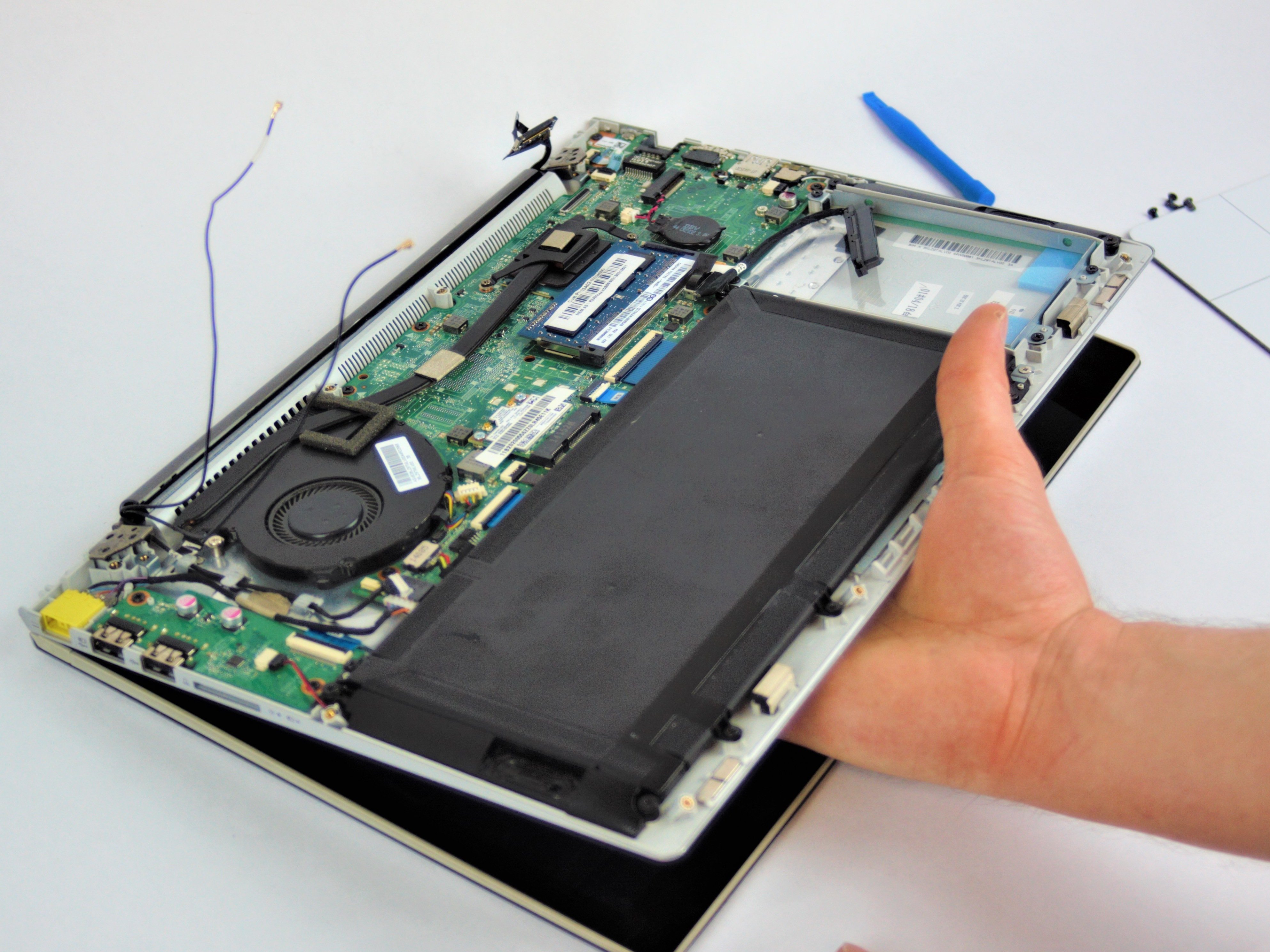
  • Carefully separate the bottom of the laptop from the screen.
Step 9

Repair step

  • Using the spudger and the plastic opening tool, carefully remove the plastic cover from the bottom of the screen.
  • Plastic clips can be fragile, so take your time to carefully remove.
Step 10

Repair step

  • Using the PH1 Phillips head, remove the 3mm screws from the left side screen hinge on the screen assembly.
  • Remove the hinge.
Step 11

Repair step

  • Using the PH000 Phillips head screwdriver, remove the three 2mm screws that are securing the bottom of the screen.
Step 12

Repair step

  • Using the plastic opening tool and the plastic spudger, work your way around the screen to release it from the case.
Step 13

Repair step

  • Remove the screen.