FIXONIC
SellSavedMy Fixonic
Official iFixit API visual reference

Insignia NS-SPBTBRICK-CM On/Off and Battery Saving Mode Switch Replacement

Attributed iFixit repair guide for Insignia NS-SPBTBRICK-CM.

iFixit Library Insignia NS-SPBTBRICK-CM Very difficult 1 hour Guide 88073
Open the authorised source
Licensed iFixit integration

This attributed iFixit guide is displayed through Fixonic's recorded commercial API permission. iFixit remains the independent source and author of the procedure.

Step 1

Repair step

  • Remove the rubber sleeve.
Step 2

Repair step

  • Use the specified screwdriver to unscrew the ten screws on the back cover.
Step 3

Repair step

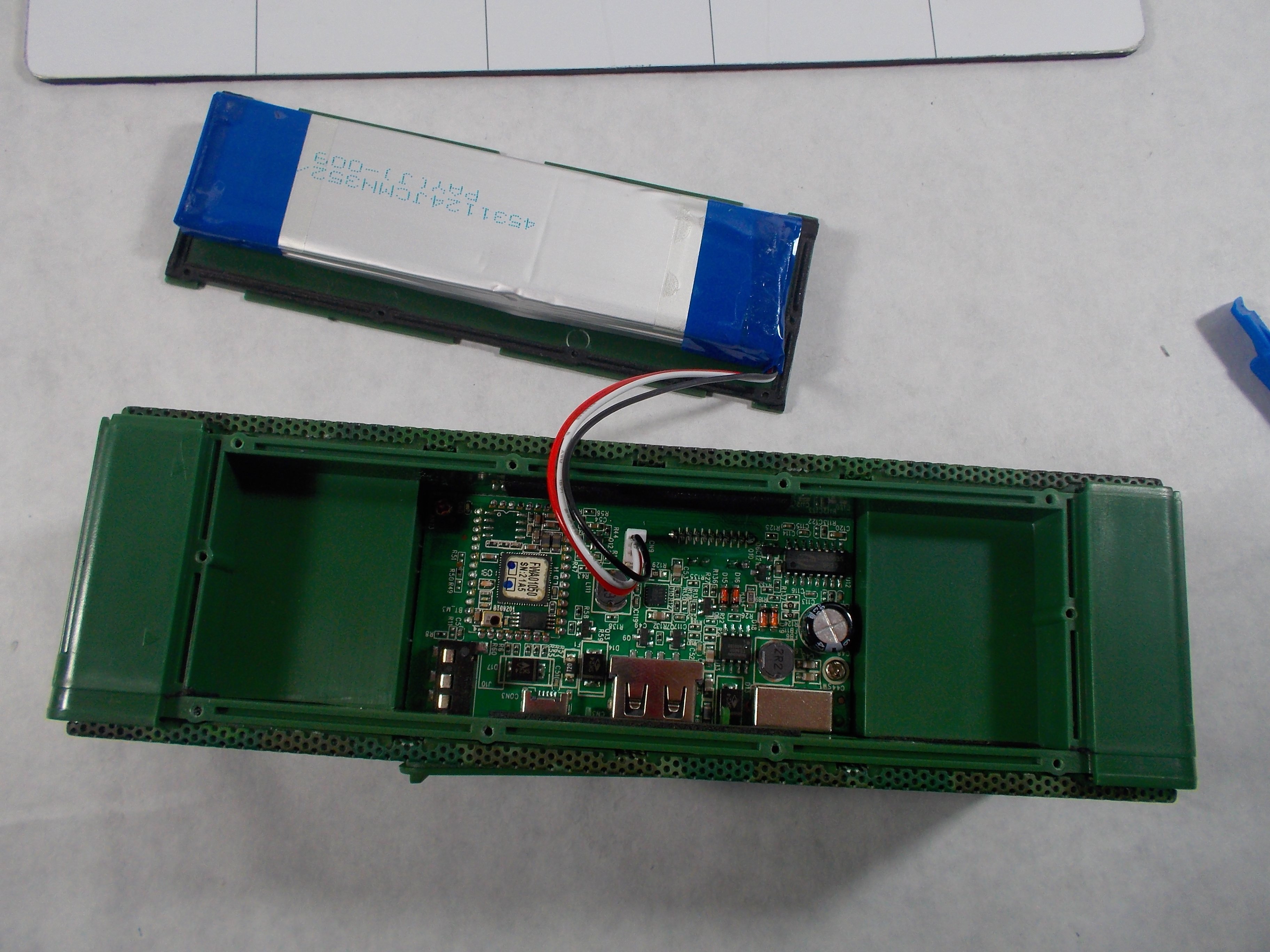
  • Remove the back cover. Be careful to not lose any of the screws because they are extremely small and can be easily lost.
Step 4

Repair step

  • The battery will be attached to the back cover with sticky tape. Unplug the wires connecting the battery to the speaker.
Step 5

Repair step

  • Once the battery and back cover have been successfully removed, use the soldering iron. To remove the on/off switch from the circuit board, use a soldering iron to heat previous solders until melted.
Step 6

Repair step

  • Once the solders are heated, you will be able to pry the metal piece out of the circuit board using tweezers. Use caution when removing the switch because it will be very hot.
Step 7

Repair step

  • Once the switch has been removed, place the new switch in the spot the old one was previously.
Step 8

Repair step

  • Using the soldering iron and solder, metal the solder to the previous connecting points. Allow the metal to cool and be cautious of heat.
Step 9

Repair step

  • Once the piece has been successfully replaced, replace the back cover and battery onto the device. Screw the cover back on.