FIXONIC
SellSavedMy Fixonic
Official iFixit API visual reference

Insignia NS-SPBTBRICK-CM Battery Replacement Prerequisite

Make sure the device is powered off before you...

iFixit Library Insignia NS-SPBTBRICK-CM Moderate 20 minutes Guide 88074
Open the authorised source
Licensed iFixit integration

This attributed iFixit guide is displayed through Fixonic's recorded commercial API permission. iFixit remains the independent source and author of the procedure.

Guide overview

Before you begin

Make sure the device is powered off before you start following the instructions. If you have a physical disability with your hand, wrist, or arm consider having a different individual help you because the tasks require steady hands. Be sure to work on a flat surface and to not lose any of the small parts because they are very small and can be lost easily.

Step 1

Repair step

  • Remove the rubber sleeve.
Step 2

Repair step

  • Use the specified screwdriver to unscrew the ten screws on the back cover.
Step 3

Repair step

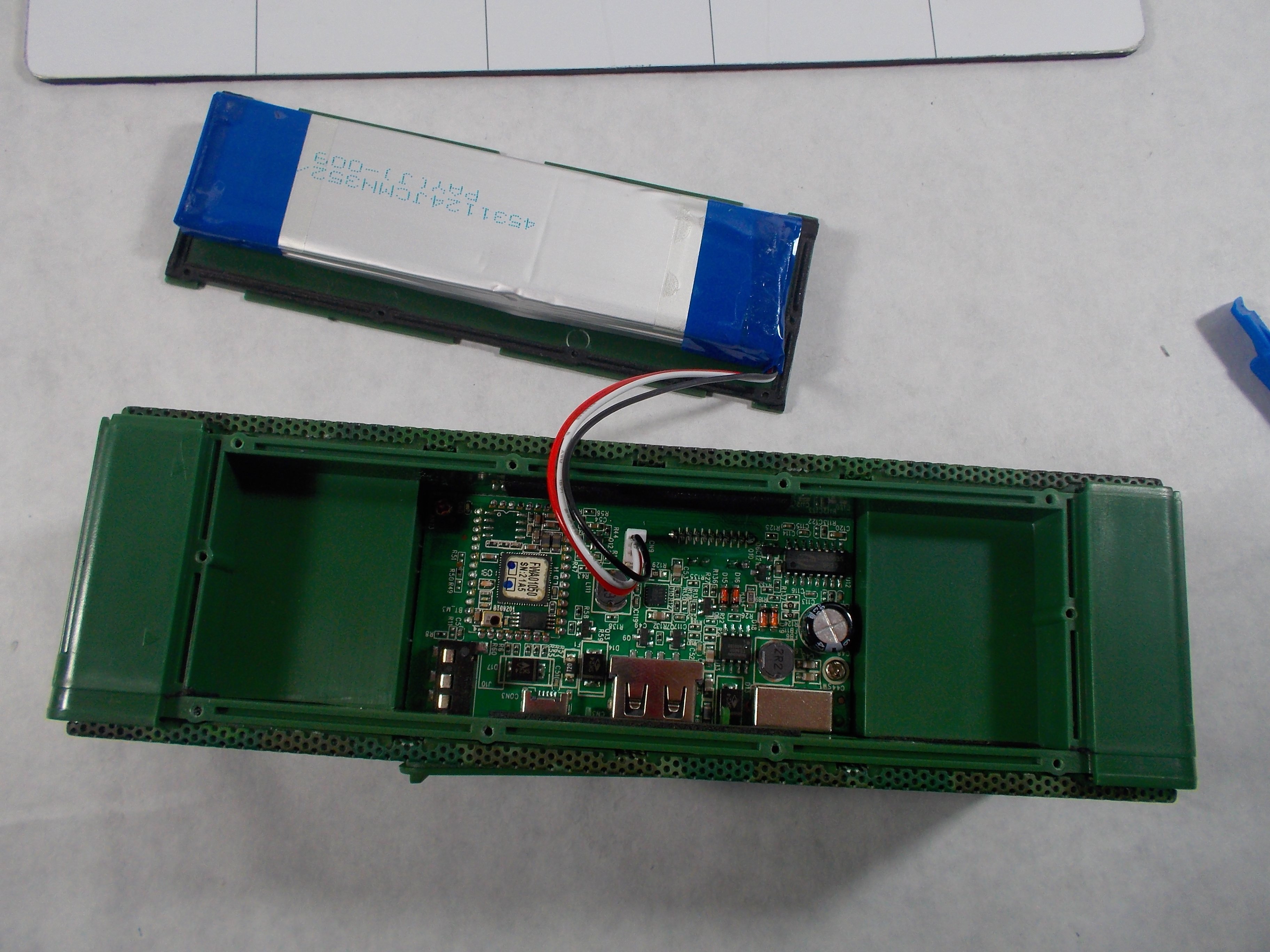
  • Remove the back cover. Be careful to not lose any of the screws because they are extremely small and can be easily lost.
Step 4

Repair step

  • The battery will be attached to the back cover with sticky tape. Unplug the wires connecting the battery to the speaker.