
FIXONIC
SellSavedMy Fixonic
Official iFixit API visual reference

Lenovo Yoga 3 Pro Wireless Card Replacement

This guide will show you how to replace the...

iFixit Library Lenovo Yoga 3 Pro Easy 15 minutes Guide 88571
Open the authorised source
Licensed iFixit integration

This attributed iFixit guide is displayed through Fixonic's recorded commercial API permission. iFixit remains the independent source and author of the procedure.

Guide overview

Before you begin

This guide will show you how to replace the wifi card. As an extra precaution, the battery should be removed first before proceeding with the rest of the device.
Step 1

Repair step

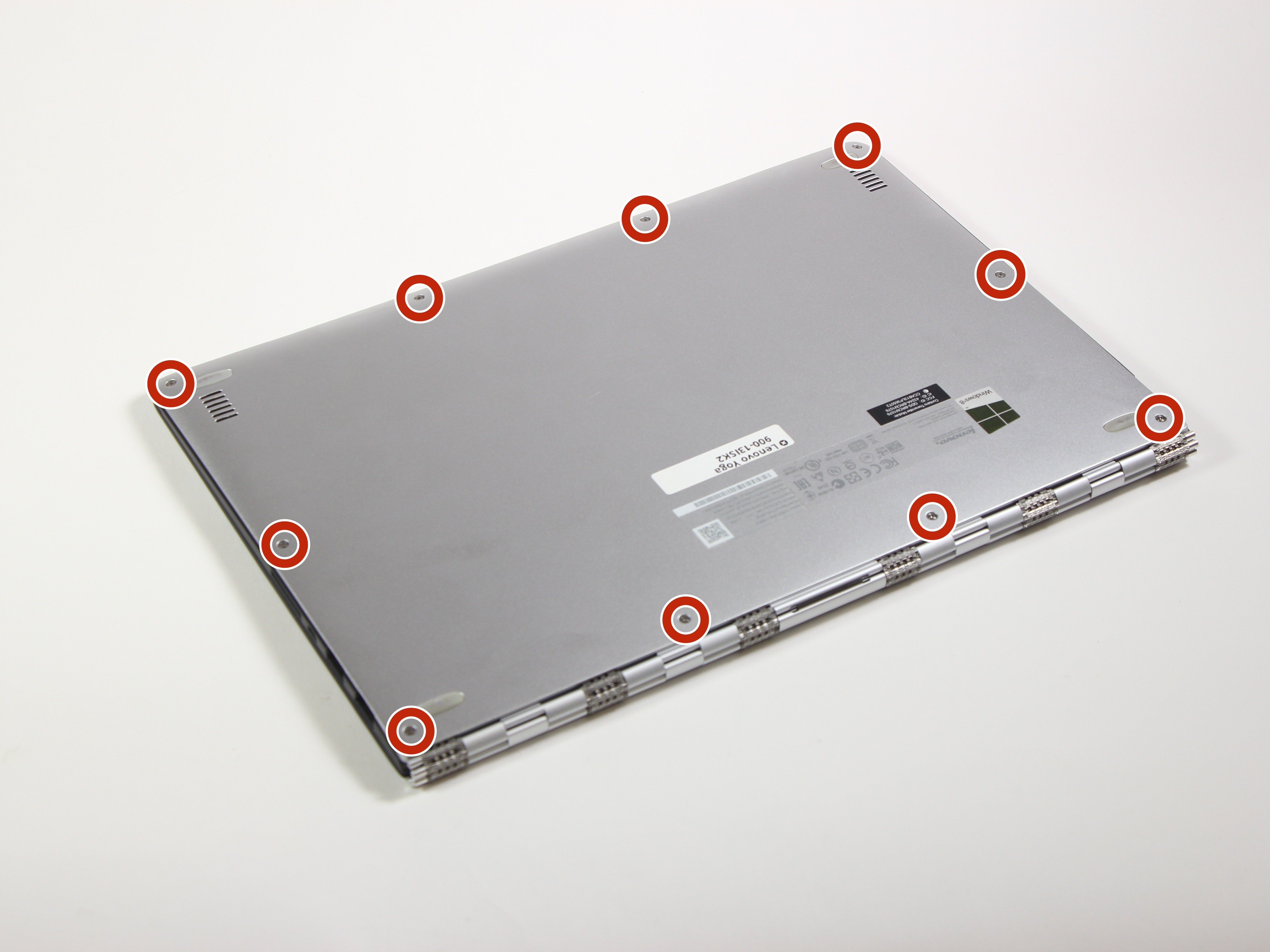
  • Flip the laptop so that the back panel is facing up.
  • Remove the ten 4.0mm T6 Torx screws from the back of the laptop.
Step 2

Repair step

  • Gently lift the back cover off of the laptop.
Step 3

Repair step

  • Push the black battery cable towards the battery to disconnect it.
Step 4

Repair step

  • Remove the six #0 3.8mm Phillips screws from the battery.
Step 5

Repair step

  • Gently lift the battery out of the laptop chassis.
Step 6

Repair step

  • Using the plastic opening tool, gently pry the grey wire off the wifi card.
  • Pry the black wire off the wifi card.
Step 7

Repair step

  • Remove the one #0 2.9mm Phillips screw from the base of the wifi card.
Step 8

Repair step

  • Gently lift and pull the wifi card out.