
FIXONIC
SellSavedMy Fixonic
Official iFixit API visual reference

Asus U50F-RBBAG05 Battery Replacement

This guide will show you how to remove the...

iFixit Library ASUS U50F-RBBAG05 Very easy 30 seconds - 1 minute Guide 88898
Open the authorised source
Licensed iFixit integration

This attributed iFixit guide is displayed through Fixonic's recorded commercial API permission. iFixit remains the independent source and author of the procedure.

Guide overview

Before you begin

This guide will show you how to remove the battery from an Asus U50F-RBBAG05 Series laptop. The battery supplies power to the laptop, so this can fix the problem of the laptop not powering on. You must remove the battery if you need to “power discharge” the laptop. This guide can be found in the troubleshooting page.

Step 1

Repair step

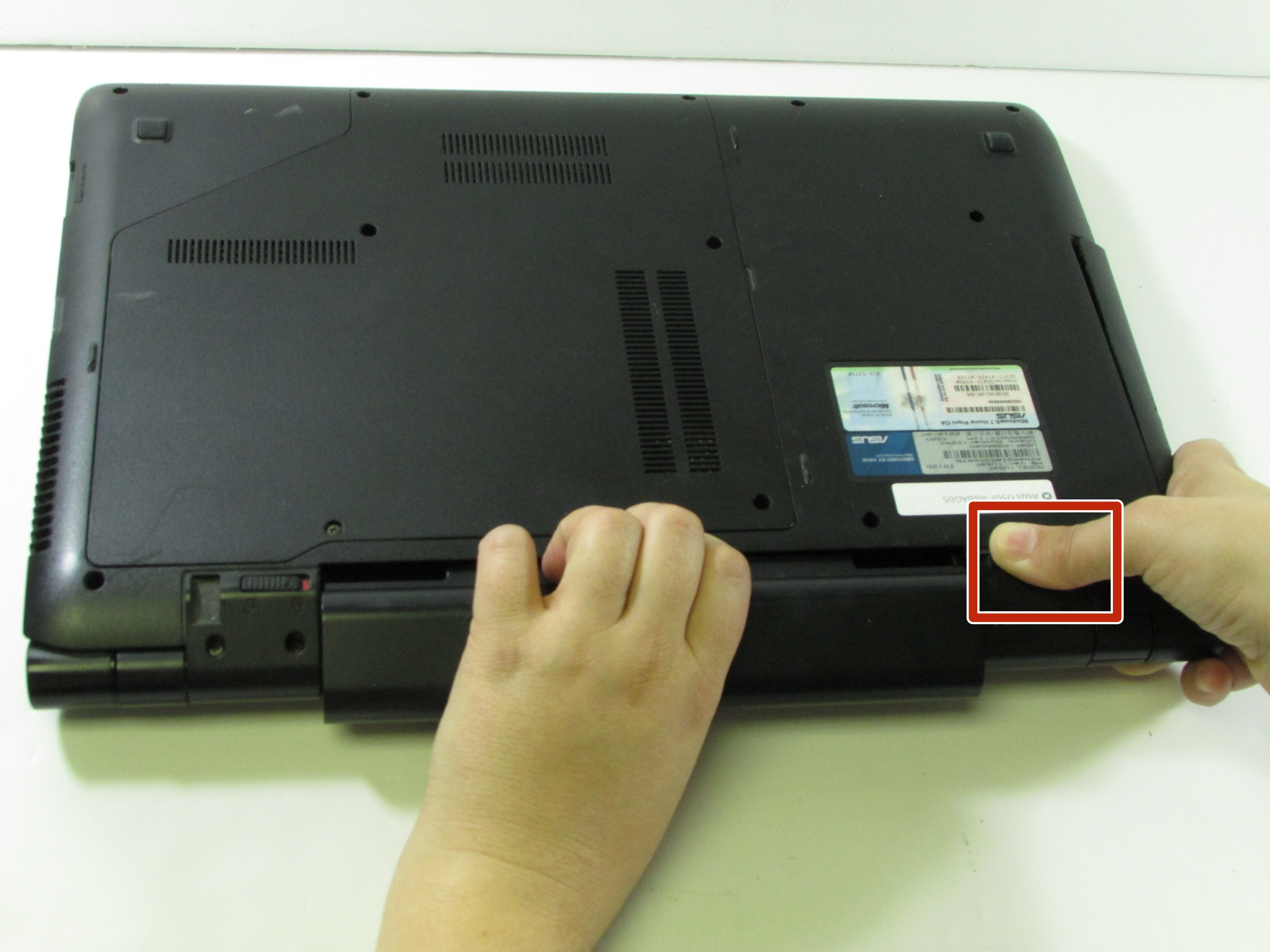
  • Turn the laptop over so the bottom is facing up.
  • Slide the two tabs on the bottom of the laptop toward the edges of laptop.
  • Slide the left tab to the left to lock it into the unlocked position. The red showing next to the tab signifies that it's unlocked.
  • You will have to hold the right tab to the right to keep the slot unlocked while removing the battery.
Step 2

Repair step

  • Hold down the tab on the right side, then begin sliding the battery out.
  • Remove the old battery.
  • Next, insert the new battery into the empty slot. Release the right tab to begin locking the new battery into place. Slide the left tab to the right to completely lock the battery into the slot. The red that was showing near the left tab should be gone. This signifies that the battery is locked into place.