FIXONIC
SellSavedMy Fixonic
Official iFixit API visual reference

Nokia 8265 Logic Board Replacement

How to take out and replace the Logic Board for...

iFixit Library Nokia 8265 Moderate 10 minutes Guide 8984
Open the authorised source
Licensed iFixit integration

This attributed iFixit guide is displayed through Fixonic's recorded commercial API permission. iFixit remains the independent source and author of the procedure.

Guide overview

Before you begin

How to take out and replace the Logic Board for the Nokia 8265 Cell Phone.

Step 1

Repair step

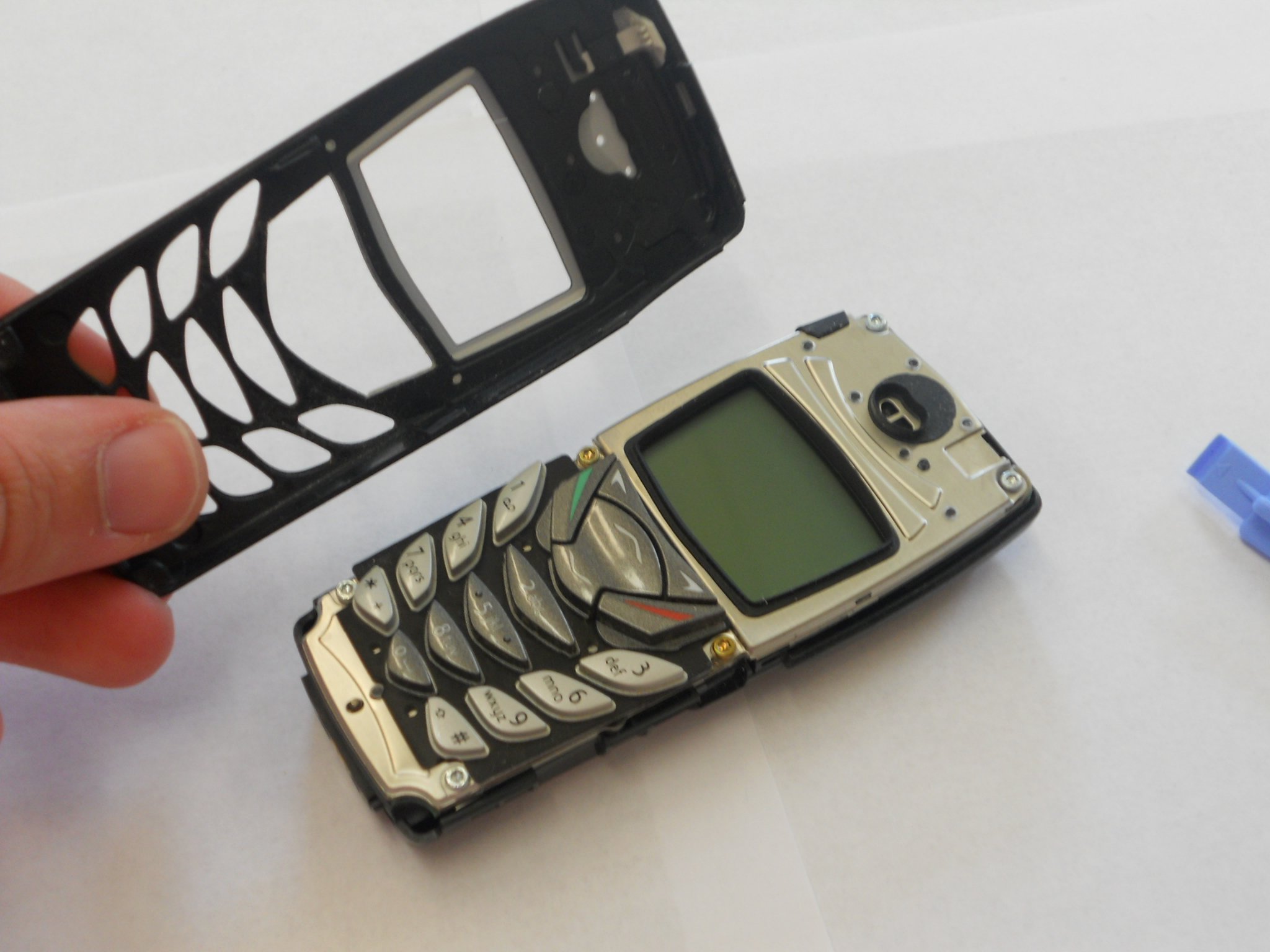
  • Start by removing the face plate of the phone with a plastic tool.
  • Once plastic tool is wedged into the side of the phone, twist and leverage the face plate off.
Step 2

Repair step

  • Once the face plate is off, you will have exposed the keypad.
Step 3

Repair step

  • Simply remove the keypad from on top of the phone, and place it off to the side, leaving just the phone itself remaining
Step 4

Repair step

  • Taking a very small screwdriver, carefully unscrew the six screws attaching the top layer of the screen from the body of the phone.
  • Make sure to remember what screw goes where.
Step 5

Repair step

  • Once the six screws are removed, you may take off the screen section of the phone, exposing the inner workings of the cell phone.
  • The screen section will be able to be removed after Step 4 is finished.
Step 6

Repair step

  • Be careful when removing the Logic Board from the body, lifting it with fingers on both sides to prevent damage of the Logic Board.
  • Separate the Logic Board from the main body of the device.
Step 7

Repair step

  • Insert in the replacement Logic Board, setting the Logic Board carefully back into place.
Step 8

Repair step

  • Set the screen carefully over the body of the phone, avoiding any sliding on the Logic board
Step 9

Repair step

  • Replace screws in the corresponding slots, tightening them till they are not loose.
Step 10

Repair step

  • Replace keypad onto the device
Step 11

Repair step

  • Lastly, you can place the cover onto the phone. You will know when it is in place if you hear a click after placing it in.