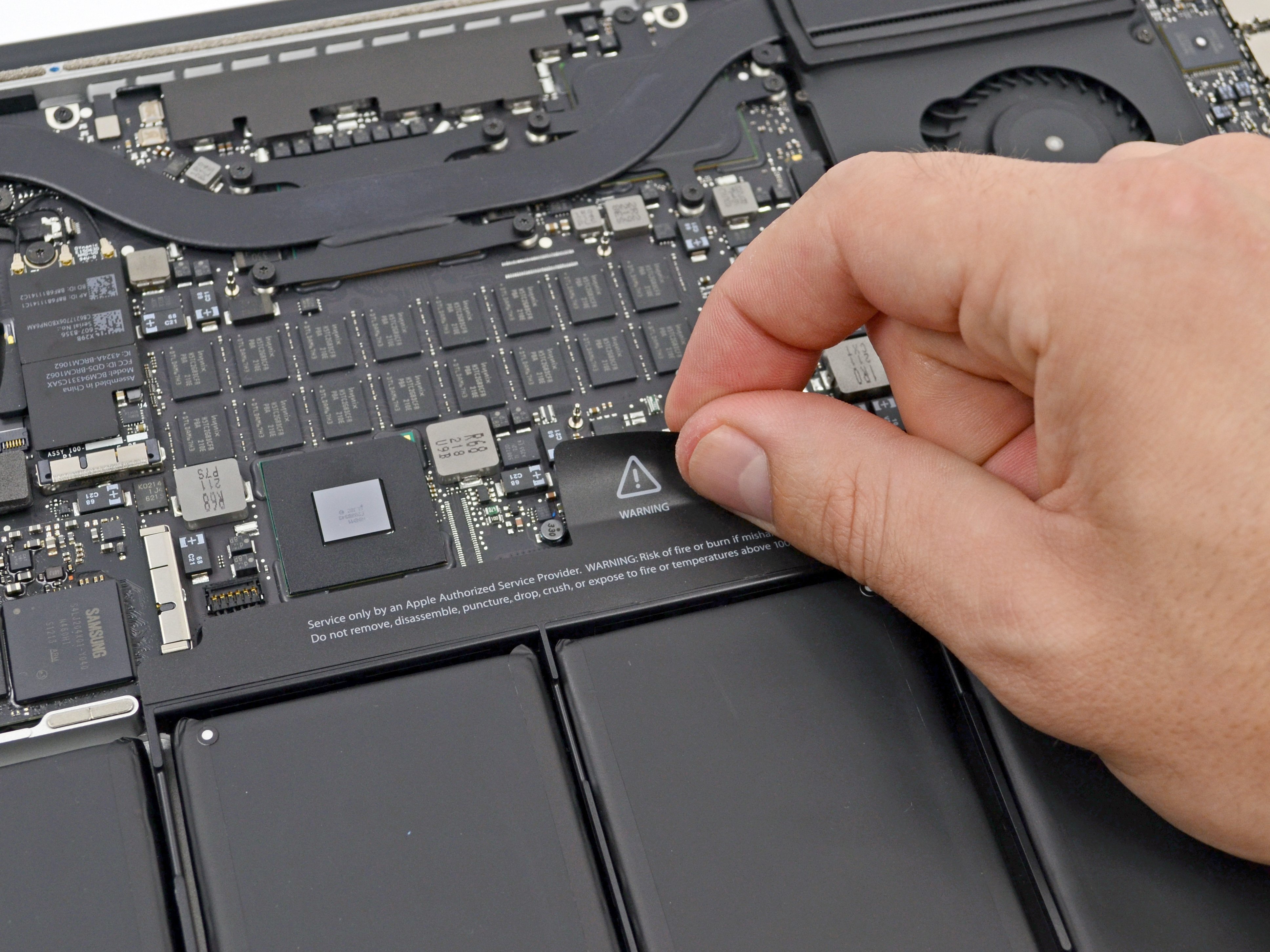
Step 1 Repair step ⌕ TOOL USED ON THIS STEP Spudger Referenced by the iFixit guide View item Peel back the warning label covering the battery connector.
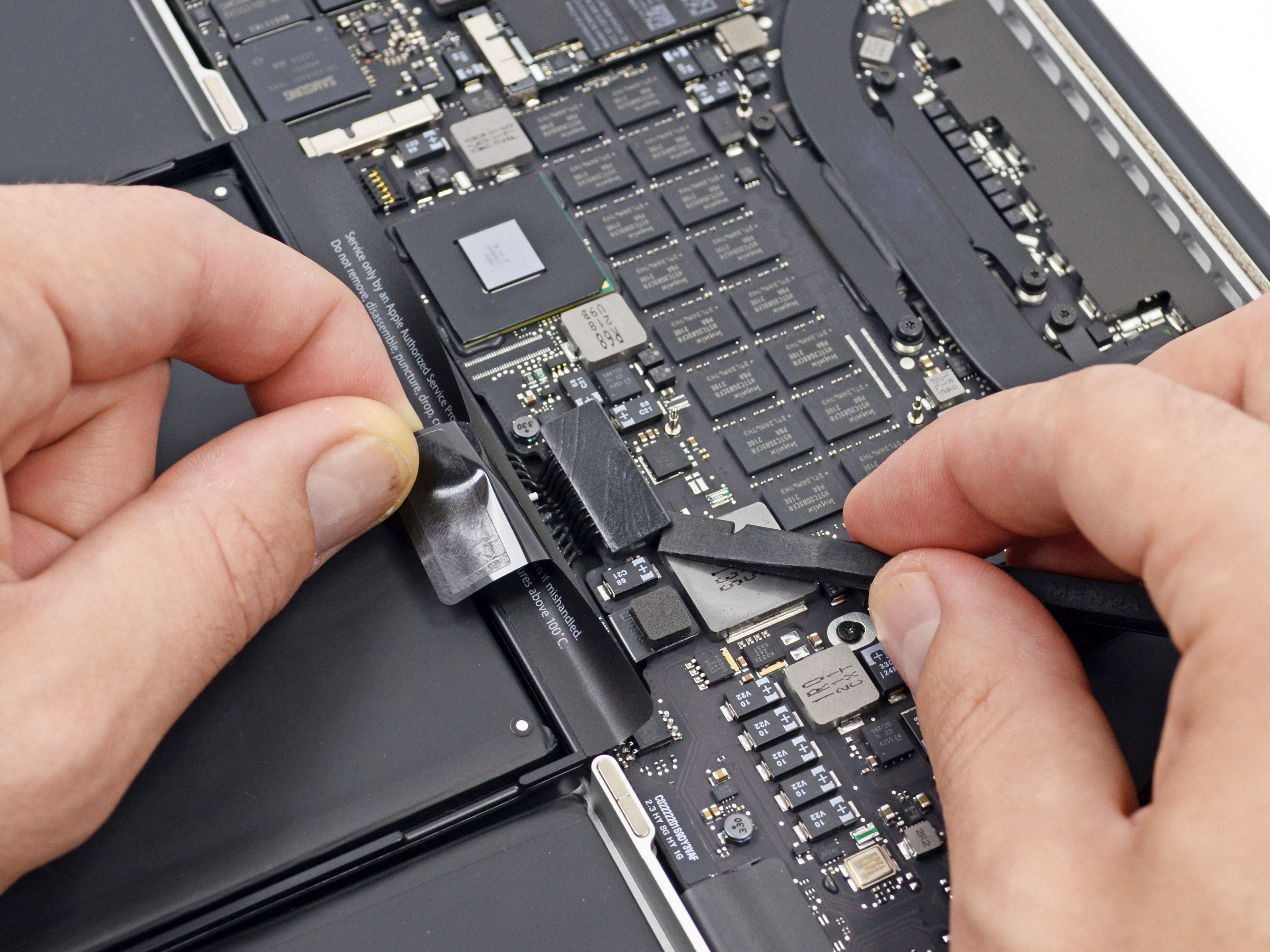
Step 2 Repair step ⌕ TOOL USED ON THIS STEP Spudger Referenced by the iFixit guide View item Using the flat end of a spudger, gently pry the battery connector straight up out of its socket on the logic board. Bend the battery cables back and out of the way, ensuring that the battery connector doesn't accidentally make contact with the logic board.
 FIXONIC