
FIXONIC
SellSavedMy Fixonic
Official iFixit API visual reference

MacBook Pro 15" Retina Display Mid 2012 I/O Board Cable Replacement

Attributed iFixit repair guide for MacBook Pro 15" Retina Display Mid 2012.

iFixit Library MacBook Pro 15" Retina Display Mid 2012 Moderate No estimate Guide 9720
Open the authorised source
Licensed iFixit integration

This attributed iFixit guide is displayed through Fixonic's recorded commercial API permission. iFixit remains the independent source and author of the procedure.

Step 1

Repair step

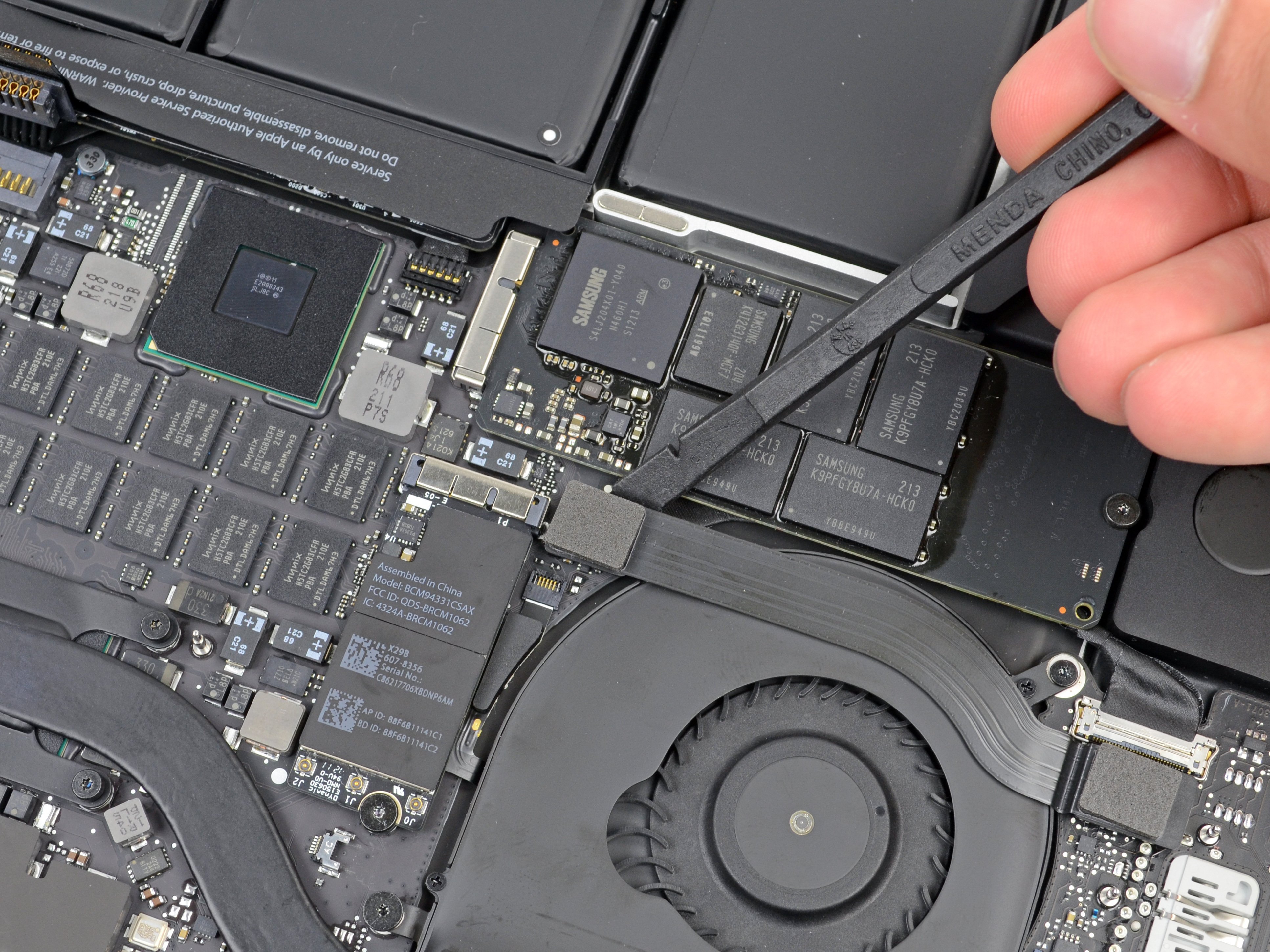
  • If your I/O Board cable's connectors have notches in the padding, you will need to release a locking lever underneath the notch in order to remove the cable. If this is the case, don't pry up on the connector until the levers are unlatched.
  • Using the flat end of a spudger, pry the I/O Board connector straight up out of its socket on the logic board.
  • During reassembly, connect this end first, as it does not flex.
  • In a similar fashion, remove the I/O Board cable connector from its socket on the I/O Board.
  • Remove the I/O Board cable from the MacBook Pro.