FIXONIC
SellSavedMy Fixonic
Official iFixit API visual reference

Dell Inspiron 15-7569 RAM Replacement

You can follow this guide to replace your Dell...

iFixit Library Dell Inspiron 15-7569 Easy 20 - 30 minutes Guide 98028
Open the authorised source
Licensed iFixit integration

This attributed iFixit guide is displayed through Fixonic's recorded commercial API permission. iFixit remains the independent source and author of the procedure.

Guide overview

Before you begin

You can follow this guide to replace your Dell Inspiron 15-7569's RAM if you would like to improve performance speed.

Step 1

Repair step

  • Remove the (10) P58F black screws on the back cover using the Phillips #0 screwdriver.
  • After removing the screws, remove the back cover using a plastic or metal spudger.
Step 2

Repair step

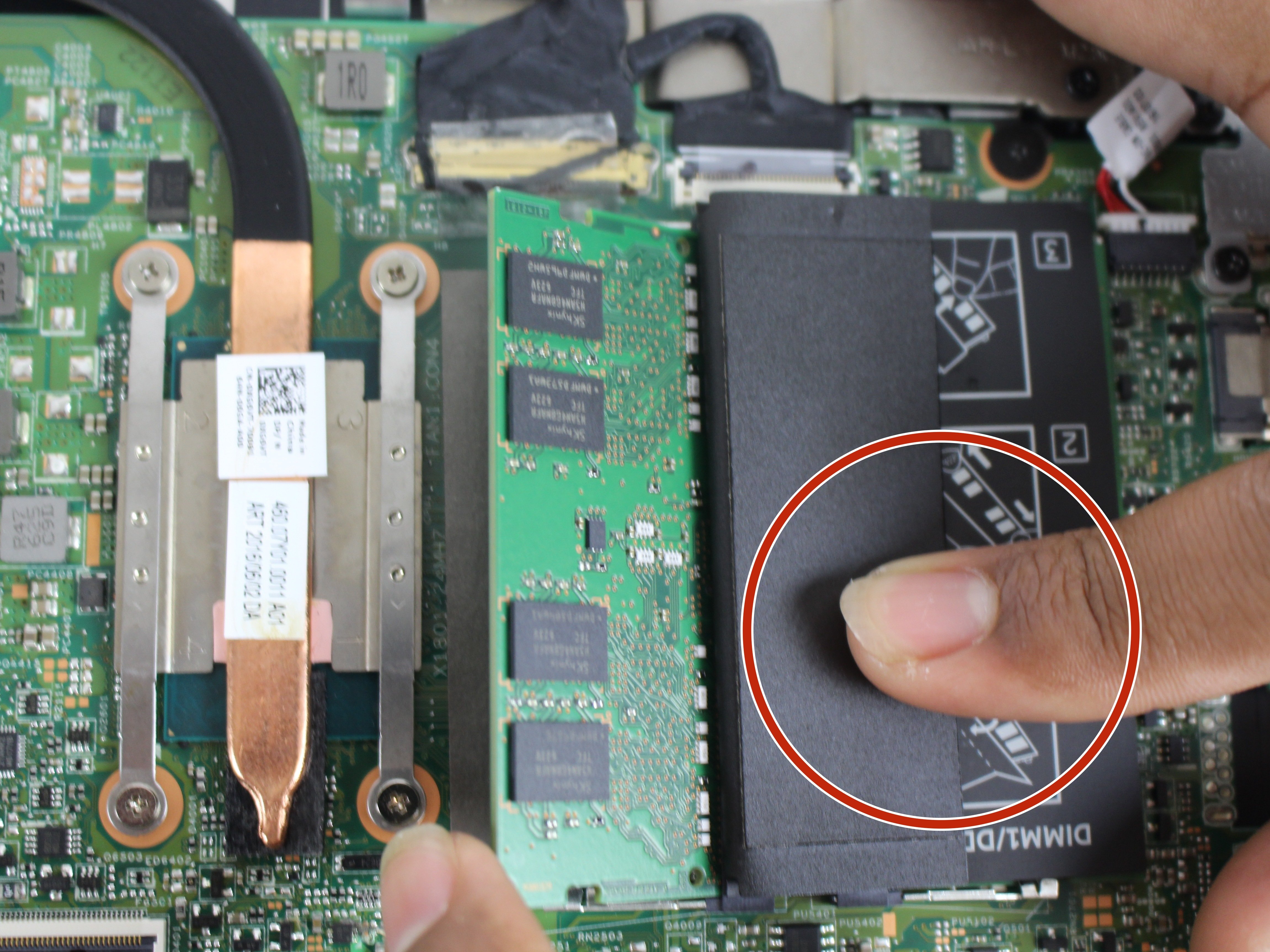
  • Locate the two black RAM "flaps" (pictured)
  • Lift each flap and push out on the metal clamps holding the RAM
  • The RAM will "pop" and "rise" when properly removed
Step 3

Repair step

  • Gently remove the RAM by the edges.