FIXONIC
SellSavedMy Fixonic
Official iFixit API visual reference

Cuisinart CPT-140BK Circuit Board Replacement

This guide will explain how to replace...

iFixit Library Cuisinart CPT-140BK Moderate 20 minutes Guide 99770
Open the authorised source
Licensed iFixit integration

This attributed iFixit guide is displayed through Fixonic's recorded commercial API permission. iFixit remains the independent source and author of the procedure.

Guide overview

Before you begin

This guide will explain how to replace Cuisinart CPT-140BK toaster circuit board. It instructs through the process of disassembly to prevent damage on display cables and panels.

Step 1

Repair step

  • Unplug the toaster before disassembly.
Step 2

Repair step

  • Turn the toaster upside down.
  • Unscrew all 4mm screws using Phillips #2 screwdriver.
Step 3

Repair step

  • Turn the toaster right side up.
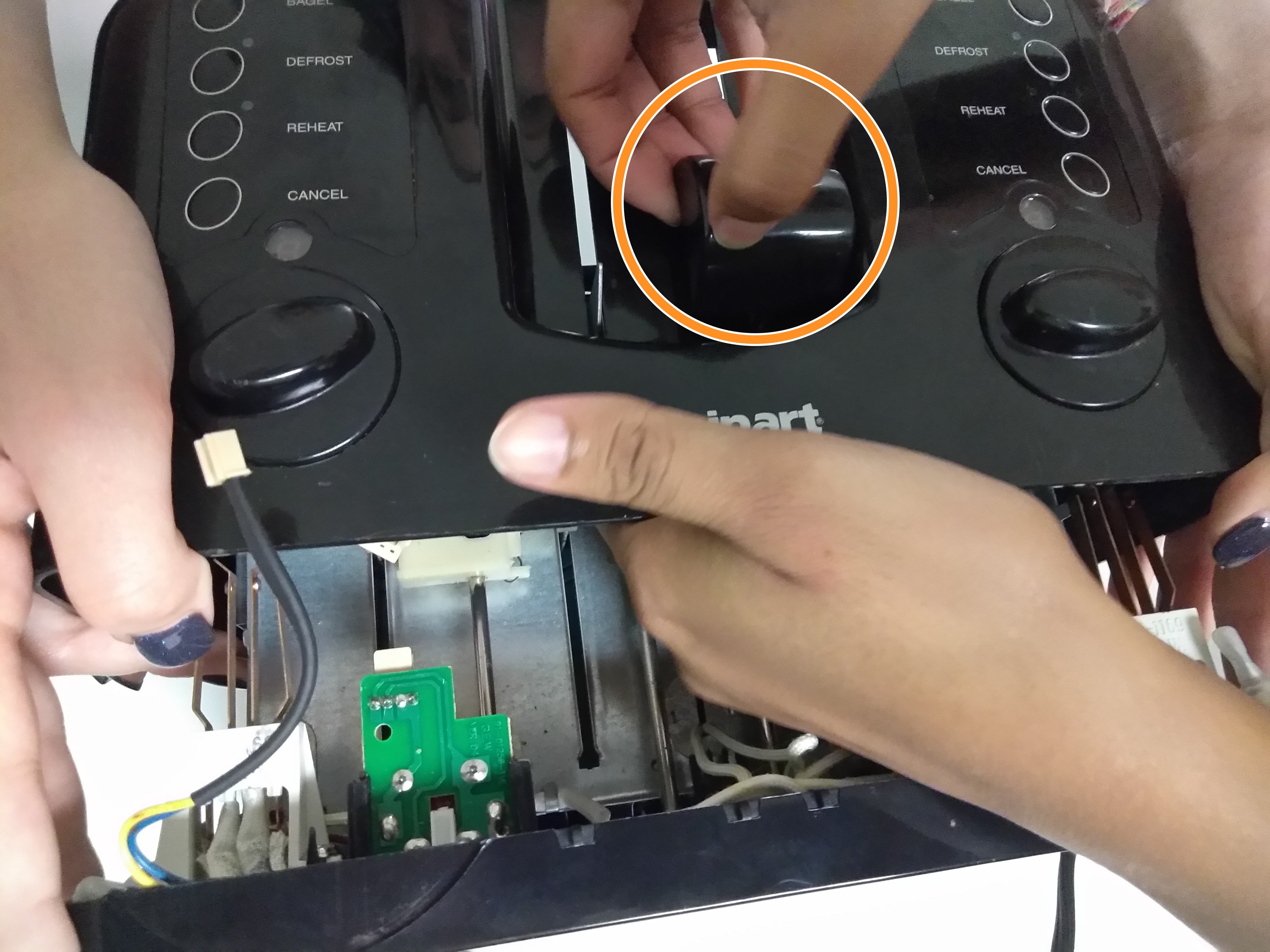
  • Lift up the front cover carefully because the cables can be damaged.
  • Pull out the toaster lever knobs by pulling it away from the toaster before removing the top cover.
Step 4

Repair step

  • Detach the cable that connects the toaster to the circuit board, in both control panels.
Step 5

Repair step

  • Carefully lift up the top cover.
Step 6

Repair step

  • The circuit board is located inside the front cover.
  • Unscrew total of six 4mm screws that attach each circuit board to the top cover, using Phillips #2 screwdriver.
  • Remove and replace the circuit board.