FIXONIC
SellSavedMy Fixonic
Official iFixit API visual reference

MSI GS63VR 6RF Stealth Pro Battery Replacement

This guide will help you replace the battery in...

iFixit Library MSI GS63VR 6RF Stealth Pro Moderate 10 - 20 minutes Guide 99917
Open the authorised source
Licensed iFixit integration

This attributed iFixit guide is displayed through Fixonic's recorded commercial API permission. iFixit remains the independent source and author of the procedure.

Guide overview

Before you begin

This guide will help you replace the battery in your MSI GS63VR 6RF Stealth Pro. You will need to have purchased the replacement battery prior if you are replacing your battery.

Step 1

Repair step

  • Before you begin, be sure to turn off your laptop and discharge the battery down to 25%.
  • Use a Phillips screwdriver to remove the 15 screws securing the back cover.
  • Insert an opening tool or spudger in the seam and pry along the perimeter to loosen the back cover.
  • Do not insert the opening too too far into the back edge (with "Stealth" written on it), or you may damage the power LED.
  • The back cover is secured with clips. Too much pressure from the spudger can break the clips, but some flex is not dangerous.
  • Remove the back cover.
Step 2

Repair step

  • Disconnect the battery by carefully pulling its connector towards the battery.
  • Pull parallel to the battery, not straight up.
Step 3

Repair step

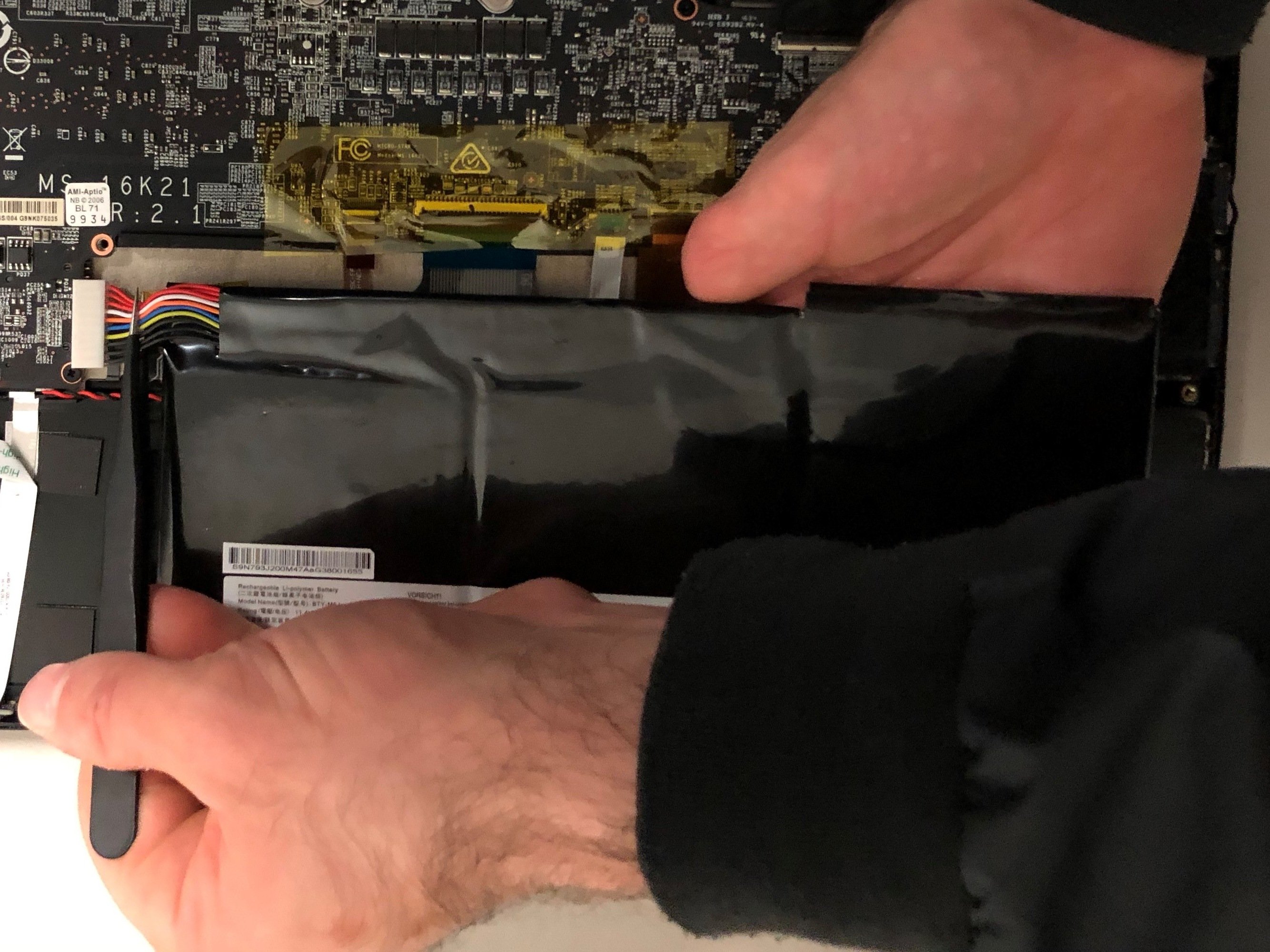
  • The battery is attached to the laptop with a strong adhesive.
  • Lift the battery from laptop.
  • Be careful not to bend the or puncture the battery, as that may cause a fire hazard.